Material Brush and vacuum cleaner
Face mask (as required)
Precondition The supply disconnecting device is switched off.
The disconnecting device is locked off.
A check has been made that no voltage is present.
The machine has cooled down.
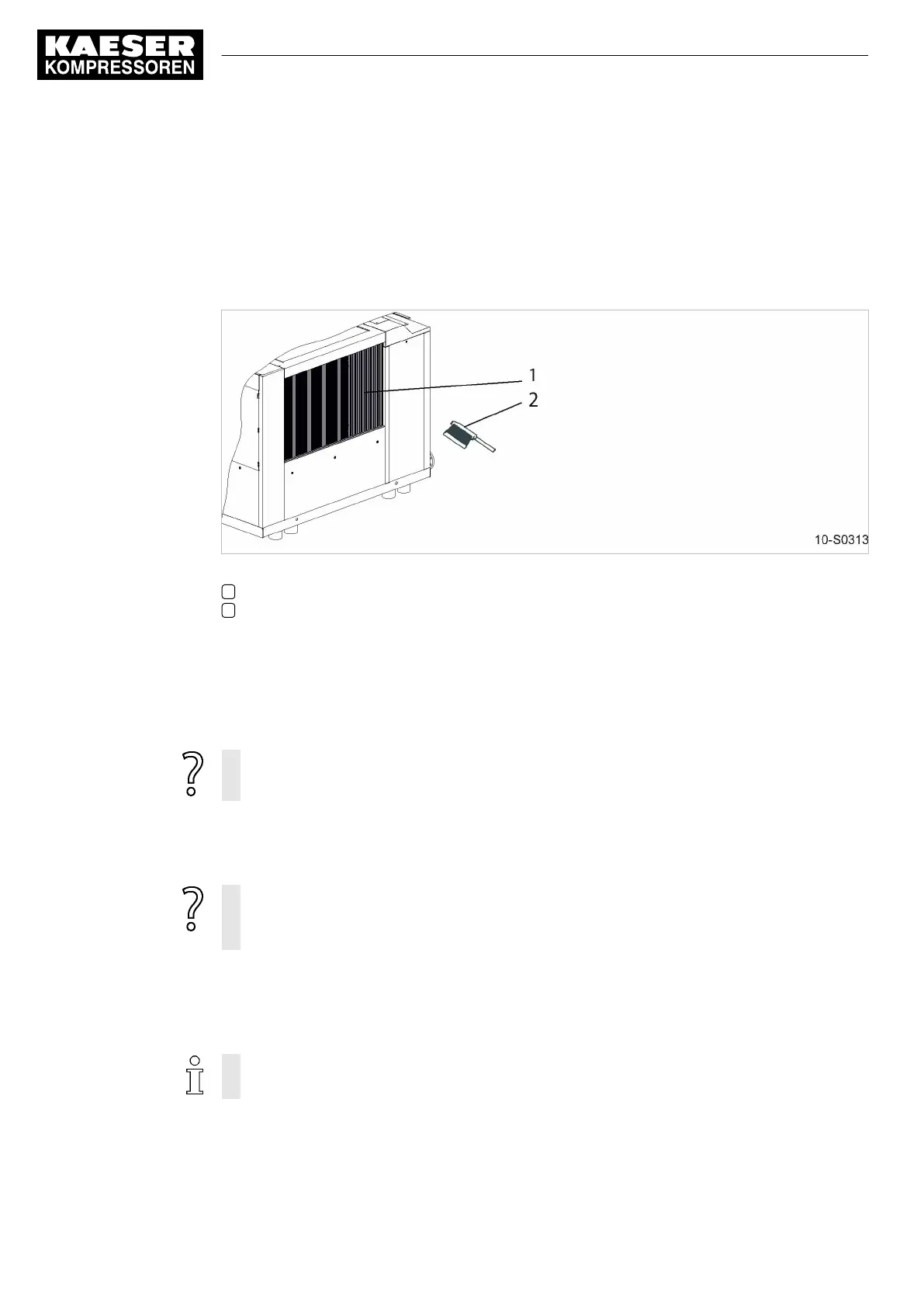
Fig. 23 Cleaning the cooler
1 Cooler
2 Brush
Cleaning the cooler
Do not use sharp objects to clean the cooler. It could be damaged.
Avoid creating clouds of dust.
➤ Dry brush the oil and gas coolers and use a vacuum cleaner to suck up the dirt.
The gas and oil coolers can no longer be properly cleaned?
➤ Have stubborn clogging removed by an authorized KAESER Service Technician.
Check the cooler for leaks
➤ Carry out visual inspection: Did cooling oil escape?
Is a cooler leaking?
➤ Have the defective cooler repaired immediately by KAESER Service.
➤ Check the gas- and oil cooler for leaks
10.7 Option K2/K9
Water-cooling Maintenance
Cooler clogging causes overheating and machine damage.
➤ Observe the airend discharge temperature to detect any tendency to rise.
Check the cooler regularly for leaks and contamination. Frequency of checking is dependant on the
characteristics of the cooling water.
10 Maintenance
10.7 Water-cooling Maintenance
60
Service Manual Screw Compressor
ESD 442/14 bar (abs) SFC SIGMA CONTROL 2 ESD_2C_10357405_10–LIN_00 E



 To Next Page