■ Messages
─ Current messages
─ Message history (event memory)
■ IO display
─ Assignment of the input/output modules
■ User administration
─ Creating and activating new user accounts
─ Deactivating existing user accounts
─ Changing passwords
■ Settings
─ Unit display format
─ Date display format
─ Time display format
■ Data backup
─ Writing data to your own PC.
Further information For the installation of Ethernet cables, the Login, and other procedures, please see chapter 7.3.
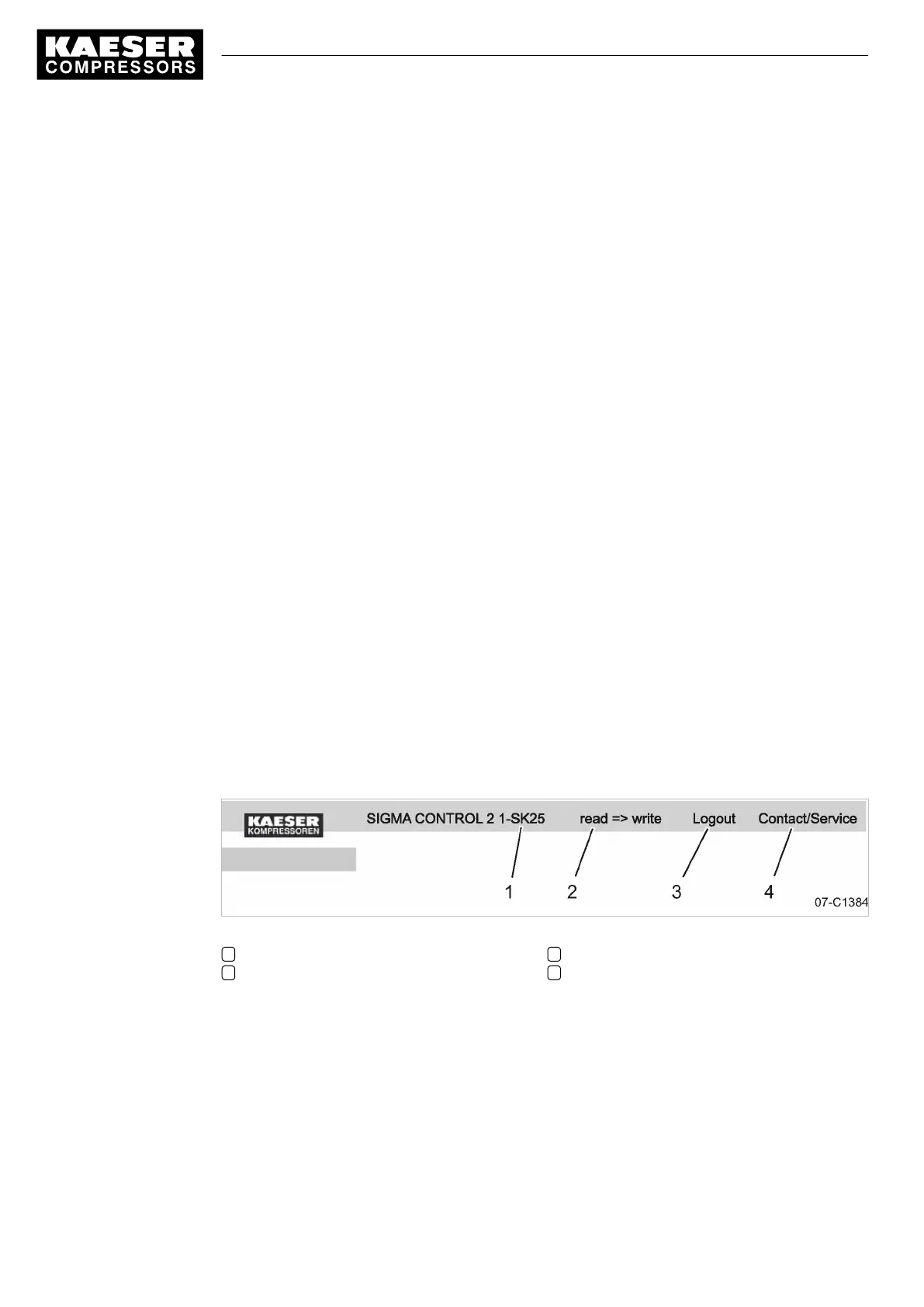
Header
■ Please note the designations in the menu's header. The designations cover user-friendly func‐
tions such as:
■ Activating write mode:
─ You can switch from read mode to write mode to create a new user account, for example.
■ Closing KAESER CONNECT:
─ Logout function in the header.
■ Contact KAESER Service:
─ Display of authorized KAESER Service addresses.
Fig. 8 Header
1 Machine designation
2 Write mode
3 Logout
4 Contact KAESER Service
4.6 Menus – overview
4.6.1 Operating mode
When the machine is switched on, details of the software are displayed, for example,
4 Design and Function
4.6 Menus – overview
18
Service manual Controller
SIGMA CONTROL 2 SCREW FLUID 1.1.3 9_9450 03USE





 To Next Page