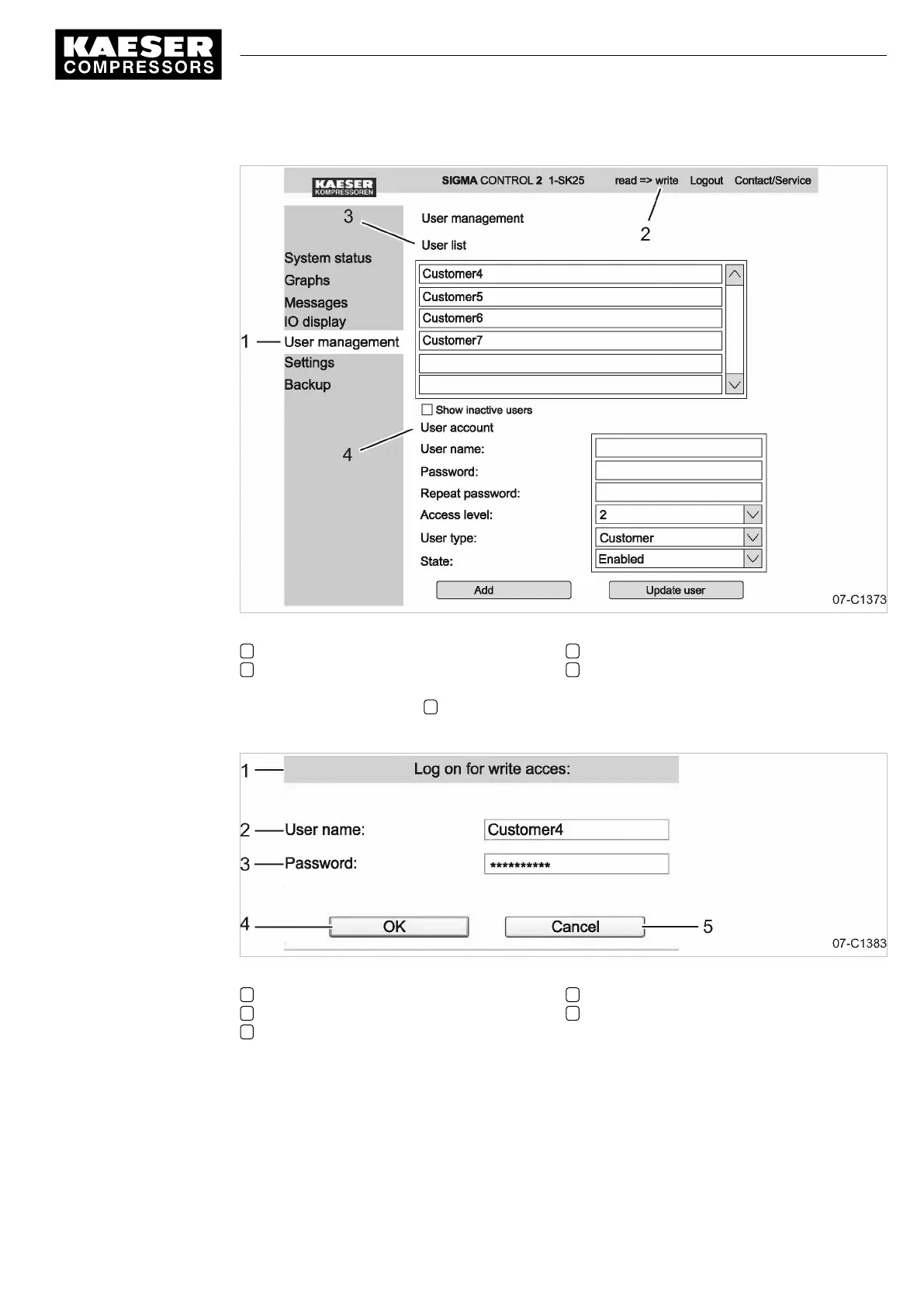
Fig. 19 User administration menu
1
<User administration>
menu
2 Activate write mode
3 User list
4 User account
2. Activate the write mode 2 .
The
Log on for write access
window opens.
Fig. 20 "Log on for write access" window
1
Log on for write access
window
2 User name
3 Password
4 «OK» key
5 «Esc» key
3. Enter your own user name.
4. Enter your own password.
5. Click «OK».
7 Initial Start-up
7.3 Using KAESER CONNECT
9_9450 03USE
Service manual Controller
SIGMA CONTROL 2 SCREW FLUID 1.1.3
55





 To Next Page