1. Align the communication module.
2. Insert the communication module into the bay of interface X4 until it latches (see Fig. 29)
The module is correctly installed when its front plate is seated solidly in the recess of the mod‐
ule bay.
3. Tighten both screws.
7.9.2.2 Activating operation via Profibus
Overview:
■ Set the slave number
■ Set reaction for a bus fault
■ Activate the communications module
■ Activate the remote mode
Precondition The communication module is plugged and screwed into the X4 interface.
The bus is wired to the bus master.
The machine's voltage supply is activated.
The machine is parameterized as a slave in the bus master.
The bus master is operational.
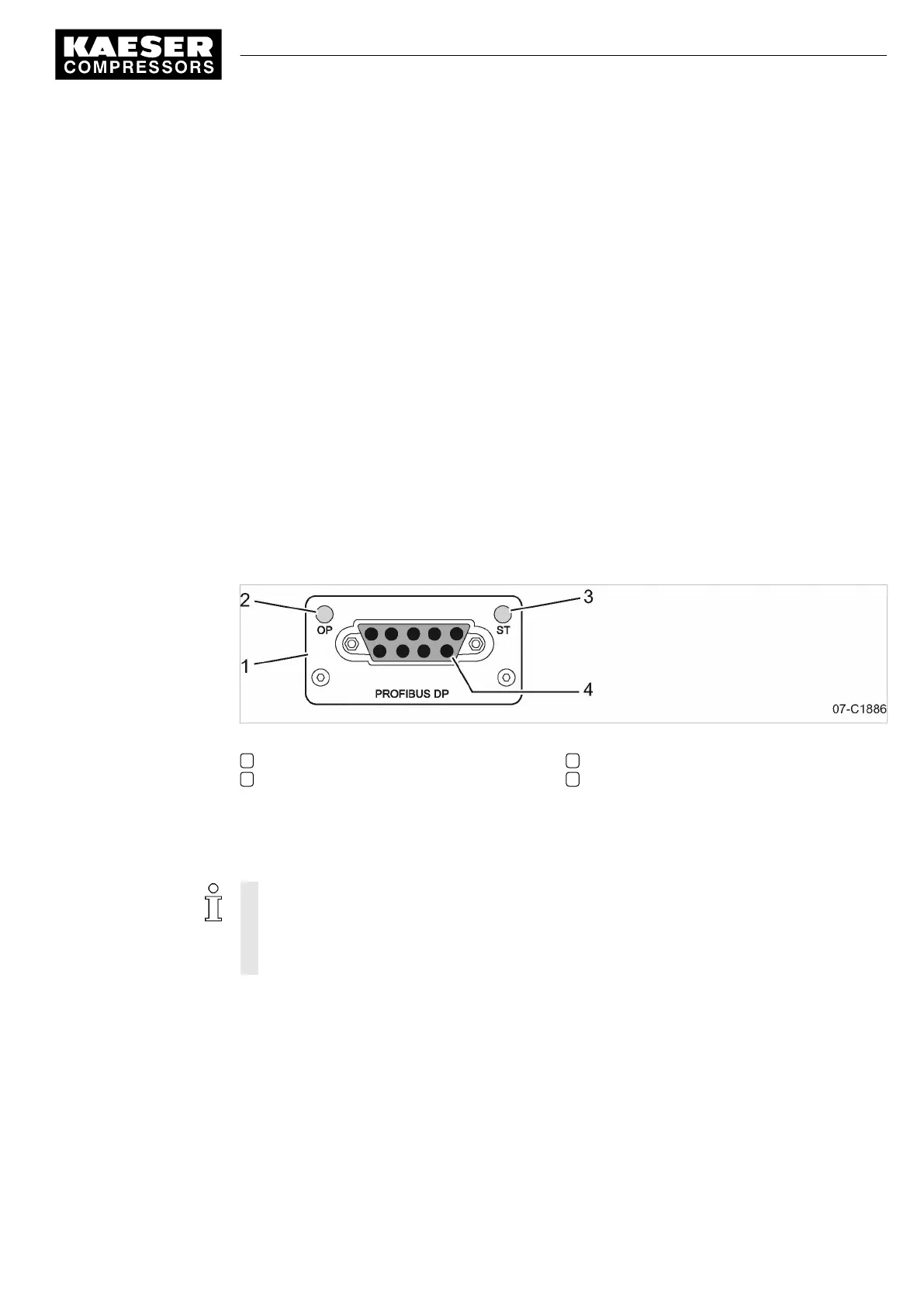
Fig. 30 Front plate of the PROFIBUS communication module
1 PROFIBUS communication module
2 Operation indicator
3
Status
4 PROFIBUS interface
➤ Proceed as shown.
Setting the slave number
You only need to set the slave address for the communication with the
SIGMA AIR MANAGER.
The other parameters do not require adjustment.
When connected to a SIGMA AIR MANAGER, the slave address is determined as follows:
Compressor number used at the SIGMA AIR MANAGER +102.
1. In operating mode, switch to the main menu with the «Enter» key.
7 Initial Start-up
7.9 Configuring the machine for master control
9_9450 03USE
Service manual Controller
SIGMA CONTROL 2 SCREW FLUID 1.1.3
93





 To Next Page