4. Press «Enter» to accept the setting.
The communication module is activated.
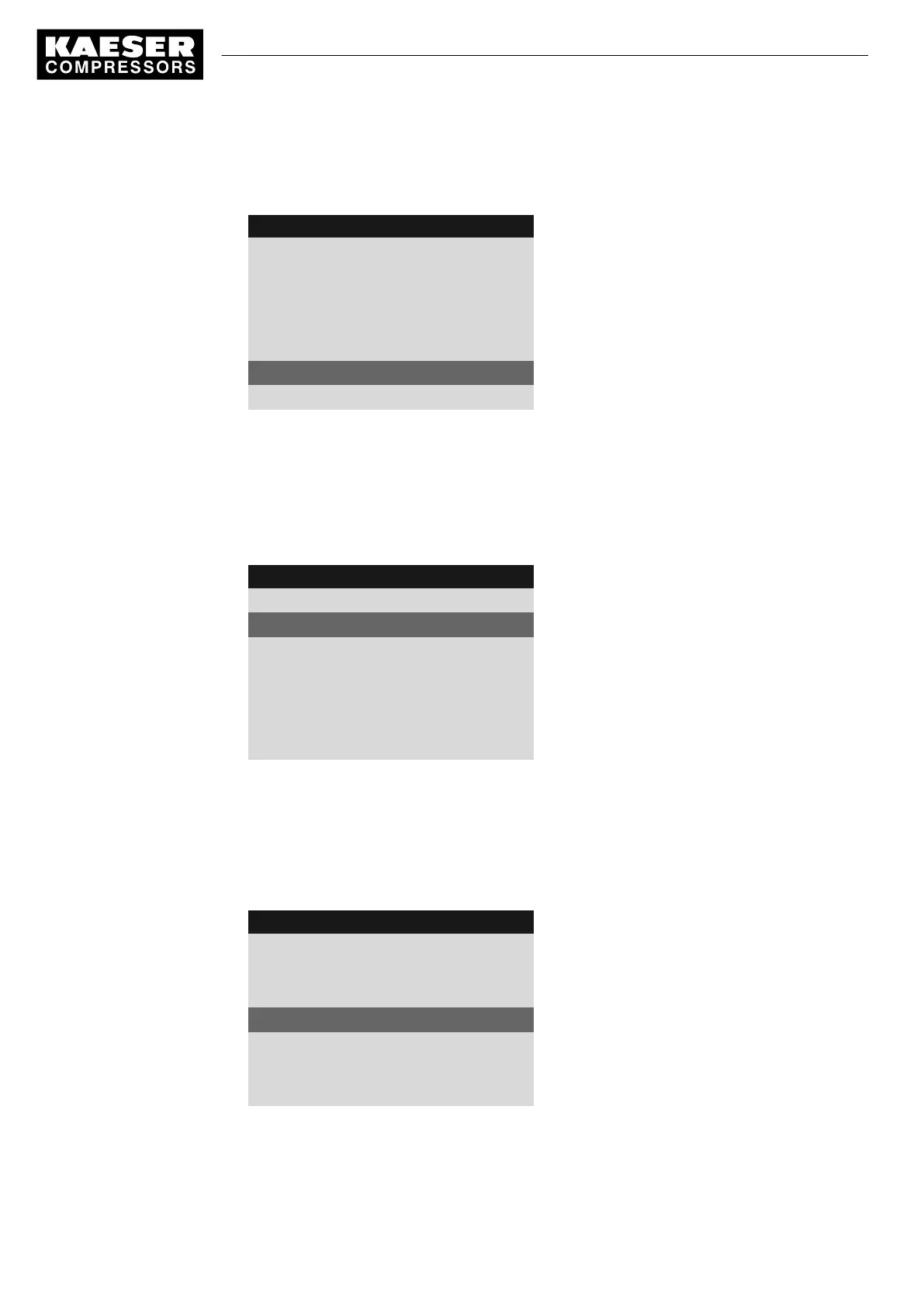
8 9 p s i 0 8 : 1 5 1 7 6 ° F
8.2 Com-Module
Menu
Status Counter 1
Status counter 1 is displayed.
No error
·········
Type Profibus
Detected communication module
Com-Module Start : ☑
Active line
Reset: ☐
5. Press «Esc» repeatedly to return to the Main Menu.
Activate the «Remote control» key
1. In operating mode, switch to the main menu with the «Enter» key.
2. Select
< Communication >
.
The
< Communication >
menu is displayed.
8 9 p s i 0 8 : 1 5 1 7 6 ° F
8 Communication
Menu
▶1 Ethernet
Active line
▶2 Com-Module
Key remote : ☐
3. Press «DOWN» twice.
The
«Remote control» key
is displayed as the active line.
4. Press «Enter» to switch into setting mode.
5. Press «UP» once.
6. Press «Enter» to accept the setting.
The «Remote control» key is activated.
8 9 p s i 0 8 : 1 5 1 7 6 ° F
8 Communication
Menu
▶1 Ethernet
▶2 Com-Module
Key remote : ☑
Active line
7. In order to activate the remote control, press «Remote control» on the operating panel of
SIGMA CONTROL 2.
Result The
green LED
of the «Remote control» key illuminates.
7 Initial Start-up
7.9 Configuring the machine for master control
96
Service manual Controller
SIGMA CONTROL 2 SCREW FLUID 1.1.3 9_9450 03USE



 To Next Page