7.2.3 Noting the number of the KAESER Equipment Card
The number of your KAESER Equipment Card is identical to the
user name
displayed on the
SIGMA CONTROL 2 after you have successfully logged in using your Equipment Card.
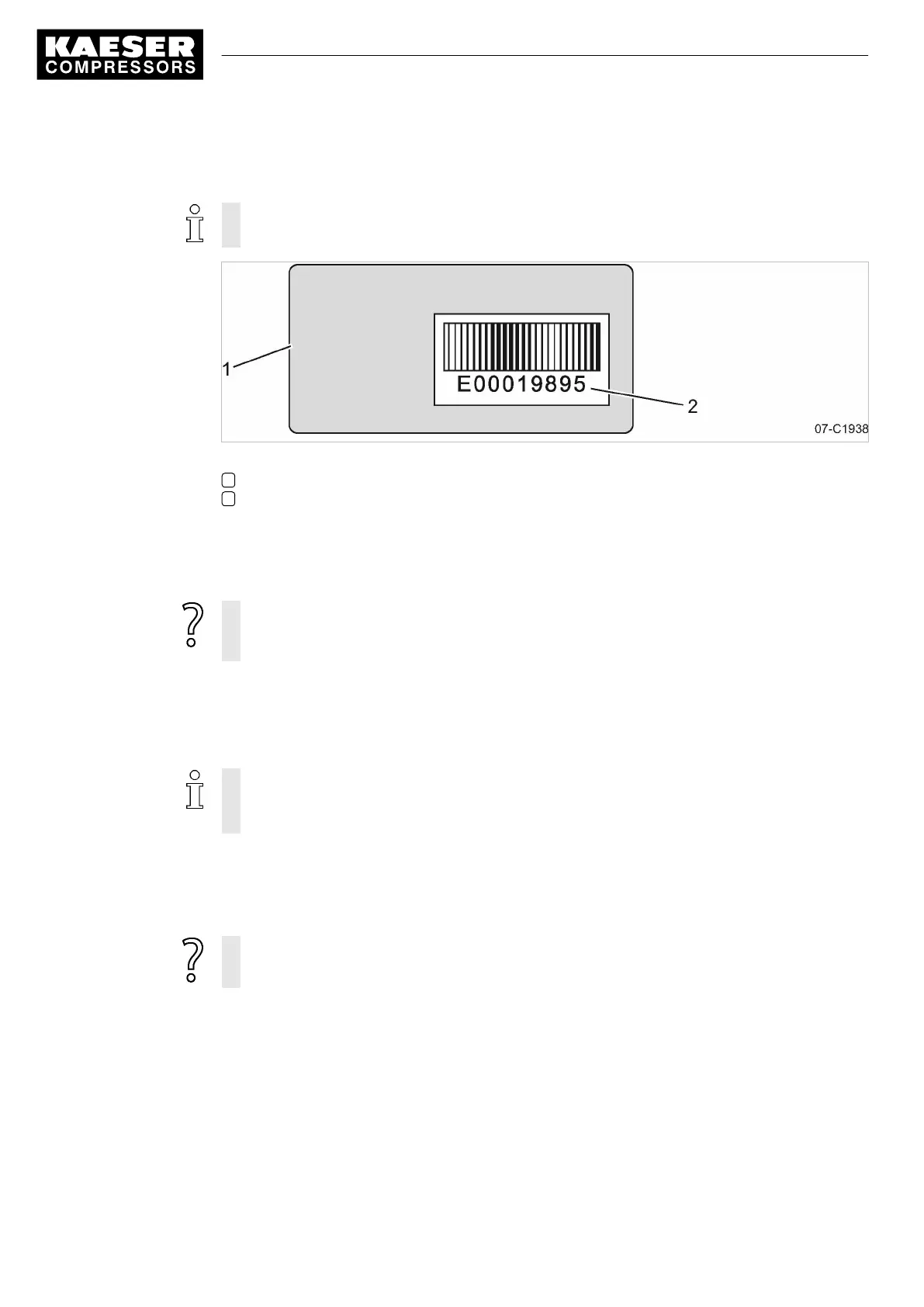
Fig. 9 Back of the KAESER Equipment Card
1 Back of the KAESER Equipment Card
2 Number of your Equipment Card
1. Hold your KAESER Equipment Card with its back upward.
2. Note your user name (the number of your Equipment Card).
3. Store this information in a suitable location.
The Equipment Card is damaged or lost?
➤ If you know your user name and password, you can manually log onto the
SIGMA CONTROL 2.
7.2.4 Controlling access to the SIGMA CONTROL 2 with the Equipment Card
Use the Equipment Card to quickly and easily check the advanced access rights to the
SIGMA CONTROL 2 .
Advanced access rights let you:
■ Read additional data
■ Change other settings
1. Hold the Equipment Card in front of the controller's reader.
(see also chapter 4.2)
Your user name and access level will be displayed.
2. Press «Enter» to confirm the access right.
The Equipment Card is damaged or lost?
➤ Manually enter the user name and password, see chapter 7.2.6.
7.2.5 Generating a password for the SIGMA CONTROL 2
In the event that your Equipment Card is damaged or lost, you must manually log on to
SIGMA CONTROL 2.
Prerequisite for this is that you know your:
■ User name and
■ Password
7 Initial Start-up
7.2 Configuring the controller
38
Service manual Controller
SIGMA CONTROL 2 SCREW FLUID 1.1.3 9_9450 03USE



 To Next Page