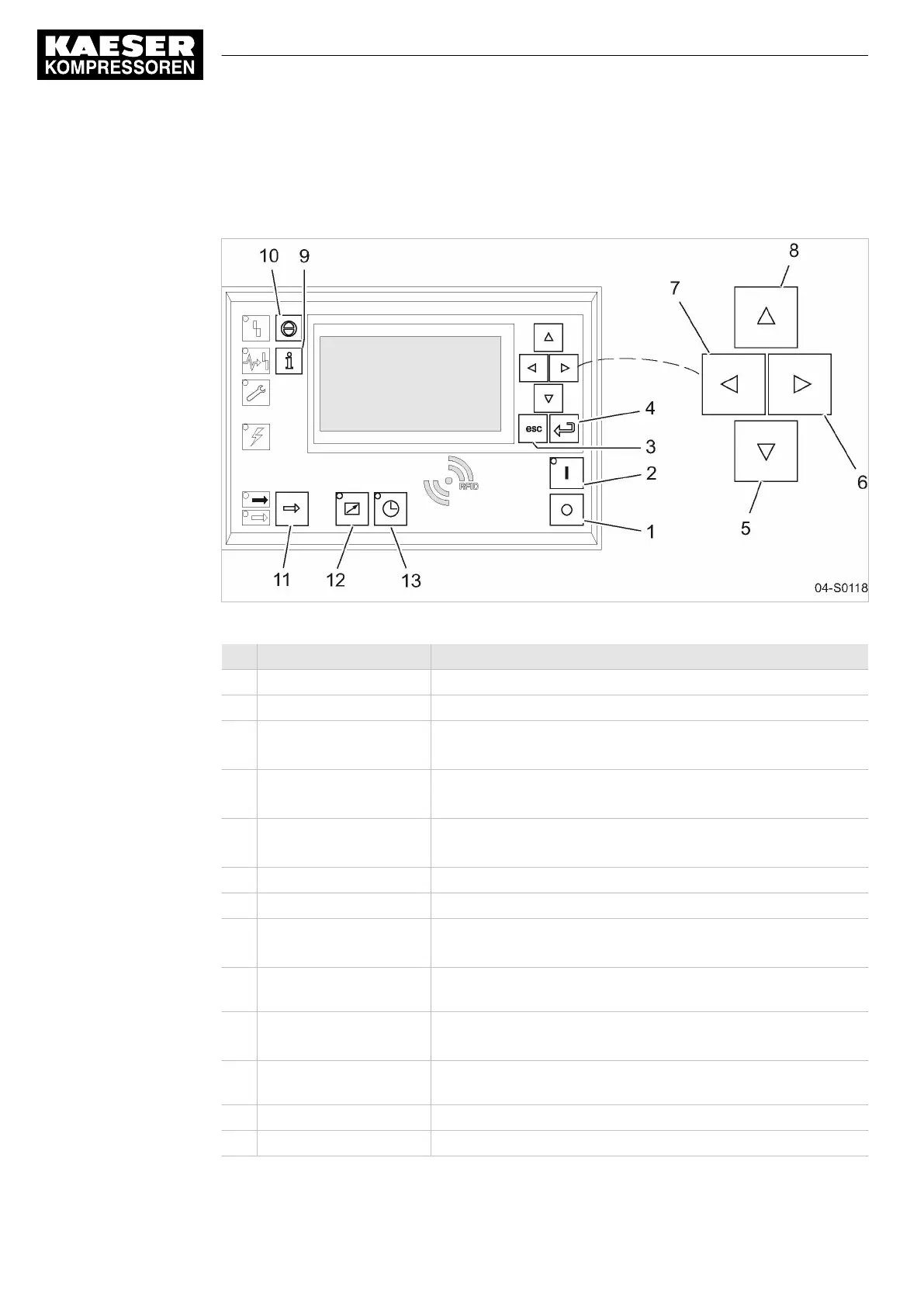
4.9 Operating panel SIGMA CONTROL 2
Keys
Fig. 8 Keys - overview
Item Description Function
1 «OFF» Switch the machine off.
2 «ON» Switch on the machine.
3 «Escape» Returns to the next higher menu option level.
Exits the edit mode without saving.
4 «Enter» Jumps to the selected submenu.
Exits the edit mode and saves.
5 «DOWN» Scrolls down the menu options.
Reduces a parameter value.
6 «Right» Jumps to the right.
7 «Left» Jumps to the left.
8 «UP» Scrolls up the menu options.
Increases a parameter value.
9 «Events and information» Operating mode:
Displays the event memory.
10 «Acknowledgement» Acknowledges alarms and warning messages.
If permissible: Resets the fault counter (RESET).
11 «LOAD/IDLE» Toggles the compressor between LOAD and IDLE operating
modes (key inactive for gas compressors).
12 «Remote control» Switches remote control on and off.
13 «Shift clock» Switches clock control on and off.
Tab. 28 Keys
4 Design and Function
4.9 Operating panel SIGMA CONTROL 2
30
Service Manual Screw Compressor
ESD 442/14 bar (abs) SFC SIGMA CONTROL 2 ESD_2C_10357405_10–LIN_00 E





 To Next Page