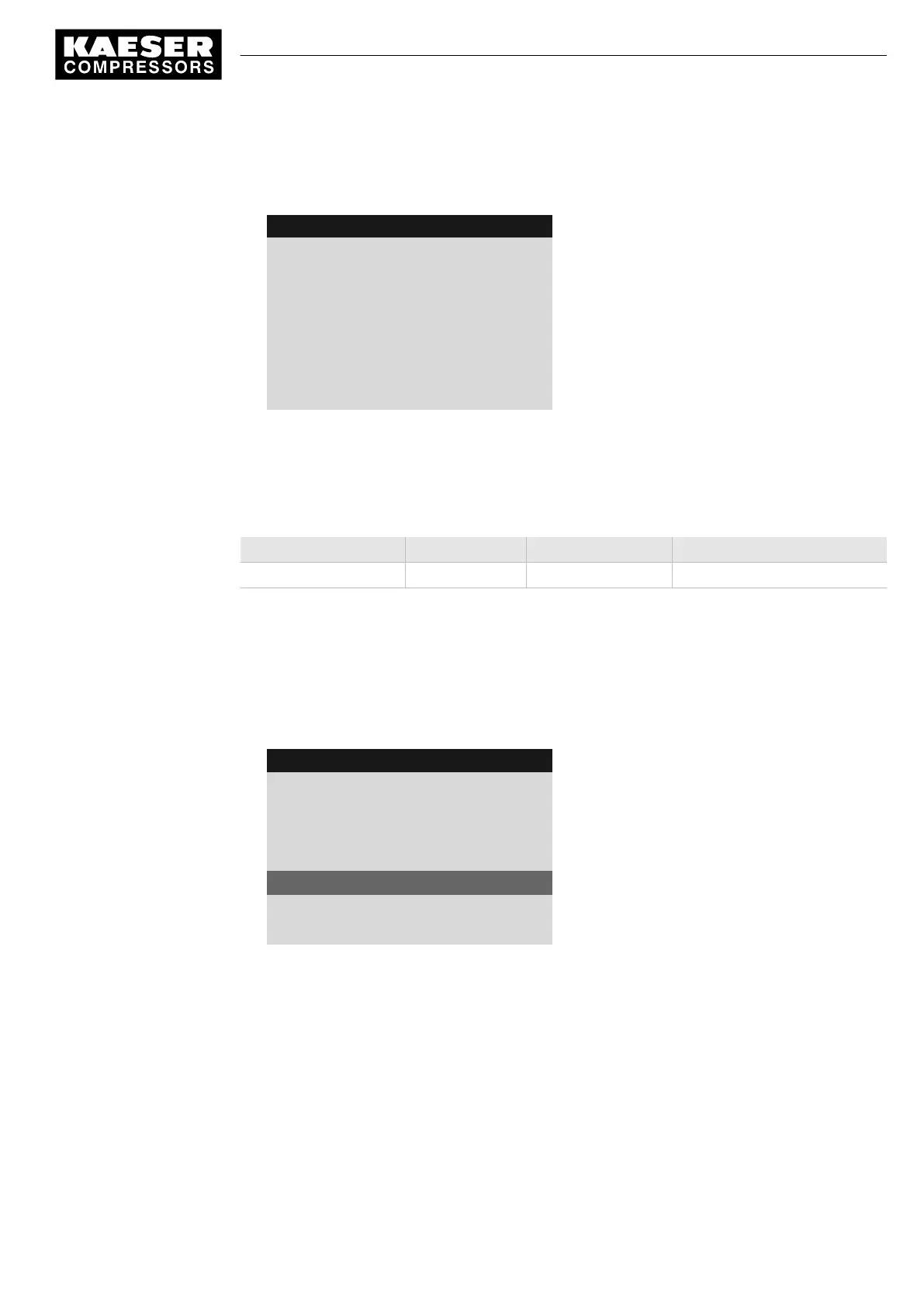
3. Press «Enter».
The
<compressor messages>
menu is displayed.
8 9 p s i 0 8 : 1 5 1 7 6 ° F
1.1.2.1 Compressor messages
Menu
0021 S q 16.04.13 13:32:49
Last compressor message
Refrigeration dryer T ⇟
Message text for fault message 0021
0008 S k 20.01.11 13:33:25
Diagnostics group alarm
Message text for message 0008
0042 S q 19.01.11 13:11:19
Back pressure stop
Message text for message 0042
4. Press «Esc» repeatedly to return to the Main Menu.
8.5 Displaying the current operating mode
The operating mode is displayed in 4 segments (example):
On/off switching via Machine state LOAD control via State of the LOAD control
Key on pA Idle
Tab. 74 Operating mode display
1. In operating mode, switch to the main menu with the «Enter» key.
2. Select
< Status >
.
The
< Status >
menu is displayed.
3. Press the «DOWN» key repeatedly until
< Current operating mode >
is displayed as the active
line.
8 9 p s i 0 8 : 1 5 1 7 6 ° F
1 Status
Menu
▶1 Messages
▶2 Statistics
▶3 Current pressure control
▶4 Current operating mode
Active line
▶5 DI/DO status
8 Operation
8.5 Displaying the current operating mode
9_9450 03USE
Service manual Controller
SIGMA CONTROL 2 SCREW FLUID 1.1.3
145



 To Next Page