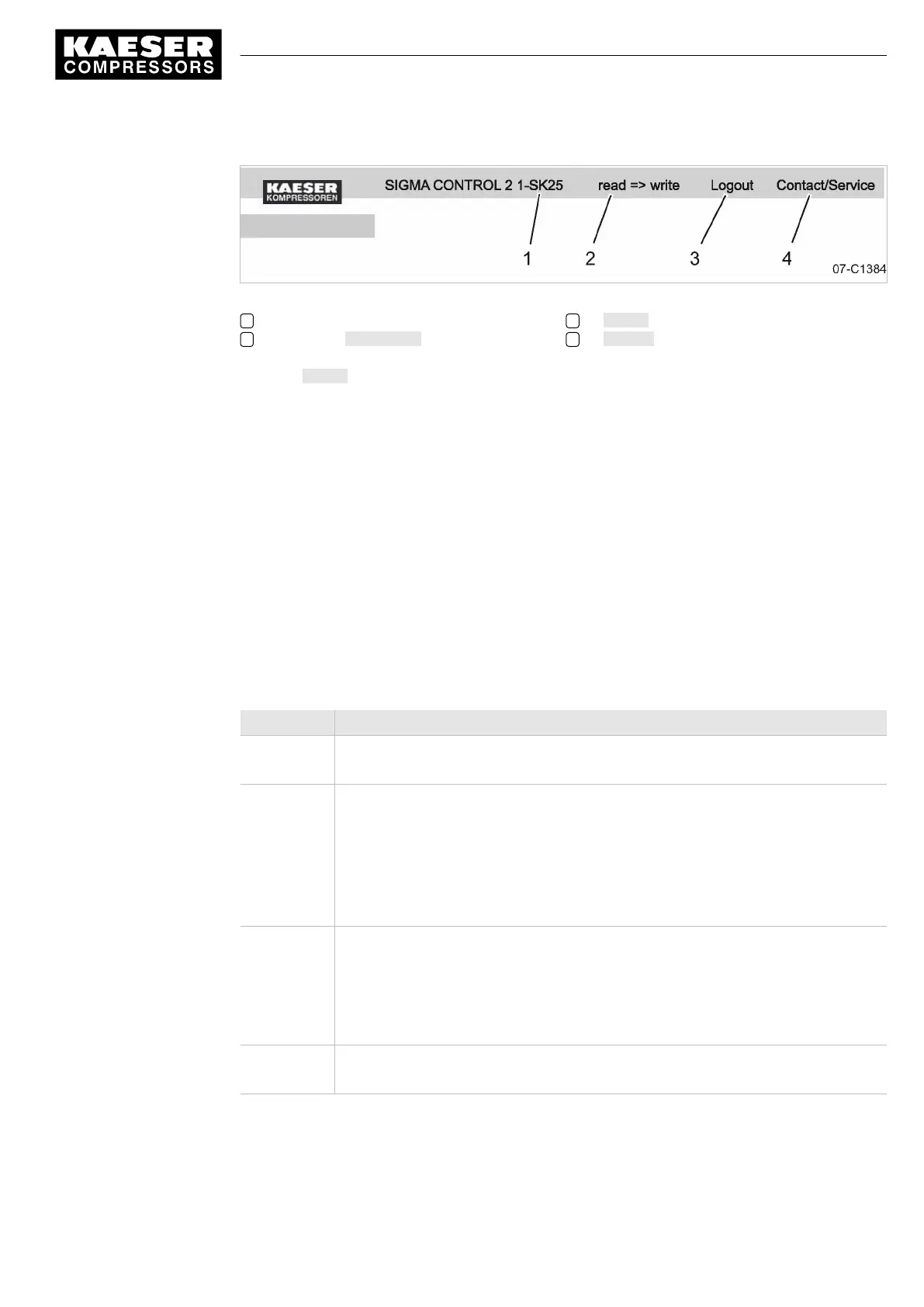
Fig. 24 Header
1 Machine designation
2 Activation Write mode
3 Logout
4 Contact KAESER Service
➤ Click Logout.
The logout message is displayed.
Result You have closed KAESER CONNECT for SIGMA CONTROL 2.
7.4 Adjusting the pressure parameters of the machine
This section contains instructions for how to display and adjust the pressure parameters of the ma‐
chine.
This section is divided into the following sections:
■ 7.4.1: Displaying pressure parameters
■ 7.4.2: Configuring the pressure parameters
"Display:" means that the parameter will only be shown.
"Setting:" means that the parameter can also be changed.
Parameter Explanation
pRV Display:
Activating pressure of the safety relief valve on the oil separator tank
pE Pressure increase
Setting:
■ pE SP: Switching point for pressure increase; upper safety limit for machine
maximum pressure; in an external LOAD control; this value is used to switch
the machine from LOAD to IDLE in the event of a fault.
■ pE SD: Switching differential of pressure increase
ΔpFC Limiting value for machines with frequency-controlled drive (SFC).
Setting:
■ dp FC: Limit of the lowest delivery quantity. When the value [switching point
system setpoint pressure +dp FC] is exceeded, the compressor switches from
LOAD to IDLE.
Nominal
pressure
Display:
The compressor is designed for this pressure (maximum system pressure setpoint)
7 Initial Start-up
7.4 Adjusting the pressure parameters of the machine
9_9450 03USE
Service manual Controller
SIGMA CONTROL 2 SCREW FLUID 1.1.3
59



 To Next Page