4.4.1 Secure storage of the RFID Equipment Cards
You will receive 2 RFID Equipment Cards with each machine.
They are stored in a plastic sleeve.
This plastic sleeve is attached behind the controller inside the control cabinet.
If you lose both Equipment Cards, you can register a new Equipment Card only after having en‐
tered the user name and the password. A new Equipment Card may be registered by
KAESER Service subject to a fee, if the user name and the password are lost.
4.5 Checking the machine status with KAESER CONNECT
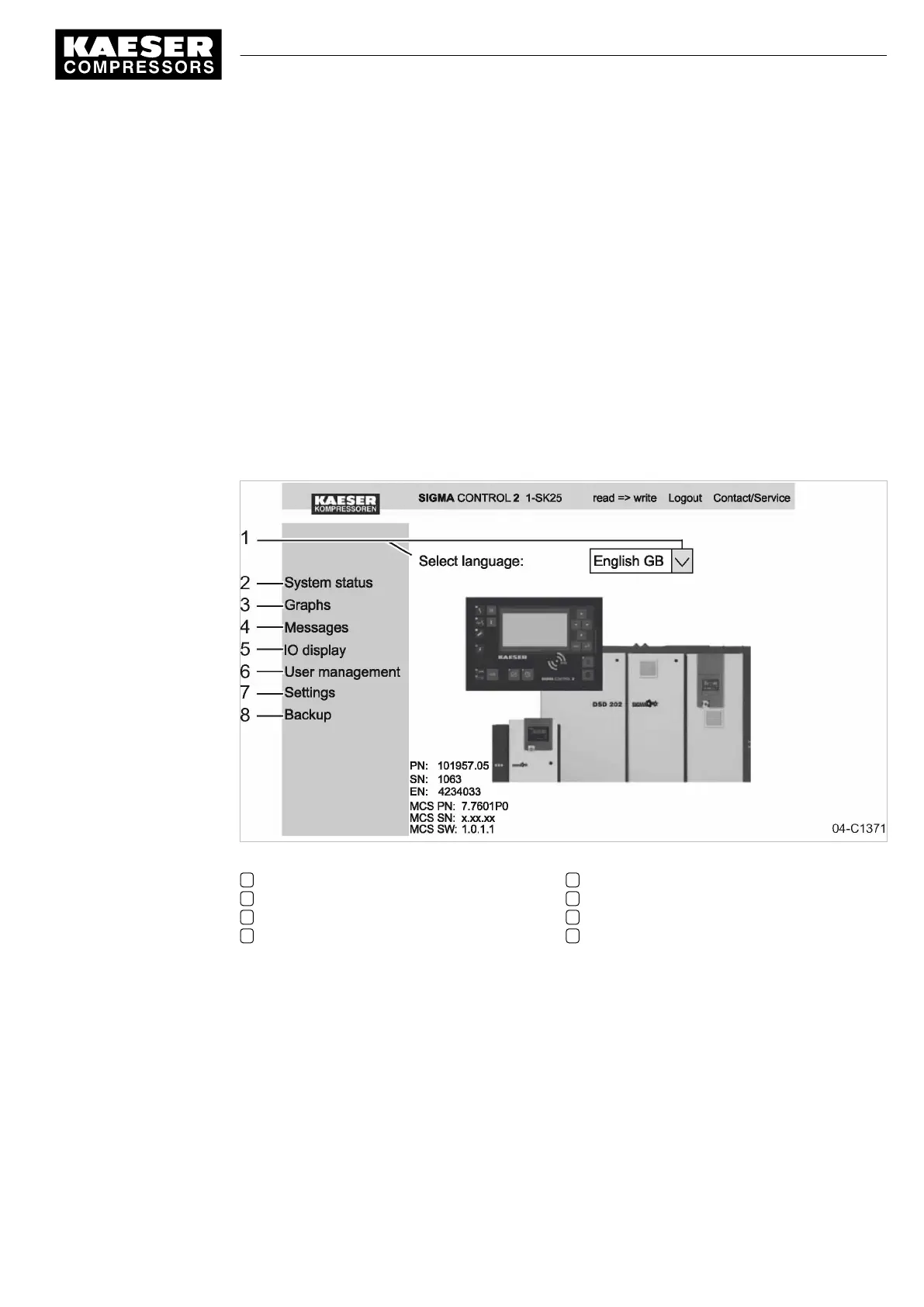
Using a PC with web browser, you can call up a visualization of your machine's controller and thus
check the energy efficiency of the machine. KAESER CONNECT does not require additional and
expensive special software applications. KAESER CONNECT selectively visualizes the current sta‐
tus of your controller in your country's language.
Fig. 7 KAESER CONNECT for SIGMA CONTROL 2
1 Language selection
2 System status
3 Graphs
4 Messages
5 IO display
6 User administration
7 Settings
8 Data backup
KAESER CONNECT functions:
■ System status
─ Mapping of the local menu
■ Graphs
─ Graphic representation of the main pressure and airend discharge temperature along the
time axis.
─ Graphic representation of the compressor status (STOP, IDLE, LOAD) and RPM along the
time axis.
4 Design and Function
4.5 Checking the machine status with KAESER CONNECT
9_9450 03USE
Service manual Controller
SIGMA CONTROL 2 SCREW FLUID 1.1.3
17





 To Next Page