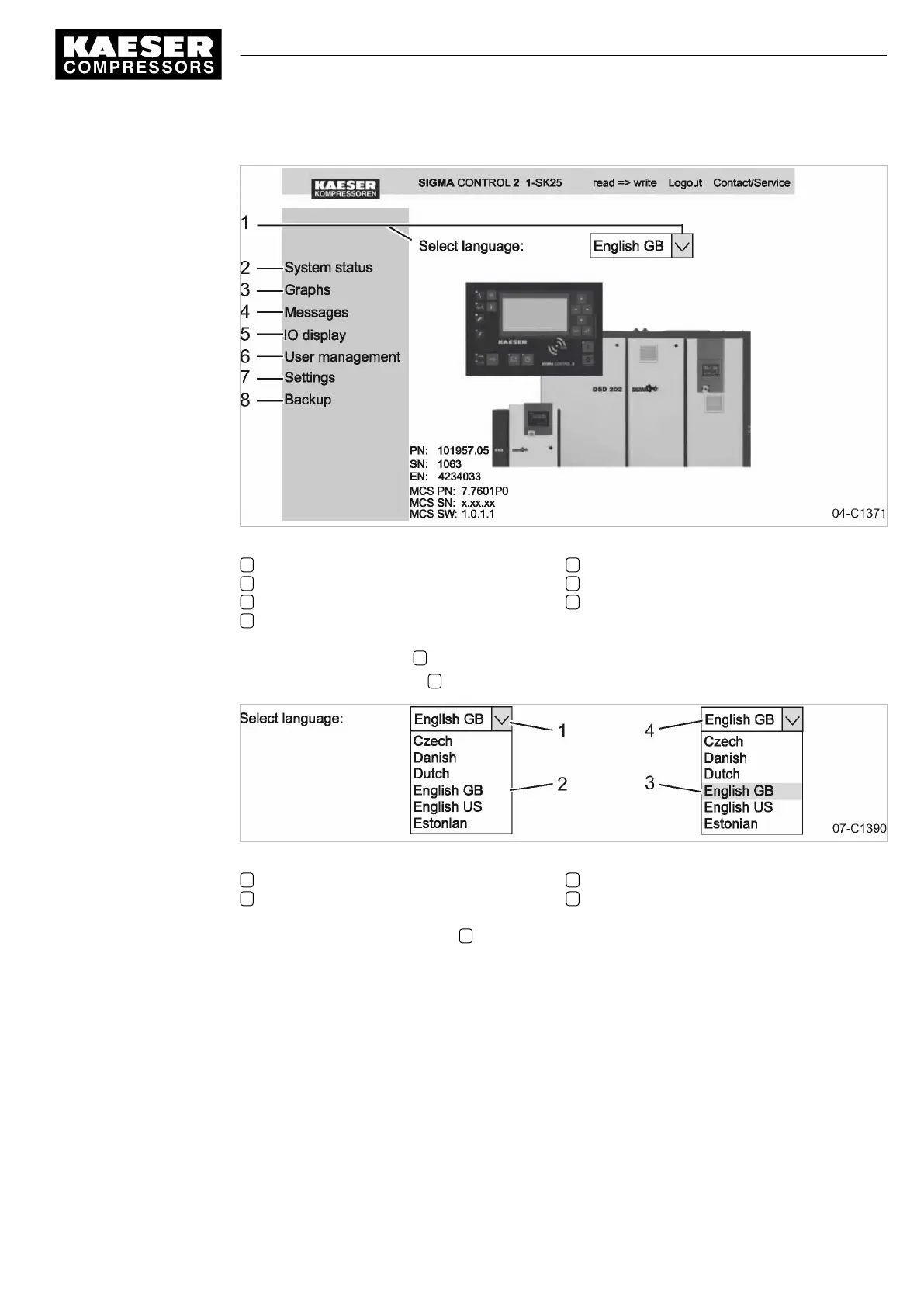
Fig. 11 KAESER CONNECT
1 Language selection
2 System status
3 Graphs
4 Messages
5 User administration
6 Settings
7 Data backup
6. Click the «Arrow key» 1 to open the language selection.
The Language selection 2 window opens.
Fig. 12 Language selection
1 «Arrow key» Language selection
2 Language selection window
3 Select a language
4 Selected language
7. Select the required language 3 .
KAESER CONNECT is displayed in the selected language.
7.3.2 Displaying the system status
Precondition KAESER CONNECT for SIGMA CONTROL 2 is displayed.
1. Select the
<System status>
menu.
The system displays the status information.
7 Initial Start-up
7.3 Using KAESER CONNECT
9_9450 03USE
Service manual Controller
SIGMA CONTROL 2 SCREW FLUID 1.1.3
49





 To Next Page