Page 336 Job Editor Group 8
Release R1.06 JET3up
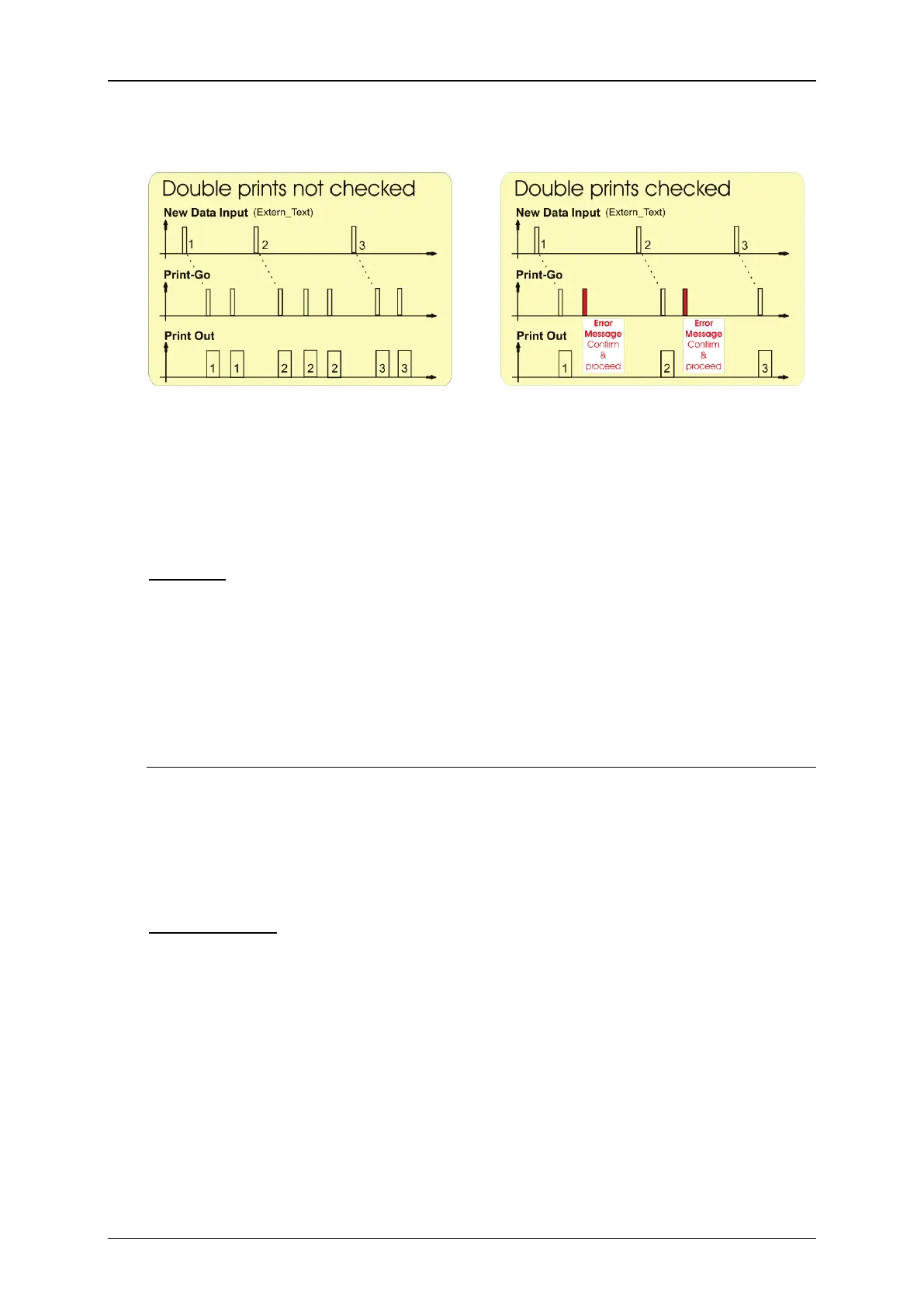
Example: diagrams with and without double prints checked
With double prints not checked there
will be a printout with each PrintGo
signal. Therefore a received character
string may be printed more than once.
With double prints checked there will
be only one print-out with each PrintGo
signal. If a second PrintGo signal
occurs before new data were received
will an error message will be displayed.
Therefore a received character string is
always printed once only.
There is an indicator which shows the current number of wildcards (15) and a
display field for inputs (16). When you place the Cursor in the display field a
keyboard for inputs will open (17). Changing the number and kind of the wildcard
character (19) will be immediately shown by the indicator (18). In the job editor the
defined <Wildcards> are shown as content of the <Extern text: fixed length>
object (26).
Wildcards for an <Extern Text:fixed length> object have two functions:
1. The characters of the set wildcards represent the first character string that
will be displayed on the WYSIWYG display and printed. They will then be
replaced by the first received data.
2. Wildcards define together with the character offset the length of the input
buffer and therefore the number of characters to be considered.
Character offset
With the character offset (12) (abbreviated: OS) you can define how many
characters from the left side of the received character string will be ignored.
Together with the <Wildcards> the <Character offset> defines the length of the
input buffer. You can set the character offset either with the arrow keys of the
display field (20) or with a numeric keypad (21) displayed when placing the cursor
in the display field.



 To Next Page