Page 344 Job Editor Group 8
Release R1.06 JET3up
Setting for double prints
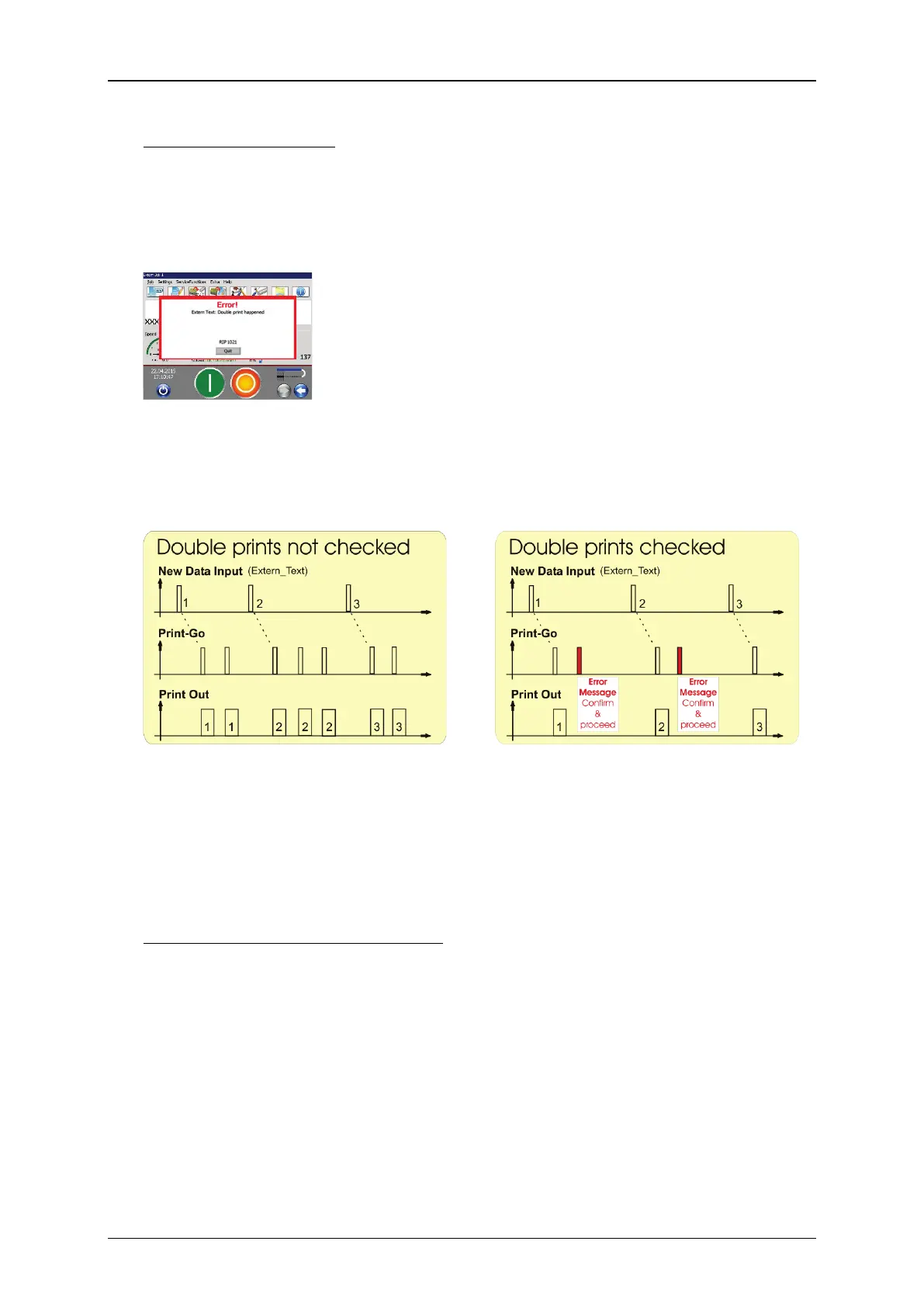
With the check box checked off (10) each received character string will only be
printed once. In case there is another PrintGo signal received before any new data
were received the printer will switch to <Print Stop>: the green <Print Start>
button switches off and the red <Print Stop> button switches on. Additionally a
message box is displayed:
You will have to confirm the error message and restart the print-out again by
pressing the green <Print Start> button.
Example: diagrams with and without double prints checked
With double prints not checked there
will be a printout with each PrintGo
signal. Therefore a received character
string may be printed more than once.
With double prints checked there will
be only one print-ou
signal. If a second PrintGo signal
occurs before new data were received
will an error message will be displayed.
Therefore a received character string is
always printed once only.
<Start symbol> and <End symbol>
Using a <Start symbol> and a <End symbol> allows masking a received
character string whereby the character string can be of variable length within the
set limits.
A <Start symbol> is defined with the decimal value of an ASCII character. You
can use a value between 1 and 255 (13). The selected character will be shown to
the right of the arrow keys of the display field (14).
A <End symbol> (15)
is defined with the decimal value of an ASCII character.
You can use number between 1 and 255. The selected character will be shown t
the right of the arrow keys of the display field (16).



 To Next Page