215184 141 Revision A
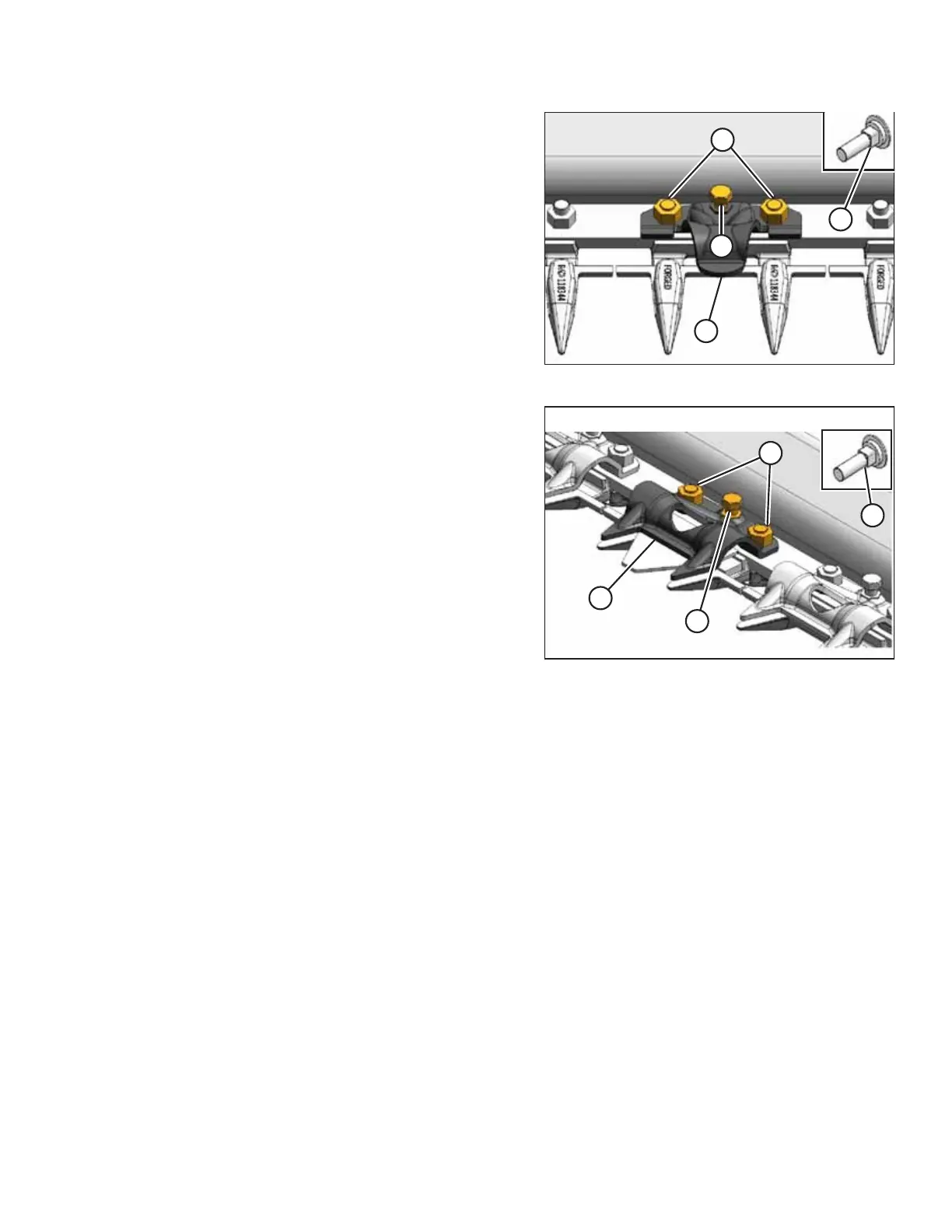
Figure 3.301: Pointed Guard
Figure 3.302: Stub Guard
2. Place hold-down clip (A) on cutterbar as shown and secure
with existing nuts (B). Adjuster bolt (C) should NOT
require adjusting.
NOTE:
Cutterbar wearplates should be installed with special
bolts (D) as shown.
3. Repeat the previous steps for the second (adjacent)
location.
4. Torque nuts (B) to 88 Nm (65 lbf∙ ft).
5. Check and adjust the clearance between the
hold-down clips and the knife. For instructions, refer to 8.7
Checking Knife Hold-Downs, page 266.
If the header is to be assembled at one location and then transported to a MacDon dealership, proceed to 4 Loading
Header for Transport to Dealership, page 143.
If the header is being assembled at the MacDon dealership, proceed to 5.6 Removing the Remaining Shipping Supports,
page 163.
ASSEMBLING THE HEADER AND FLOAT MODULE



 To Next Page