215184 402 Revision A
Pressing AREA (E) will cycle through the options. When LEFT is displayed on the LCD, press OK button (C), and the auto
header height control (AHHC) voltage will be shown on the display.
Press DIST button (F) to cycle back through the table.
Press CLEAR button (D) to exit header diagnostics and return to normal mode.
Refer to .
9.1.13 Gleaner S9 Series Combines
Setting up the Header – Gleaner S9 Series
NOTE:
Changes may have been made to the combine controls or display since this document was published. Refer to the combine
operator’s manual for updates.
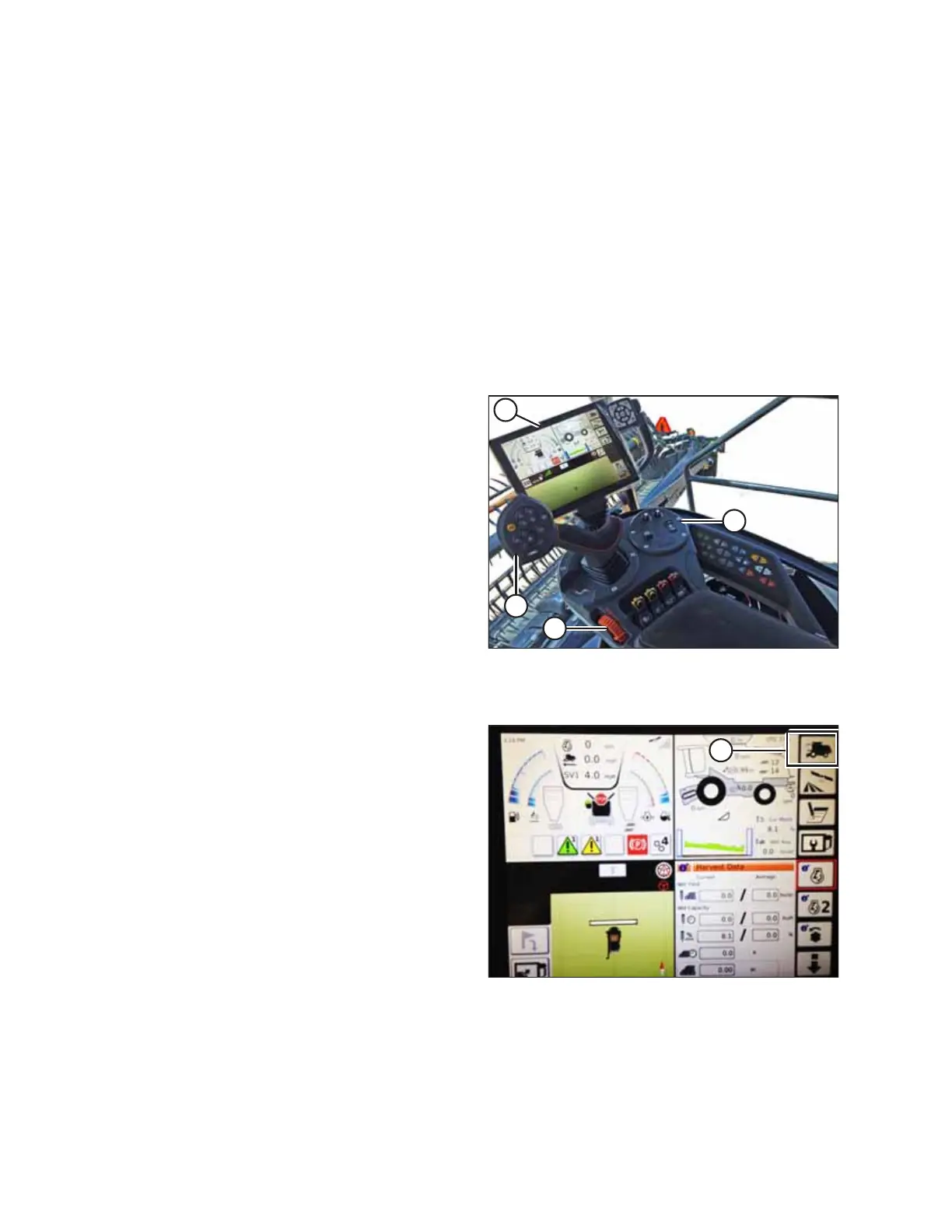
Figure 9.213: Gleaner S9
A - Tyton Terminal B - Control Handle
C - Throttle D - Header Control Cluster
AGCO Tyton terminal (A) is used to set up and manage a
MacDon draper header on a Gleaner S9 Series combine. Use the
touch screen display to select the desired item on the screen.
Figure 9.214: Combine Icon on Home Page
1. On the top right quadrant of the home screen, touch
COMBINE icon (A). The COMBINE MAIN MENU opens.
SETTING UP AUTO HEADER HEIGHT CONTROL



 To Next Page