215184 284 Revision A
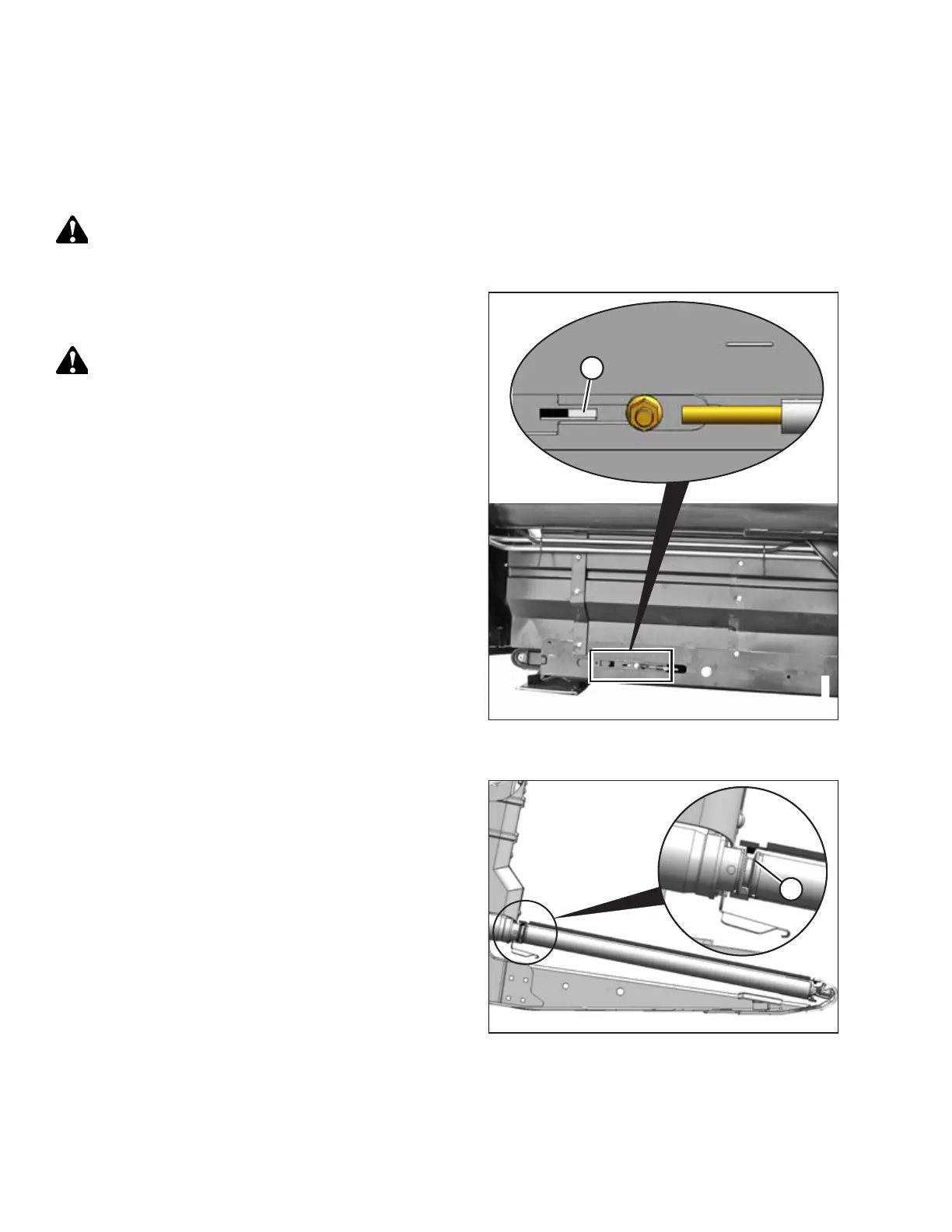
8.13 Adjusting Draper Tension
The drapers are tensioned at the factory and rarely need adjustment. If adjustment is required, tension the drapers just
enough to prevent slipping and to keep the draper from sagging below the cutterbar. Adjust drapers on both sides of the
header.
DANGER
To avoid bodily injury or death from unexpected start-up or fall of raised machine, always stop engine, remove key, and
engage safety props before going under machine for any reason.
Figure 8.42: Left Tension Adjuster Shown – Right
Opposite
1. Ensure white indicator bar (A) is at the halfway point in the
window.
WARNING
Check to be sure all bystanders have cleared the area.
2. Start the engine and fully raise the header.
3. Shut down the engine, and remove the key from the
ignition.
4. Engage the header safety props.
Figure 8.43: Drive Roller
5. Ensure the draper guide (the rubber track on the underside
of the draper) is properly engaged in groove (A) on the
drive roller.
PERFORMING PREDELIVERY CHECKS



 To Next Page