215184 328 Revision A
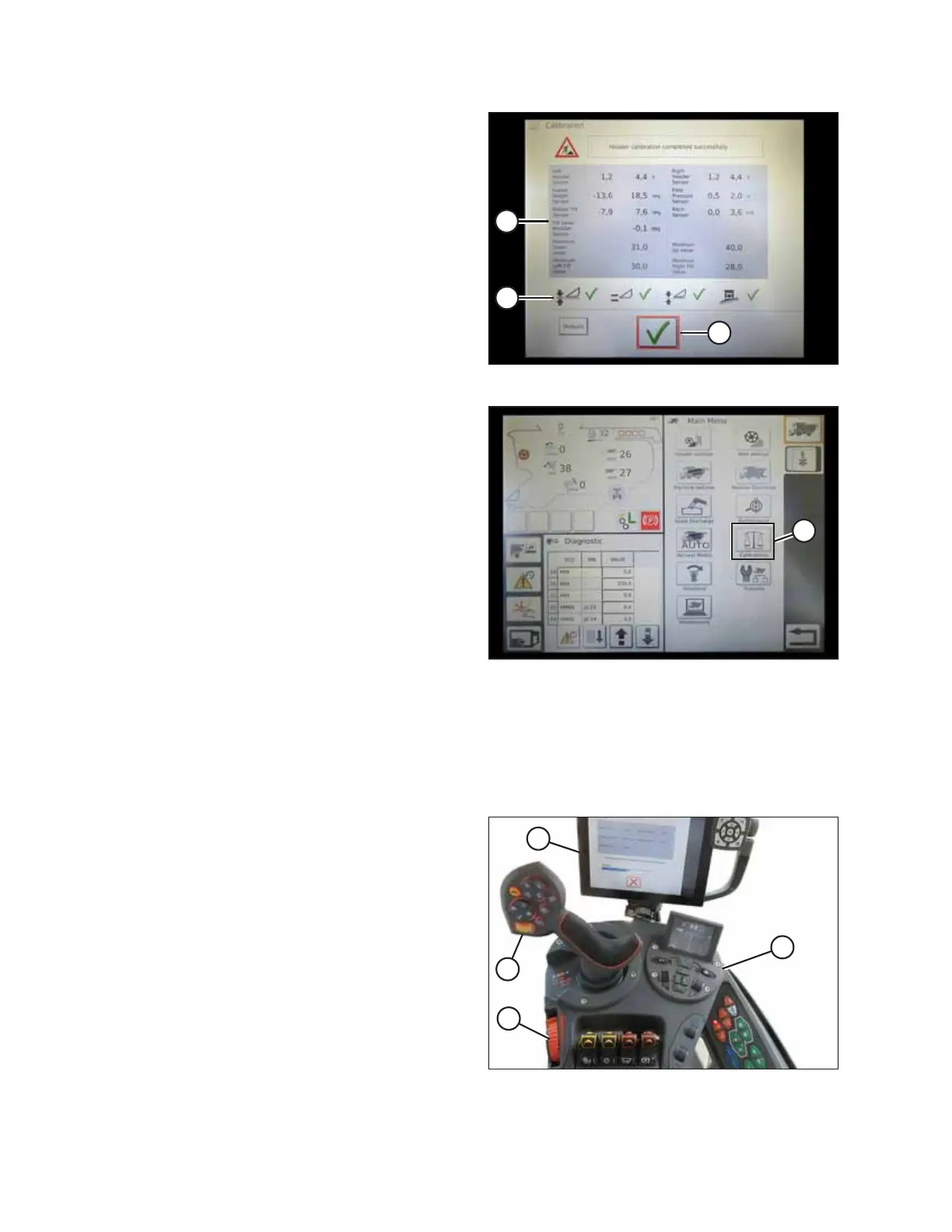
Figure 9.44: Completed Calibration Page
5. When the calibration is complete:
• Review summary information (A)
• Review green check marks confirming calibrated
functions (B)
• Touch check mark (C) to save
Figure 9.45: Direct Calibration Menu
NOTE:
Touch CALIBRATIONS icon (A) on MAIN MENU page to
display the CALIBRATION MENU where you can choose from
a variety of calibrations including header and reel
calibration.
Operating the Header – AGCO IDEAL
™
Series
NOTE:
Up-to-date images of the IDEAL
™
combine display were not available at time of publishing. For instructions, refer to the
combine operator’s manual for updates.
Figure 9.46: AGCO IDEAL
™™
Operator Station
The following controls are used to operate the auto header
height control (AHHC) functions:
• Tyton terminal (A)
• Control handle (B)
• Throttle (C)
• Header control cluster (D)
For instructions, refer to the combine operator’s manual to
familiarize yourself with the controls.
SETTING UP AUTO HEADER HEIGHT CONTROL



 To Next Page