215184 398 Revision A
Adjusting the Header Raise/Lower Rate – Gleaner R65/R66/R75/R76 and Pre-2016 S Series
NOTE:
Changes may have been made to the combine controls or display since this document was published. Refer to the combine
operator’s manual for updates.
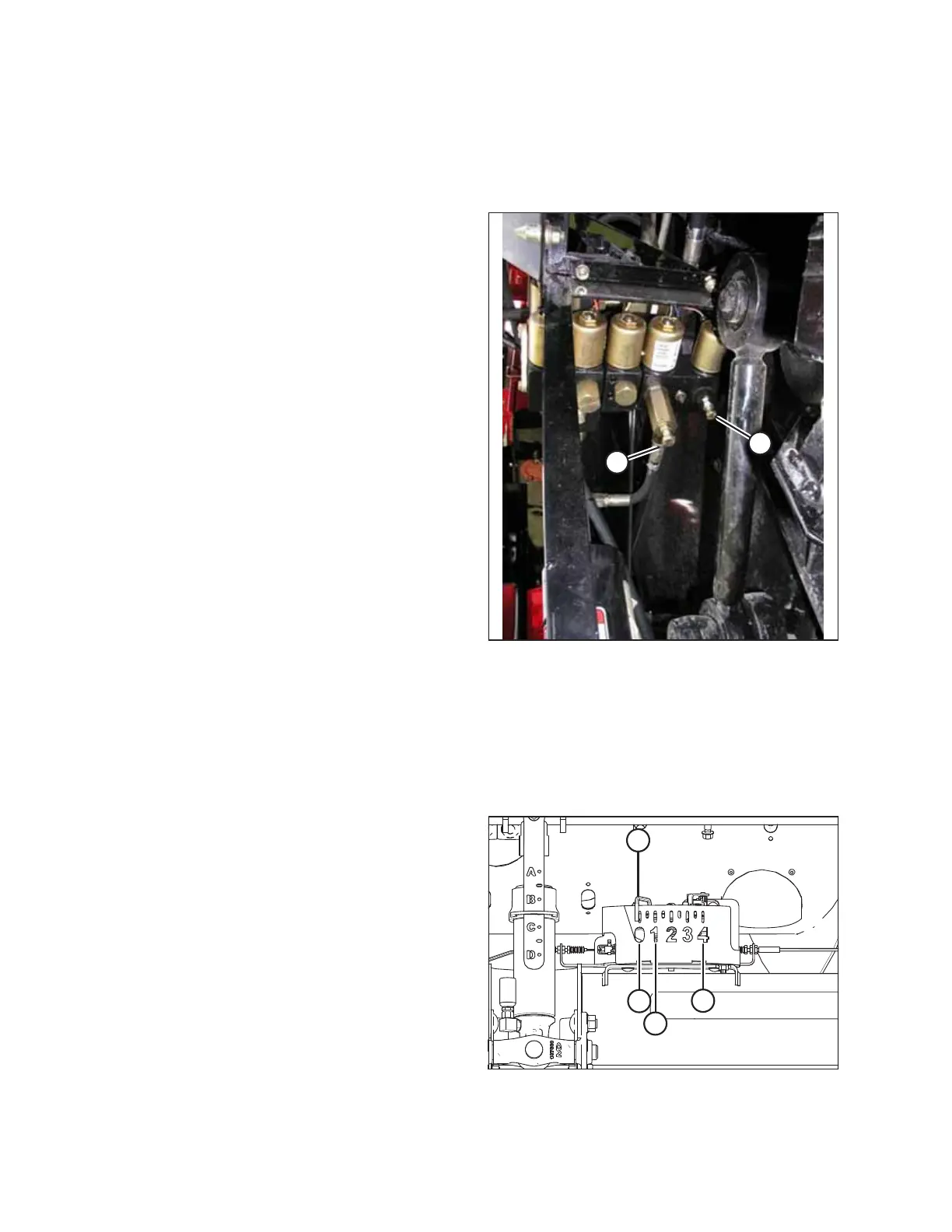
Figure 9.207: Header Raise and Lower Adjustable
Restrictors
The auto header height control (AHHC) system’s stability is
affected by hydraulic flow rates. Ensure that header raise (A)
and header lower (B) adjustable restrictors in the hydraulic
manifold are adjusted so that it takes approximately 6 seconds
to raise the header from ground level to maximum height
(hydraulic cylinders fully extended), and approximately
6 seconds to lower the header from maximum height to
ground level.
If there is too much header movement (for example, hunting)
when the header is on the ground, adjust the lower rate to a
slower rate of drop: 7 or 8 seconds.
NOTE:
Make this adjustment with the hydraulic system at normal
operating temperature (54.4°C [130°F]) and the engine running
at full throttle.
Adjusting Ground Pressure – Gleaner R65/R66/R75/R76 and Pre-2016 S Series
NOTE:
Changes may have been made to the combine controls or display since this document was published. Refer to the combine
operator’s manual for updates.
Figure 9.208: Float Indicator Box
NOTE:
Indicator (A) should be at position 0 (B) with the header 152 mm
(6 in.) off the ground. If not, the float sensor output voltage
should be checked. Refer to Step 5, page 310. When the header
is on the ground, the indicator should be at position 1 (C) for low
ground pressure, and at position 4 (D) for high ground pressure.
Crop and soil conditions determine the amount of float to use.
The ideal setting is as light as possible without header bouncing
or missing crop. Operating with heavy settings prematurely
wears the cutterbar wearplates.
SETTING UP AUTO HEADER HEIGHT CONTROL



 To Next Page