215184 363 Revision A
Adjusting the Header Height – Challenger and Massey Ferguson
Once the auto header height control (AHHC) is activated, press and release the HEADER LOWER button on the control
handle. The AHHC will automatically lower the header to the selected height setting.
WARNING
Clear the area of other persons, pets etc. Keep children away from machinery. Walk around the machine to be sure no
one is under, on, or close to it.
NOTE:
Changes may have been made to the combine controls or display since this document was published. Refer to the combine
operator’s manual for updates.
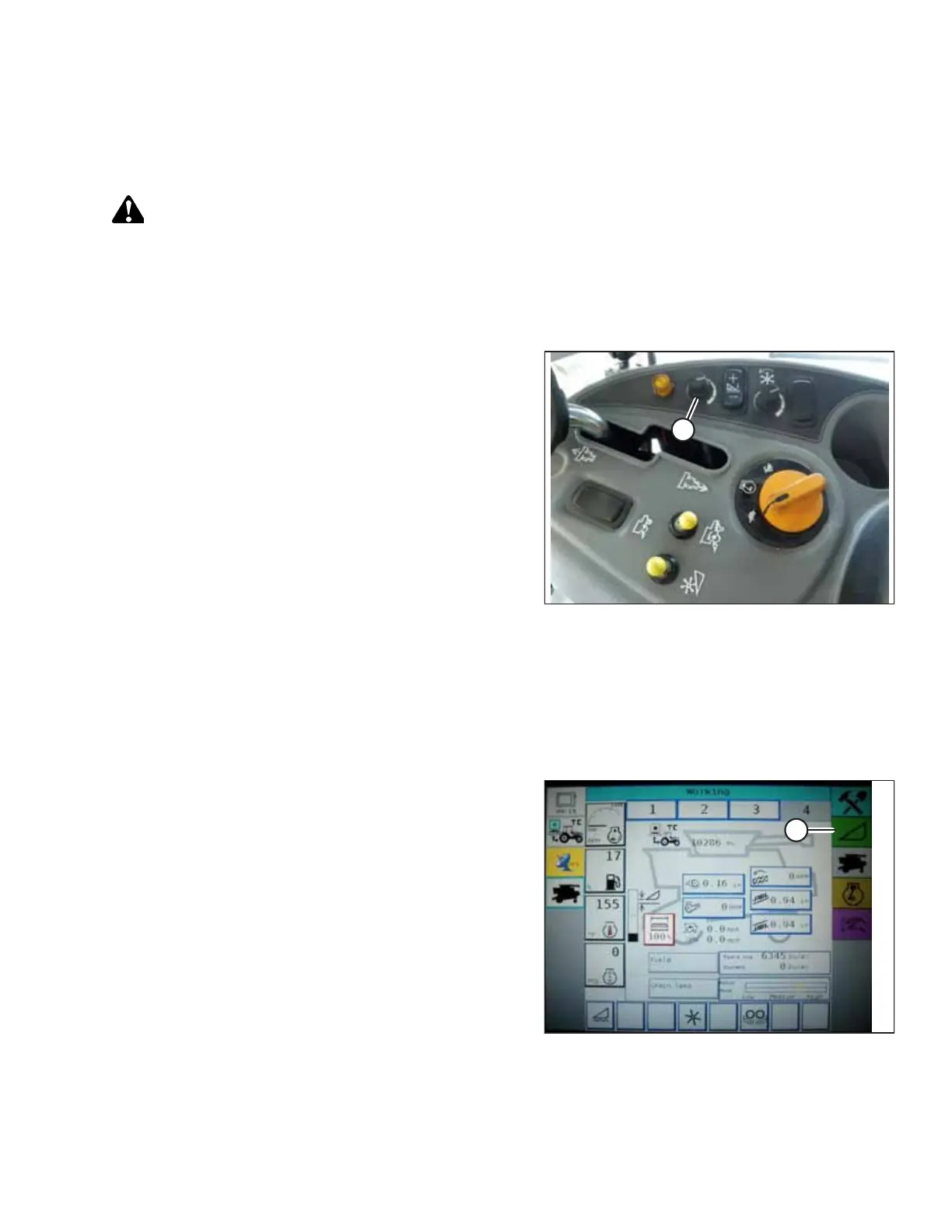
Figure 9.130: Height Adjustment Knob on the
Combine Control Console
You can adjust the selected AHHC height using HEIGHT
ADJUSTMENT knob (A) on the control console. Turning the knob
clockwise increases the selected height, and turning the knob
counterclockwise decreases the selected height.
Adjusting the Header Raise/Lower Rate – Challenger and Massey Ferguson
NOTE:
Changes may have been made to the combine controls or display since this document was published. Refer to the combine
operator’s manual for updates.
Figure 9.131: Challenger Combine Display
1. Press Header icon (A) on the FIELD screen. The HEADER
screen displays.
SETTING UP AUTO HEADER HEIGHT CONTROL



 To Next Page