215184 487 Revision A
Chapter 10: Checking and Adjusting Reel Height Sensor
The output voltage range of the auto reel height sensor can be checked from inside the combine or manually at the sensor.
For in-cab instructions, refer to the combine operator’s manual.
DANGER
To avoid bodily injury or death from unexpected start-up or fall of a raised machine, always stop engine and remove
key before leaving the operator’s seat, and always engage safety props before going under the machine for any reason.
WARNING
Check to be sure all bystanders have cleared the area.
IMPORTANT:
Ensure minimum reel height is properly set before adjusting reel height sensor. For instructions, refer to 8.11 Reel
Clearance to Cutterbar, page 2778.11.1 Measuring Reel Clearance, page 278.
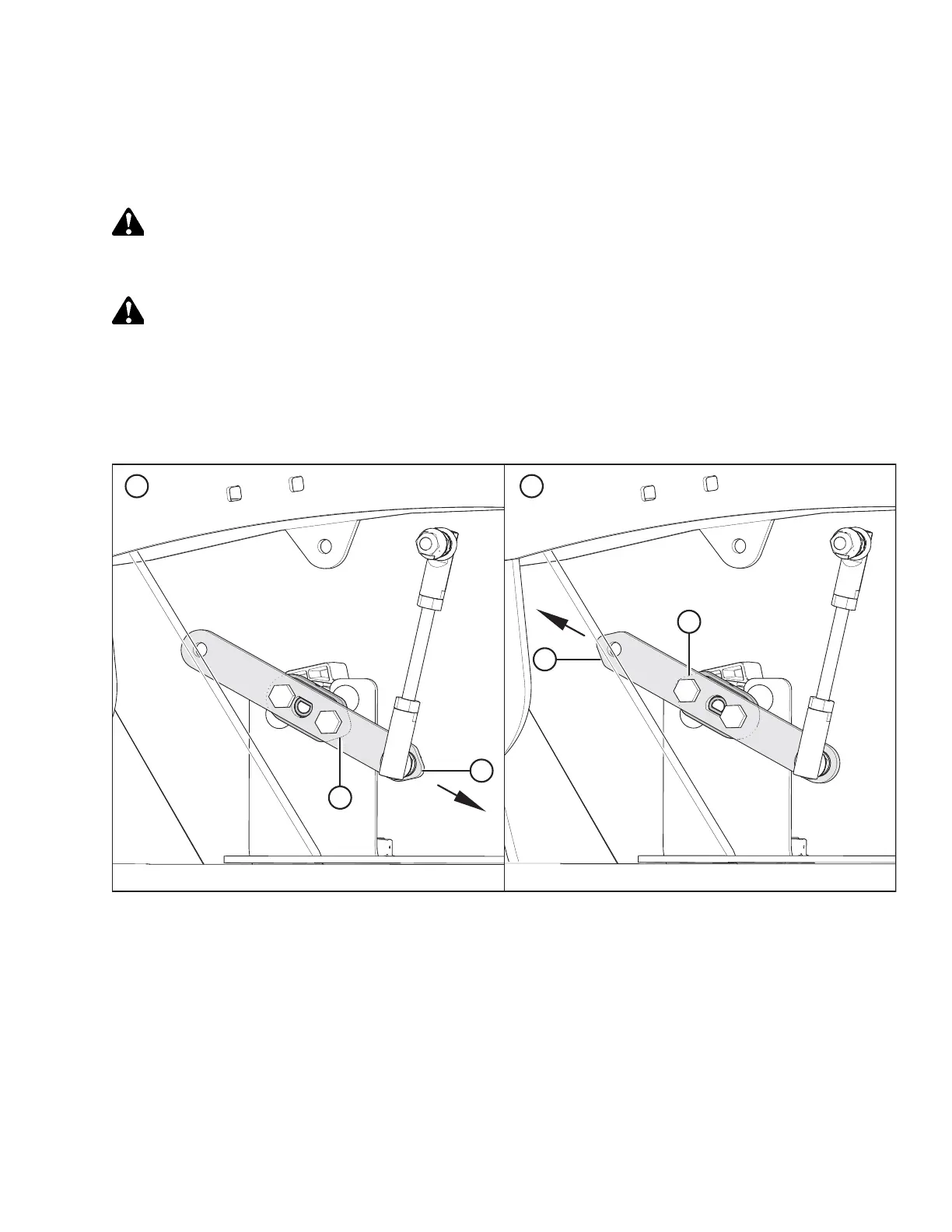
Figure 10.1: Sensor Arm/Pointer Configurations
A - Case/New Holland Configuration B - John Deere/CLAAS/AGCO IDEAL
™™
Configuration
C - Sensor Arm (Shown Semitransparent) D - Sensor Pointer (Shown Under Sensor Arm)
NOTE:
• For configuration (A), pointer (D) points to the FRONT of the header.
• For configuration (B), pointer (D) points to the REAR of the header.
• Sensor arm made semitransparent to show sensor pointer behind it.
1. Shut down the engine, and remove the key from the ignition.
2. Check that sensor arm (C) and pointer (D) are configured properly for your machine. Refer to Figure 10.1, page 487.



 To Next Page