215184 250 Revision A
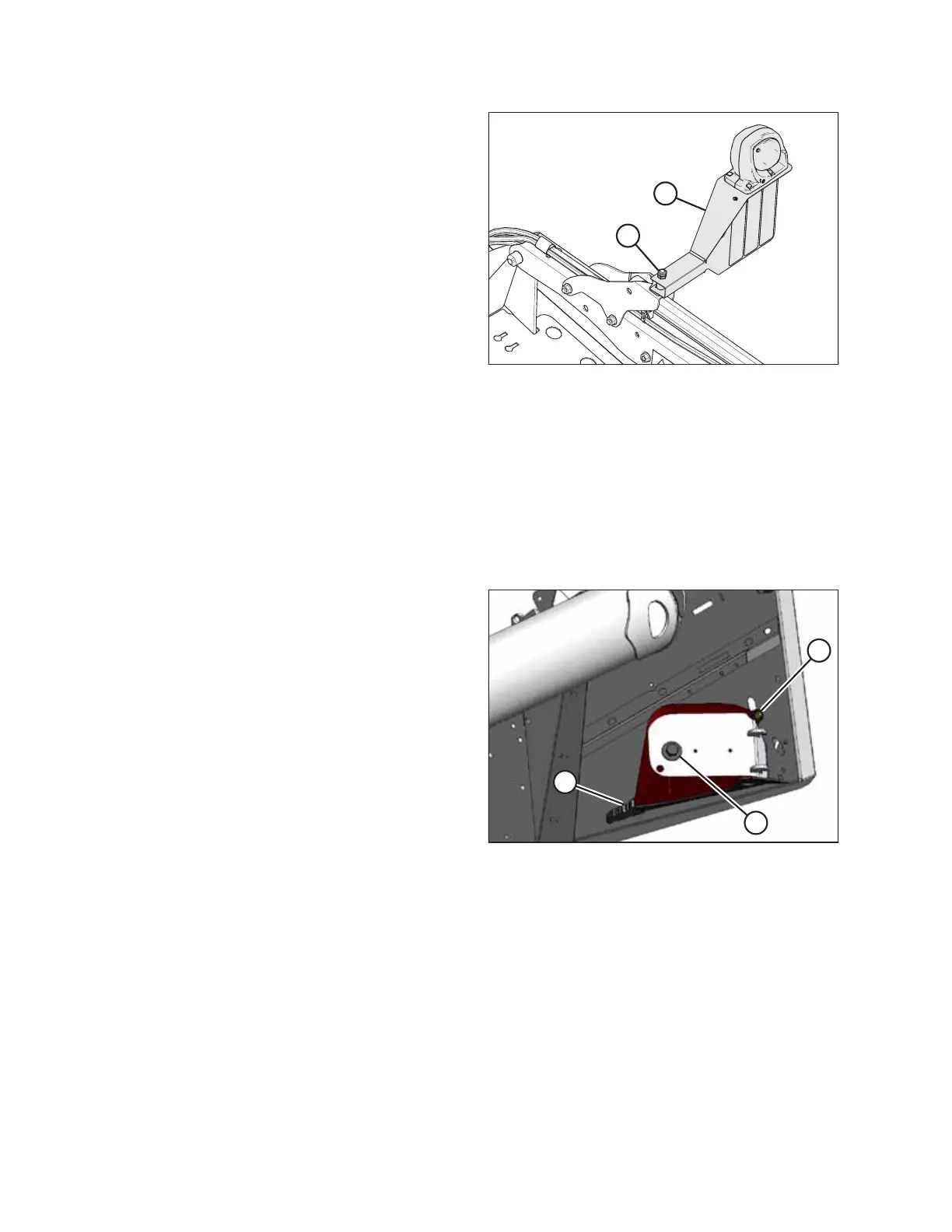
Figure 7.105: Left Transport Light
4. Position left light assembly (B) perpendicular to the left reel
arm and attach it using retained lock nuts (A).
NOTE:
The light assembly should rotate with normal hand force
yet maintain its position.
7.7.2 Crop Dividers
Crop dividers are used to help divide the crop when harvesting. They are removable to allow installation of vertical knives
and to decrease transport width.
Removing Crop Dividers from Storage
Crop dividers are shipped attached to the inboard side of the endsheets. To remove the crop dividers from storage
position, follow these steps:
Figure 7.106: Crop Divider Stored on Endsheet
1. Support the crop divider and remove the shipping wire at
front end (A).
2. Remove bolt (B).
3. Remove bolt and washer (C) and retain for installation.
Installing Crop Divider without Latch Option
NOTE:
If the crop divider latch option was ordered with the header, proceed to Installing Crop Divider with Latch Option, page
252. Otherwise, complete the following procedure:
ATTACHING HEADER TO COMBINE



 To Next Page