215184 421 Revision A
Turning the Accumulator Off – John Deere 60 Series
The accumulator is a hydraulic device that cushions the shock of hydraulic fluid when installing a heavy header onto the
combine.
NOTE:
Changes may have been made to the combine controls or display since this document was published. Refer to the combine
operator’s manual for updates.
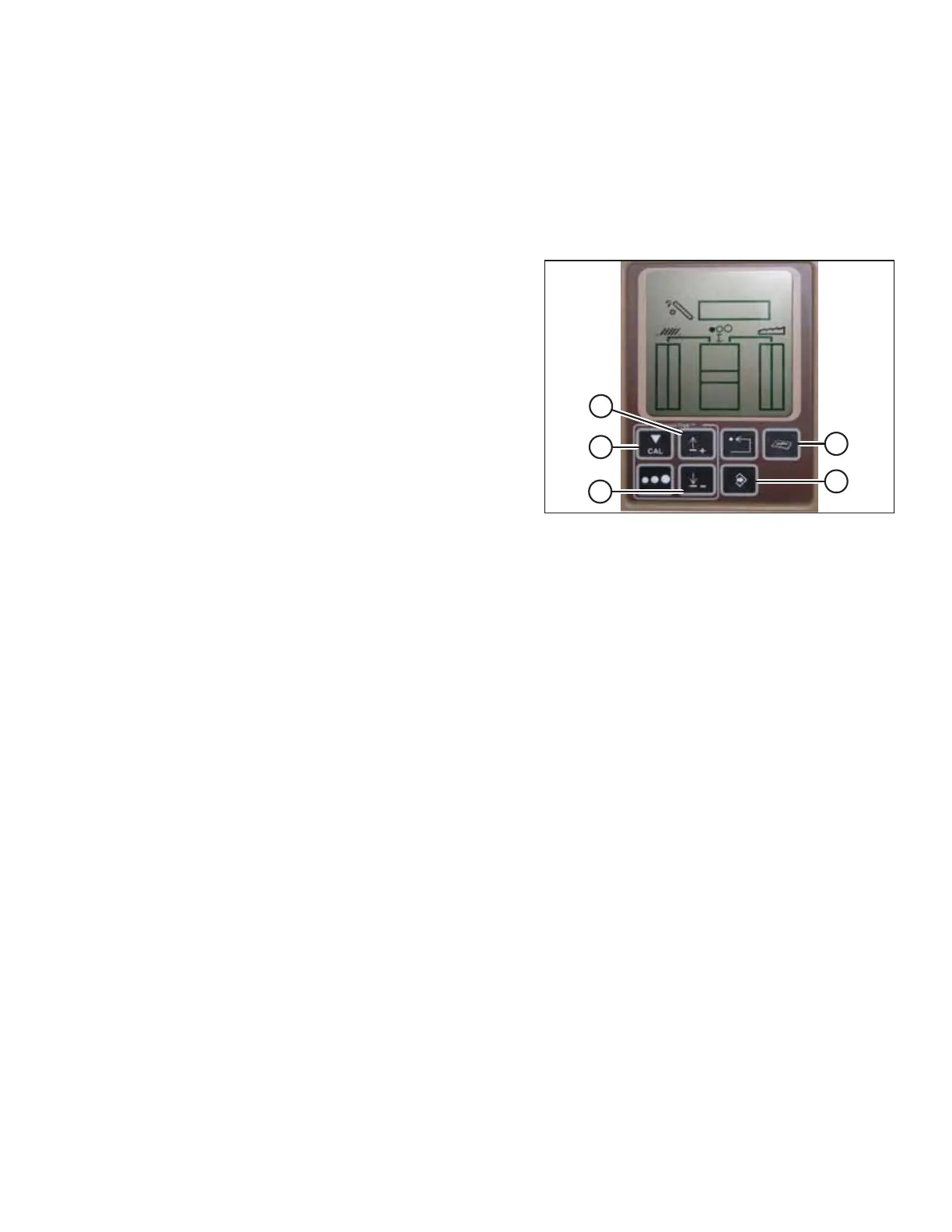
Figure 9.254: John Deere Combine Display
1. Press DIAGNOSTIC button (A) on the monitor. DIA appears
on the monitor.
2. Press the UP button (B) until EO1 appears on the monitor,
and press ENTER (D). This is the header adjustment.
3. Press the UP (B) or DOWN (C) button until 132 is displayed
on the top portion of the monitor. This is the reading for
the accumulator.
4. Press ENTER (D) to select 132 as the accumulator reading
(this will allow you to change the display to a three-digit
number so it has a 0 in it, for example, x0x).
5. Press the UP (B) or DOWN (C) button until the desired
number is displayed, and press the CAL button (E).
6. Press ENTER (D) to save the changes. The accumulator is
now deactivated.
SETTING UP AUTO HEADER HEIGHT CONTROL



 To Next Page