215184 263 Revision A
8.6 Checking Knife Drive Belt Tension
8.6.1 Checking and Tensioning Single and Untimed Double-Knife Drive Belts
DANGER
To avoid bodily injury or death from unexpected startup of machine, always stop the engine and remove the key before
making adjustments to the machine.
IMPORTANT:
To prolong the belt and drive life, do NOT overtighten the belt.
1. Shut down the engine, and remove the key from the ignition.
2. Open the left endshield.
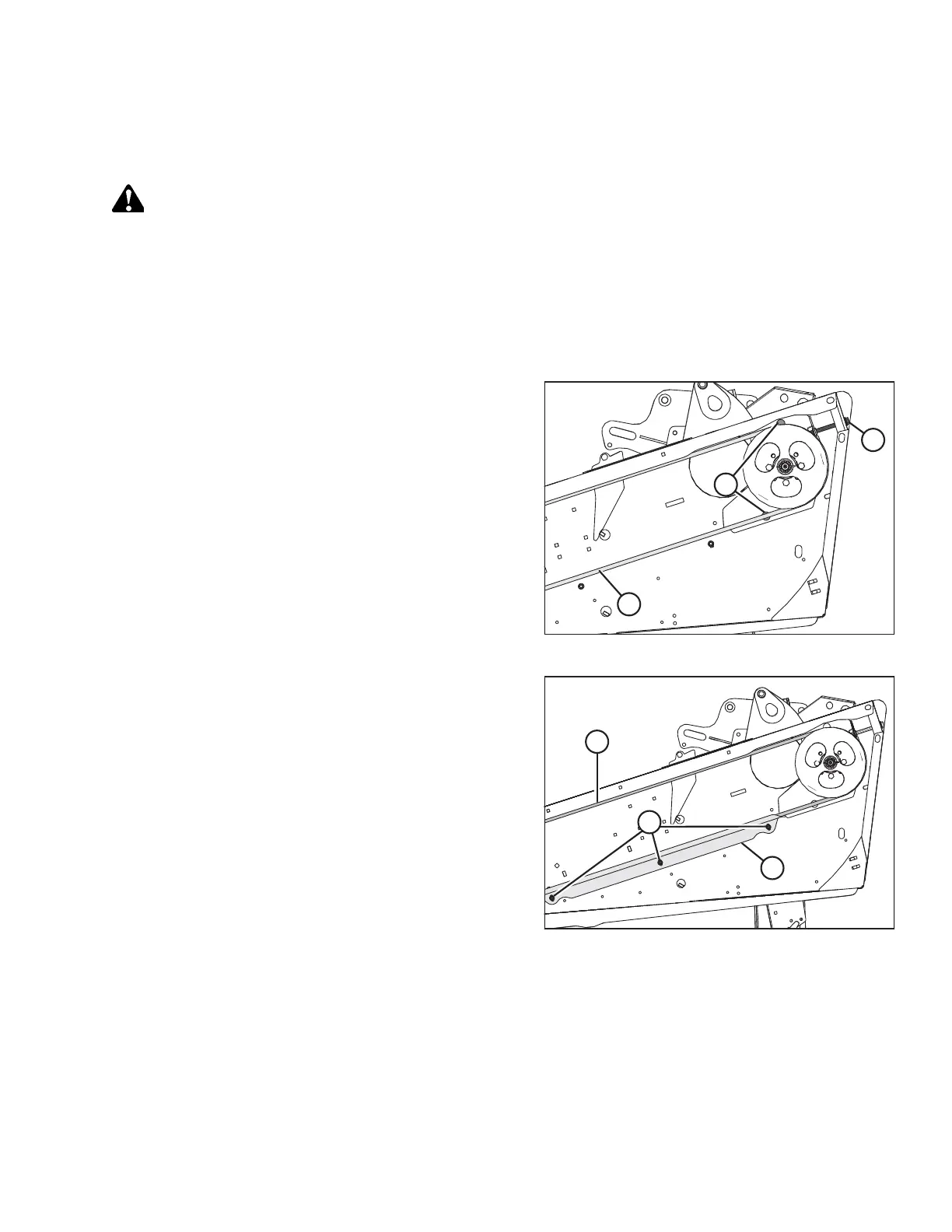
Figure 8.7: Knife Drive
3. Loosen two bolts (A) securing the motor assembly to the
header endsheet.
NOTE:
The belt guide has been removed from the illustrations for
clarity.
4. Check drive belt tension. A properly tensioned drive belt (C)
should deflect 24–28 mm (15/16–1 1/8 in.) when 133 N
(30 lbf) of force is applied at the midspan.
5. If the belt needs to be tensioned, turn adjuster bolt (B)
clockwise to move the drive motor until proper tension
is set.
Figure 8.8: Knife Drive
6. Ensure clearance between belt (A) and belt guide (B) is
1 mm (1/16 in.).
7. Loosen three bolts (C), and adjust the position of guide (B)
as required.
8. Tighten three bolts (C).
9. Close the endshield.
10. Double-knife headers only: Repeat procedure on the other
side of the header.
PERFORMING PREDELIVERY CHECKS



 To Next Page