215184 75 Revision A
Attaching Cam Arms
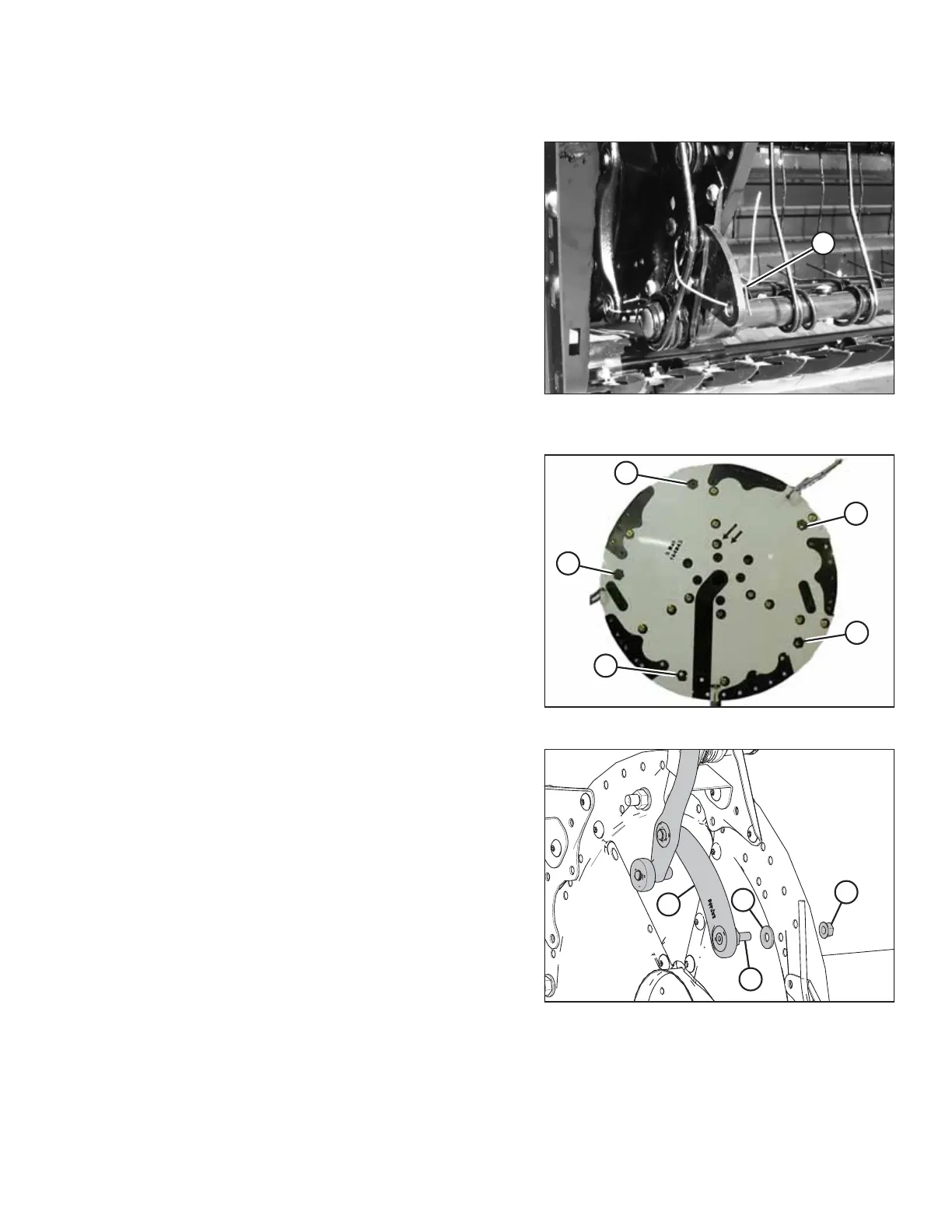
Figure 3.141: Disconnected Cam Links and
Shipping Wire
1. Manually rotate reel until the tine bars with the
disconnected cam links are accessible.
2. Remove shipping wire (A) if not already removed.
Figure 3.142: Cam Arm Attachment Points
NOTE:
Five hex hole locations (A) from the template were previously
marked onto the disc (refer to Step 3, page 71) to identify the
cam arm attachment points.
Figure 3.143: Cam Arm and Disc
3. Obtain reel linkage arms from the hardware bags labelled
D and F.
4. Install cam arm (A) with preinstalled stud (B) and
washer (C) into previously marked hole on disc. Secure with
a 1/2 in. smooth face lock nut (D) and torque to 75 Nm
(55 lbf·ft).
ASSEMBLING THE HEADER AND FLOAT MODULE



 To Next Page