215184 347 Revision A
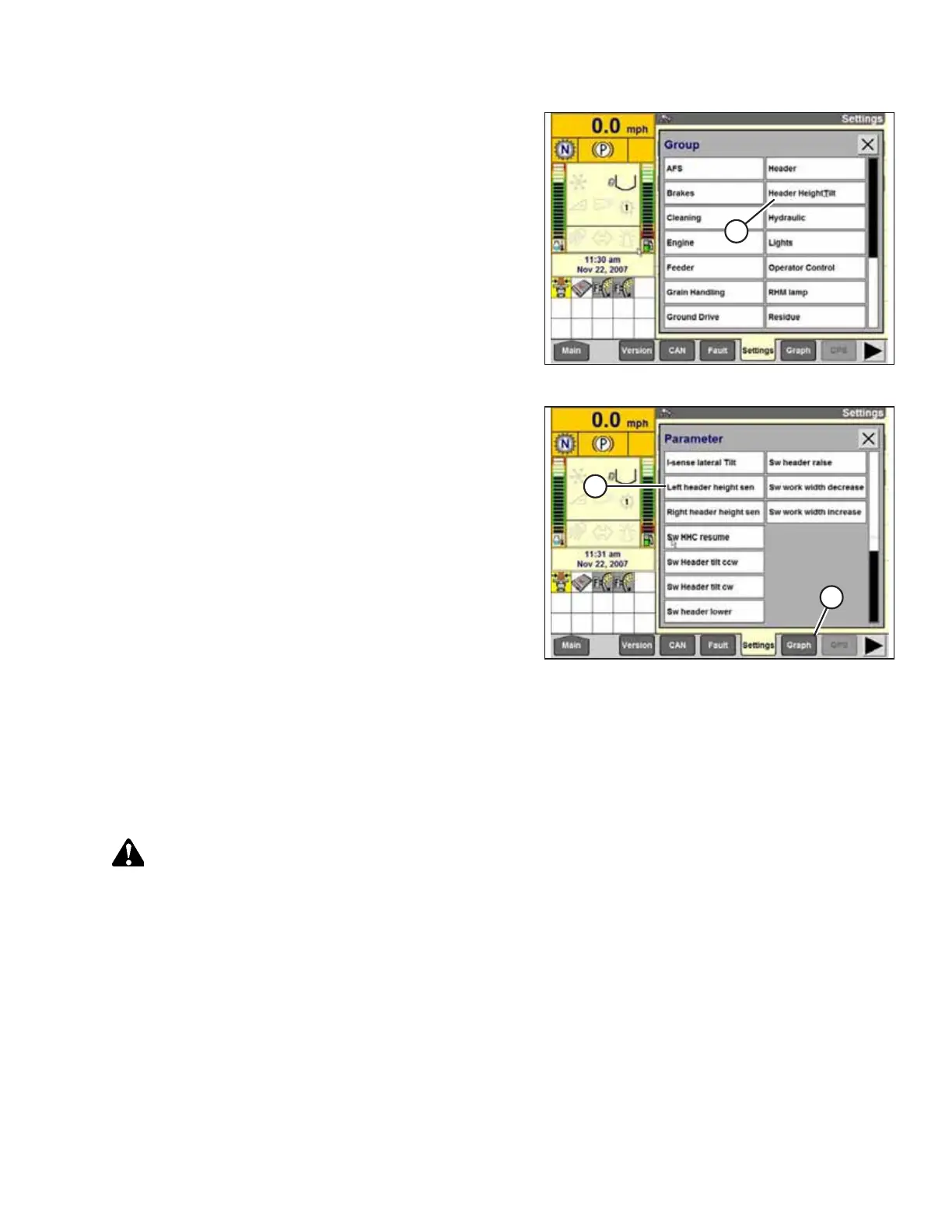
Figure 9.92: Case IH Combine Display
8. Select HEADER HEIGHT/TILT (A). The PARAMETER
page opens.
Figure 9.93: Case IH Combine Display
9. Select LEFT HEADER HEIGHT SEN (A), and then select the
GRAPH button (B). The exact voltage is displayed at top of
page. Raise and lower the header to see the full range of
voltage readings.
10. If the sensor voltage is not within the low and high limits,
or if the range between the low and high limits is
insufficient, adjust the voltage limits. For instructions, refer
to Adjusting Voltage Limits – One-Sensor System, page 314.
Calibrating the Auto Header Height Control – Case IH 7010/8010,120, 230, 240, and 250 Series
Combines
For best performance of the auto header height control (AHHC), perform these procedures with the center-link set to D.
When setup and calibration are complete, adjust the center-link back to desired header angle. For instructions, refer to the
header operator’s manual.
WARNING
Clear the area of other persons, pets etc. Keep children away from machinery. Walk around the machine to be sure no
one is under, on, or close to it.
NOTE:
This procedure applies to combines with a software version below 28.00. For instructions on calibrating the AHHC for
combines with software version 28.00 or above, refer to Calibrating the Auto Header Height Control – Case IH Combines
with Version 28.00 or Higher Software, page 351.
NOTE:
Changes may have been made to the combine controls or display since this document was published. Refer to the combine
operator’s manual for updates.
SETTING UP AUTO HEADER HEIGHT CONTROL



 To Next Page