215184 41 Revision A
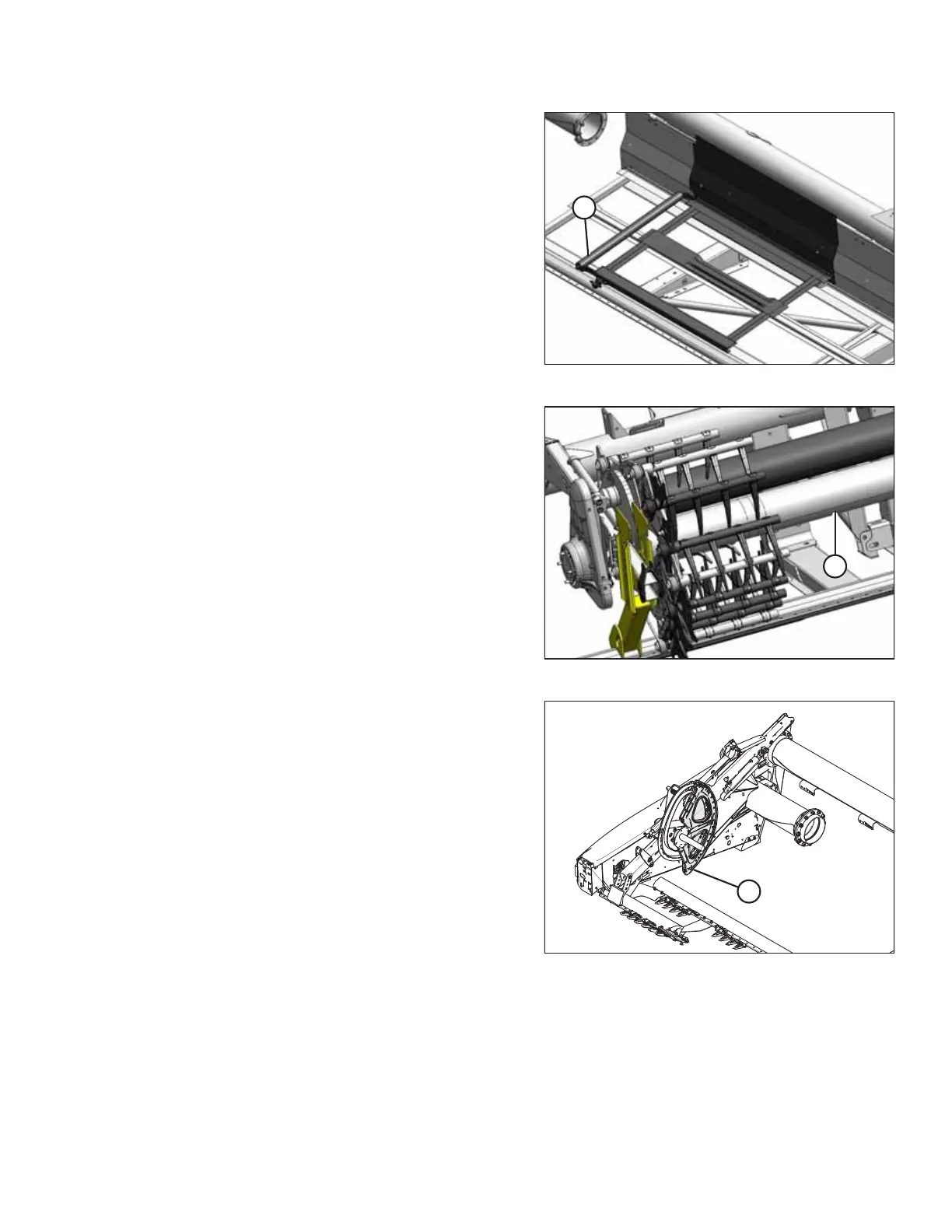
Figure 3.51: Outboard Deck
8. Remove shipping wire, and lift right outboard deck (A) off
header. Set aside outboard deck for installation.
Figure 3.52: Reel Components and Knife
9. Remove the reel components and knife that are secured to
the existing reel (A).
Figure 3.53: Reel Disc Sectors
10. Remove reel disc sectors (A) from the reel arm.
3.2.2 Removing Shipping Stands and Supports
Unless otherwise specified, discard stands, shipping material, and hardware. The removable stands are painted yellow.
IMPORTANT:
If the header is being shipped to a Dealer after assembly, do NOT remove the shipping stands and supports at this time.
Proceed to Step 12, page 45.
ASSEMBLING THE HEADER AND FLOAT MODULE



 To Next Page