215184 329 Revision A
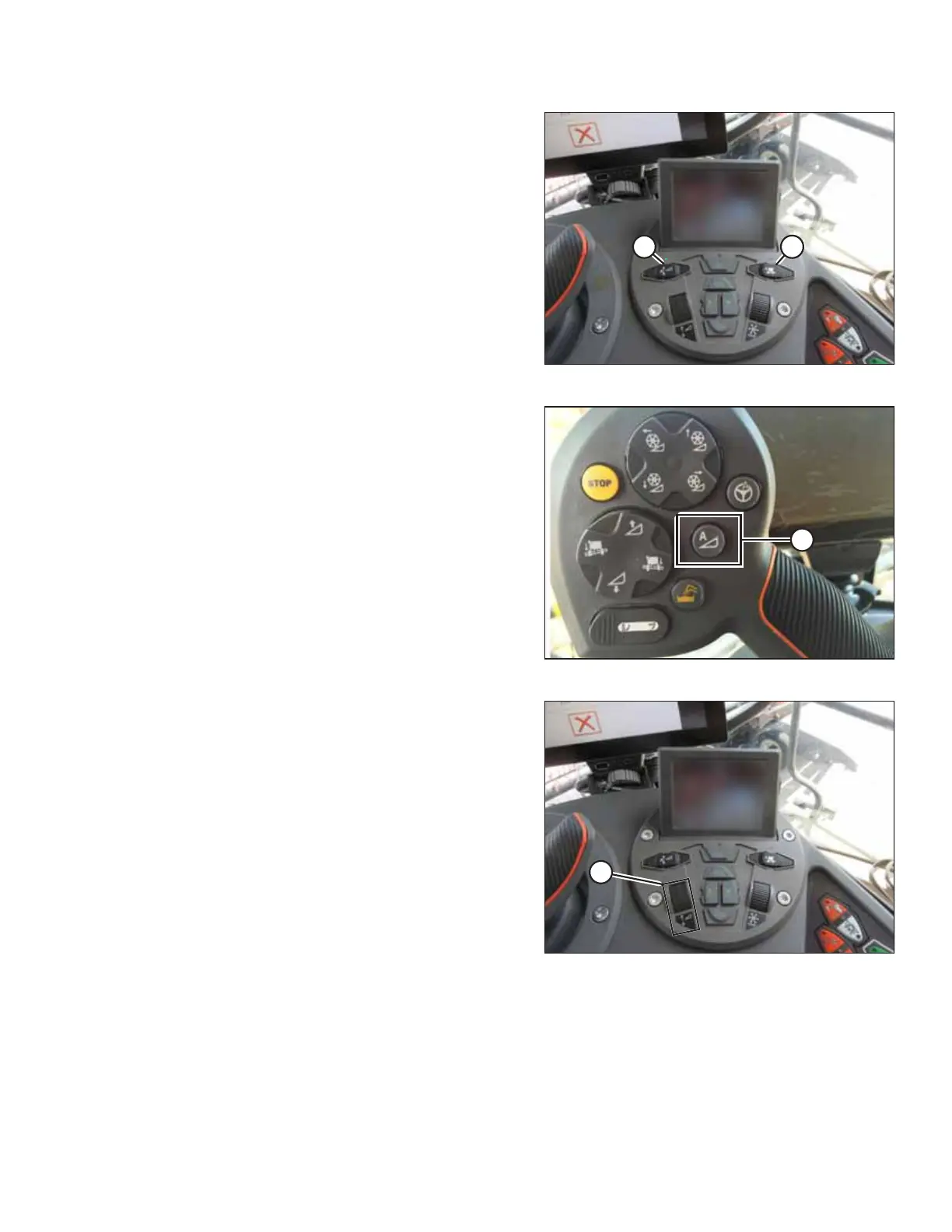
Figure 9.47: Header Control Cluster
1. With the header running, set lateral tilt to MANUAL by
pressing switch (A) so the light above switch is off.
2. Engage the AHHC by pressing switch (B) so light above
switch is on.
Figure 9.48: AHHC on Control Handle
3. Press AHHC control switch (A) on the control handle to
engage the AHHC. The header moves to the current
setpoint position.
Figure 9.49: Header Control Cluster
4. Use HEADER HEIGHT SETPOINT control dial (A) as necessary
to fine-tune the position.
Reviewing Header In-Field Settings – AGCO IDEAL
™
Series
NOTE:
Up-to-date images of the IDEAL
™
combine display were not available at time of publishing. For instructions, refer to the
combine operator’s manual for updates.
SETTING UP AUTO HEADER HEIGHT CONTROL



 To Next Page