215184 370 Revision A
Setting the Sensitivity of the Auto Header Height Control – CLAAS 500 Series
The sensitivity adjustment controls the distance the cutterbar must travel up or down before the auto header height
control (AHHC) reacts and raises or lowers the feeder house. When the sensitivity is set to maximum, only small changes in
ground height are needed to cause the feeder house to raise or lower. When the sensitivity is set to minimum, large
changes in the ground height are needed to cause the feeder house to raise or lower.
NOTE:
The upper and lower limits of the header must be programmed into the CEBIS before adjusting the sensitivity of the AHHC
system. The setting can be adjusted from 0–100%. When sensitivity is adjusted to 0%, the signals from the sensing bands
have no effect on the automatic cutting height adjustment. When sensitivity is adjusted to 100%, the signals from the
sensing bands have maximum effect on the automatic cutting height adjustment. The recommended starting point is 50%.
NOTE:
Changes may have been made to the combine controls or display since this document was published. Refer to the combine
operator’s manual for updates.
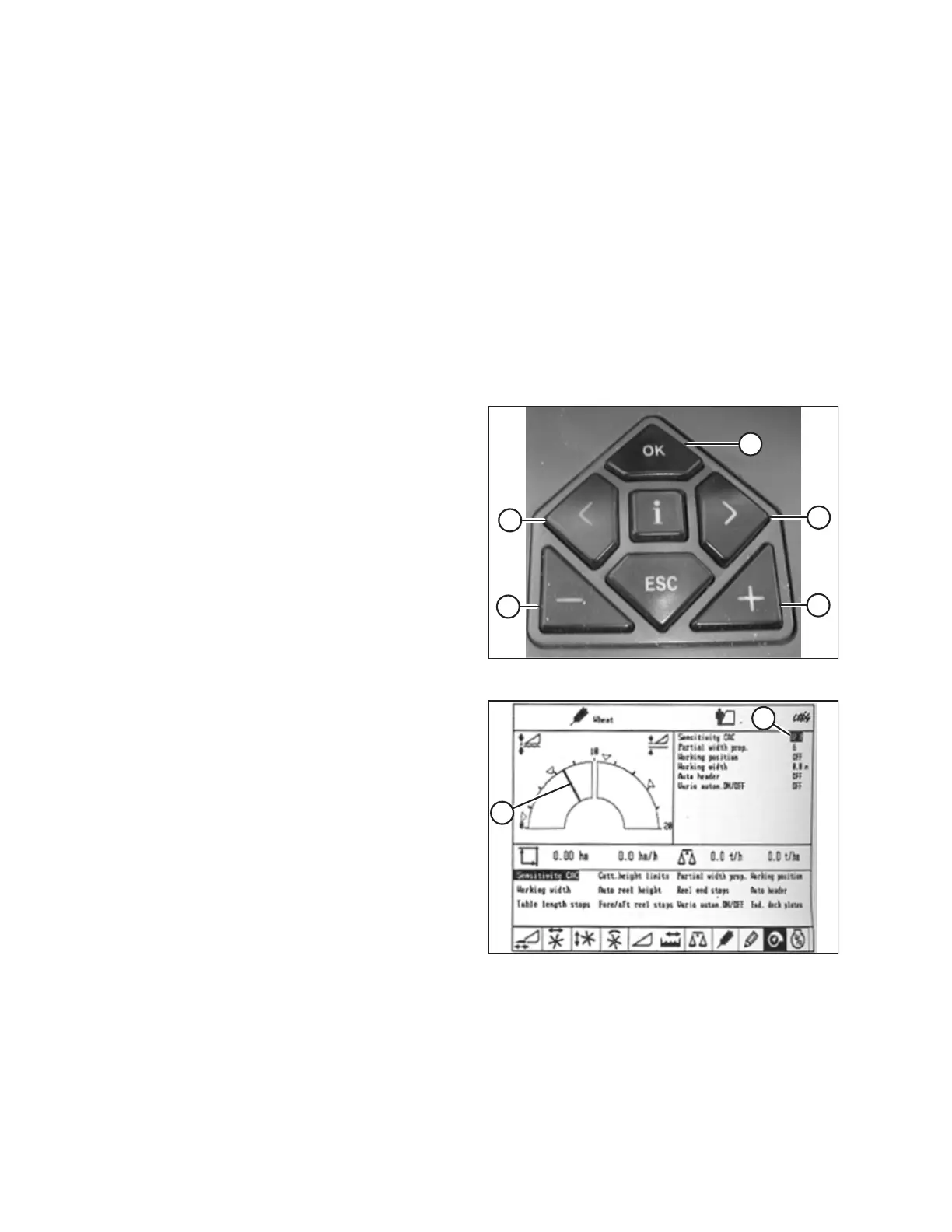
Figure 9.145: CLAAS Combine Controls
1. Use < key (C) or > key (D) to select SENSITIVITY CAC, and
press OK key (E).
2. Use – key (A) or + (B) key to change the reaction speed
setting, and press OK key (E).
Figure 9.146: CLAAS Combine Display
3. Use line (A) or value (B) to determine the sensitivity setting.
SETTING UP AUTO HEADER HEIGHT CONTROL



 To Next Page