215184 316 Revision A
Adjusting Voltage Limits – Two-Sensor System
WARNING
To avoid injury or death from unexpected start-up of machine, always stop the engine and remove the key from the
ignition before leaving the operator’s seat for any reason.
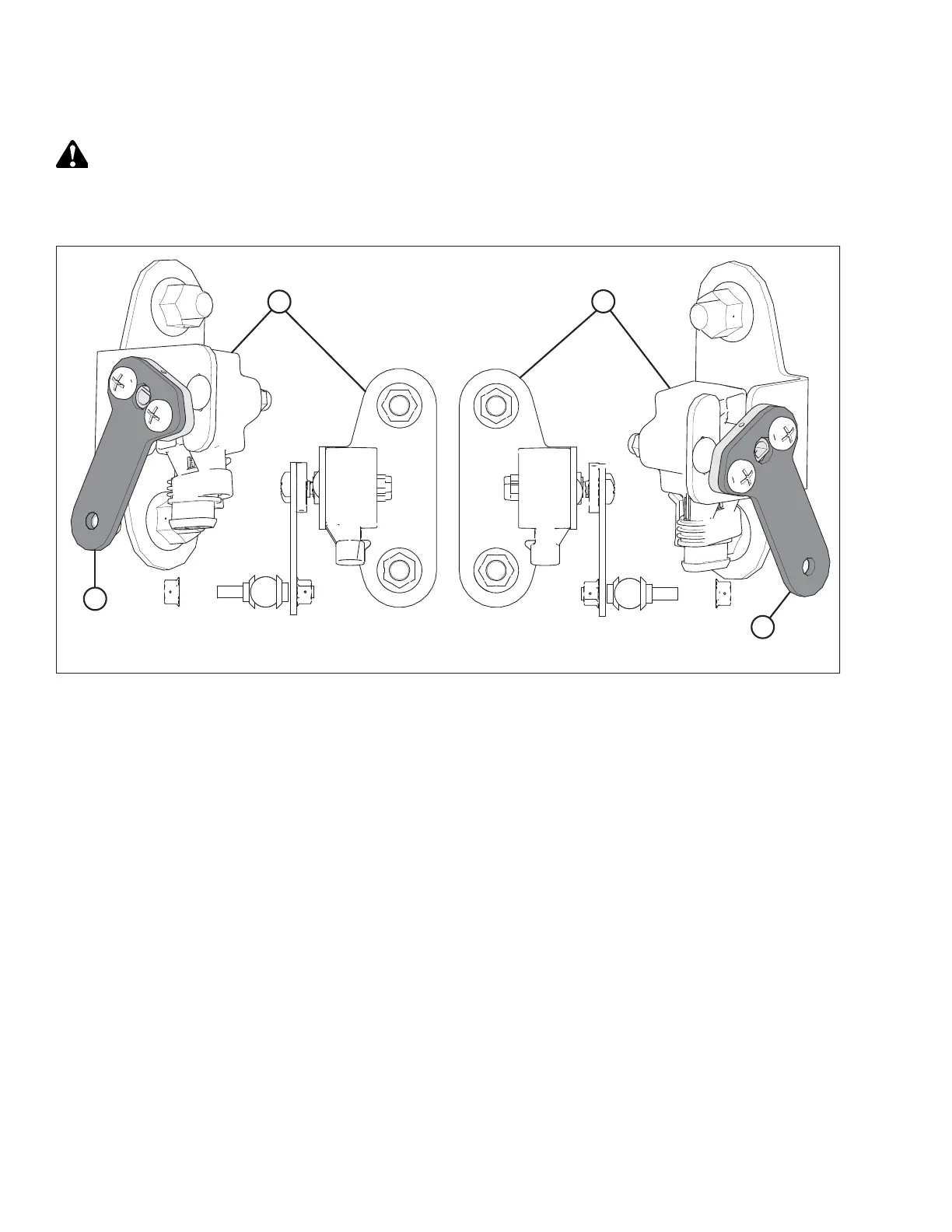
Figure 9.19: Sensor Orientation
1. Before adjusting the sensors, verify the sensor arms are properly installed on the sensors.
• Left Sensor (A): The point on the arm of the sensor should face away from the header. The point on the float
sensor arm (C) should be installed in the same direction, facing away from the header.
• Right Sensor (B): The point on the arm of the sensor should face away from the header. The point on the float
sensor arm (D) should be installed in the same direction, facing away from the header.
Follow these steps to adjust the left sensor voltage:
2. Extend guard angle fully; the header angle indicator should be at D.
3. Position header 150–254 mm (6–10 in.) above the ground; the float indicator should be at 0.
SETTING UP AUTO HEADER HEIGHT CONTROL



 To Next Page