215184 414 Revision A
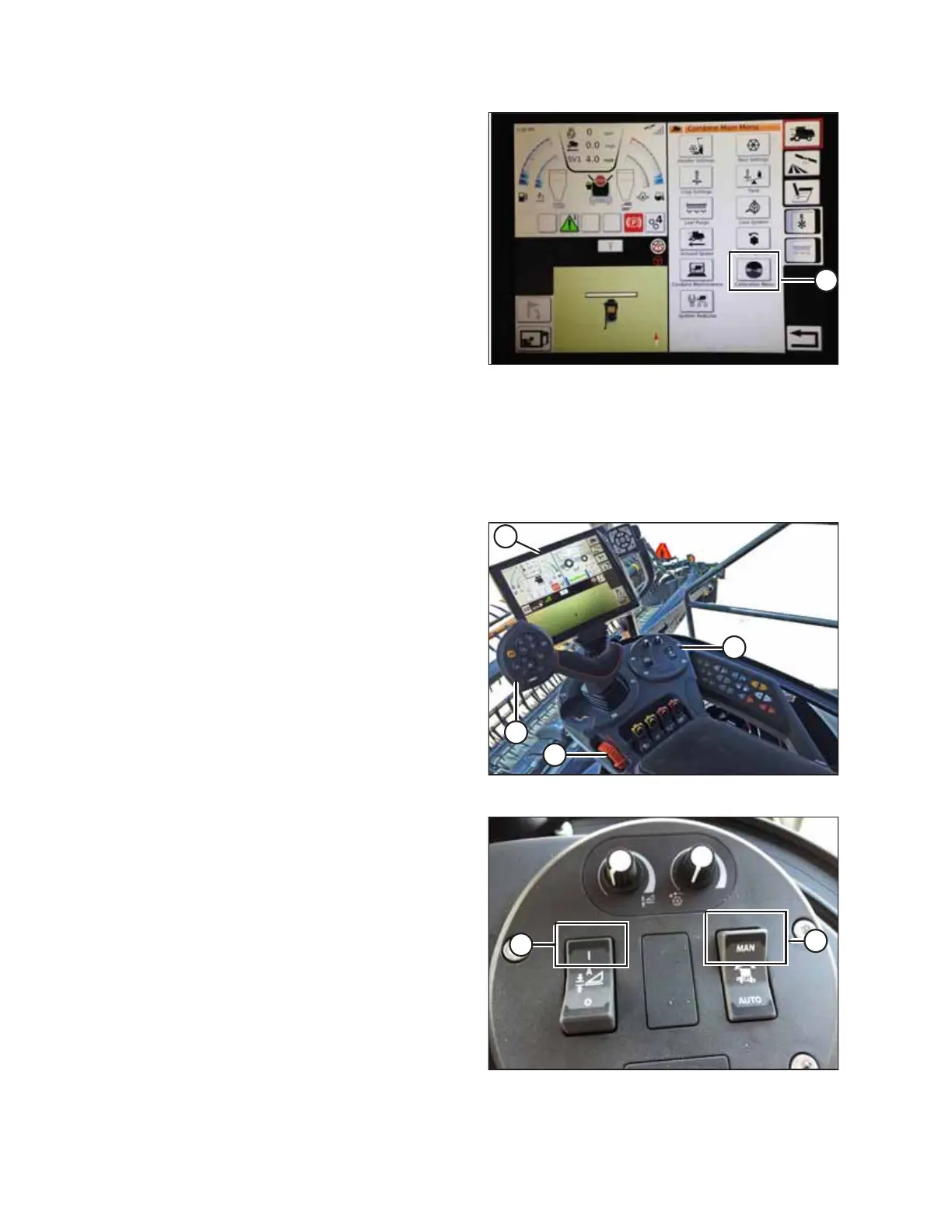
Figure 9.240: Direct Calibration Menu
NOTE:
Touch CALIBRATION icon (A) on the COMBINE MAIN MENU
page to display the CALIBRATION MENU where you can
choose from a variety of calibrations including header and
reel calibration.
Operating the Header – Gleaner S9 Series
NOTE:
Changes may have been made to the combine controls or display since this document was published. Refer to the combine
operator’s manual for updates.
Figure 9.241: Gleaner S9 Operator Controls
The following controls are used to operate the auto header
height control (AHHC) functions:
• Tyton terminal (A)
• Control handle (B)
• Throttle (C)
• Header control cluster (D)
Use the combine operator’s manual to familiarize yourself with
the controls.
Figure 9.242: Header Control Cluster
1. With the header running, set lateral tilt switch (A) to
MANUAL.
2. Engage the AHHC by pressing switch (B) upward to the
I position.
SETTING UP AUTO HEADER HEIGHT CONTROL



 To Next Page