215184 259 Revision A
8.3 Checking Knife Drive Box
Single-knife headers have one knife drive box and double-knife headers have two knife drive boxes. To access the knife
drive box(es), the endshield(s) must be fully opened.
DANGER
To avoid bodily injury or death from unexpected startup of machine, always stop the engine and remove the key before
making adjustments to the machine.
1. Shut down the engine, and remove the key from
the ignition.
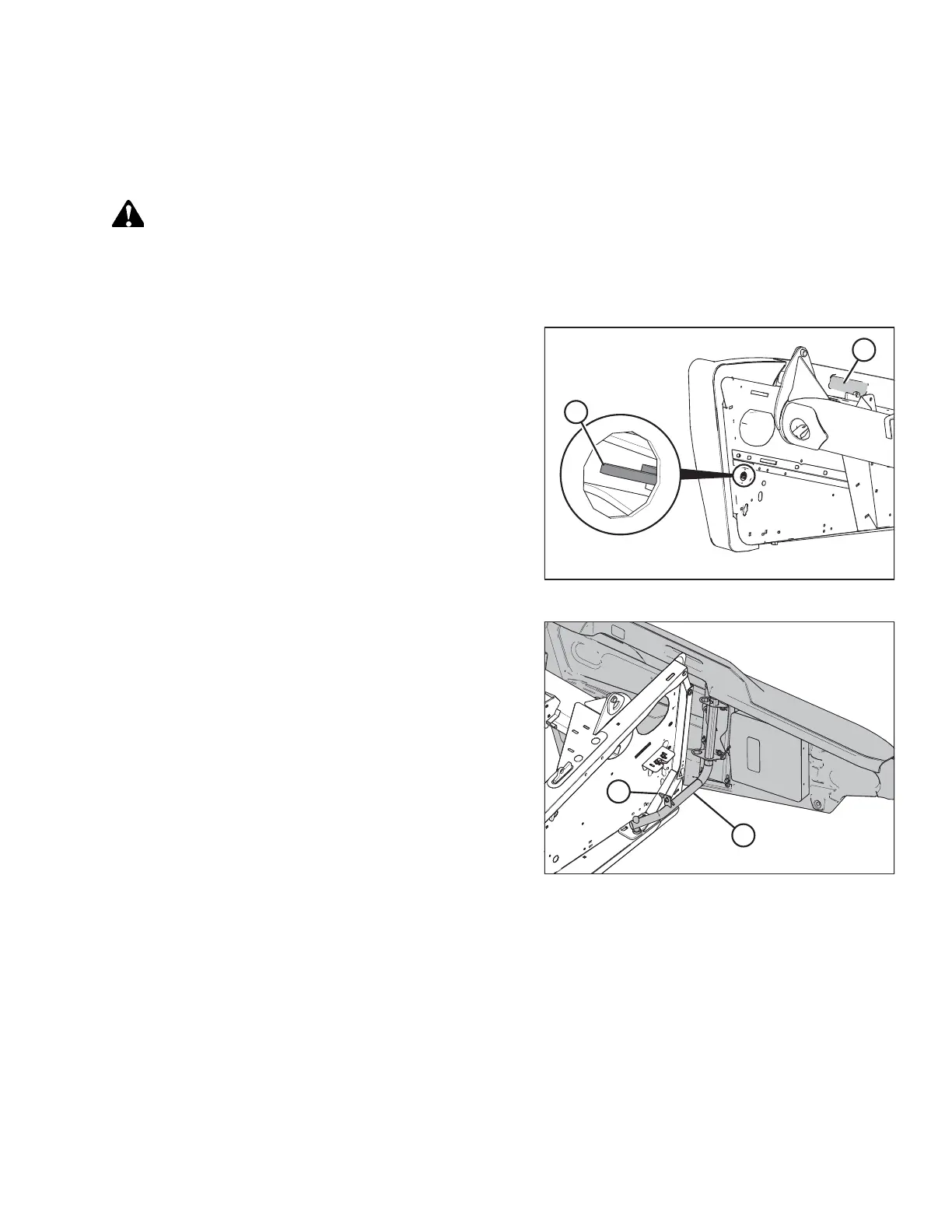
Figure 8.2: Endshield Latch Access
2. Press down on latch (A) in the opening on the inboard side
of the endsheet.
3. Pull endshield open using handle depression (B).
Figure 8.3: Left Endshield Support Tube
4. Swivel the endshield toward the back of the header and use
safety latch (B) to secure endshield support tube (A) to the
endsheet.
PERFORMING PREDELIVERY CHECKS



 To Next Page