215184 129 Revision A
Installing Right Reel
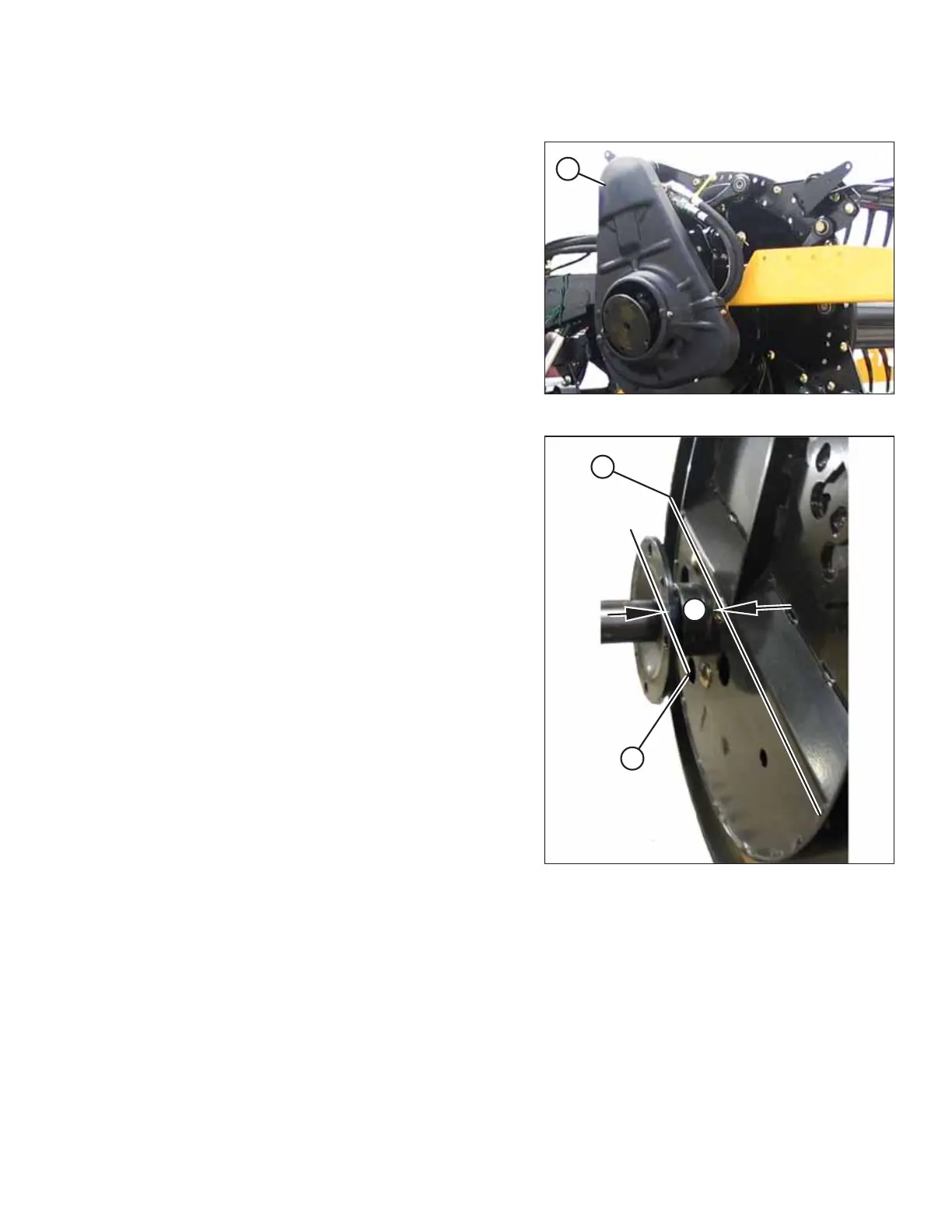
Figure 3.273: Reel Driveshield at Center of Header
1. Remove reel driveshield (A) at center of header.
Figure 3.274: Distance between Cam Track and
Hub Face
2. Check distance (X) between cam track (A) and hub face (B)
at right side of header. If distance is less than 59.0 mm
(2.32 in.), add shims provided in the hardware bag labelled
B until distance is achieved.
NOTE:
Shims are 1.0– 1.2 mm (0.040–0.047 in.) thick.
EXAMPLE:
If distance (X) is 57.0 mm (2.24 in.), calculate the number of
shims required as follows:
59.0 (2.32) – 57.0 (2.24)
= 2.0 (0.08) / 1.0 (0.04) = 2
Two shims are required.
3. Remove protective coating from shafts at both ends of
reel tube.
ASSEMBLING THE HEADER AND FLOAT MODULE



 To Next Page