215184 438 Revision A
Setting the Sensitivity of the Auto Header Height Control – John Deere S and T Series
The sensitivity adjustment controls the distance the cutterbar must travel up or down before the auto header height
control (AHHC) reacts and raises or lowers the feeder house. When the sensitivity is set to maximum, only small changes in
ground height are needed to cause the feeder house to raise or lower. When the sensitivity is set to minimum, large
changes in the ground height are needed to cause the feeder house to raise or lower.
NOTE:
Changes may have been made to the combine controls or display since this document was published. Refer to the combine
operator’s manual for updates.
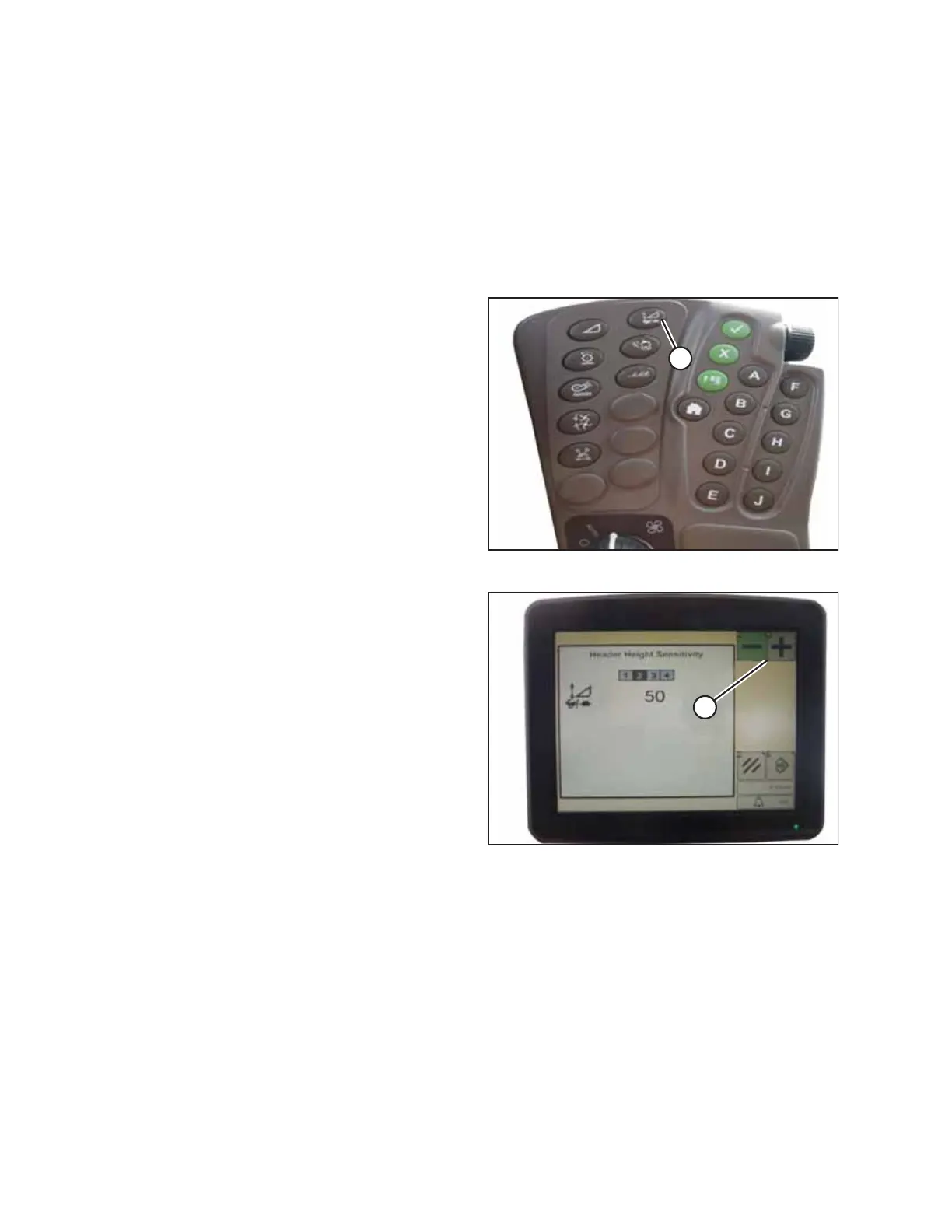
Figure 9.290: John Deere Combine Command Center
1. Press button (A) twice and the current sensitivity setting
will appear on the monitor.
Figure 9.291: John Deere Combine Display
2. Press – or + icons (A) to adjust rates.
NOTE:
The numbers shown on the combine display in this
illustration are for reference purposes only; they are not
intended to represent the specific settings for your
equipment.
SETTING UP AUTO HEADER HEIGHT CONTROL



 To Next Page