215184 385 Revision A
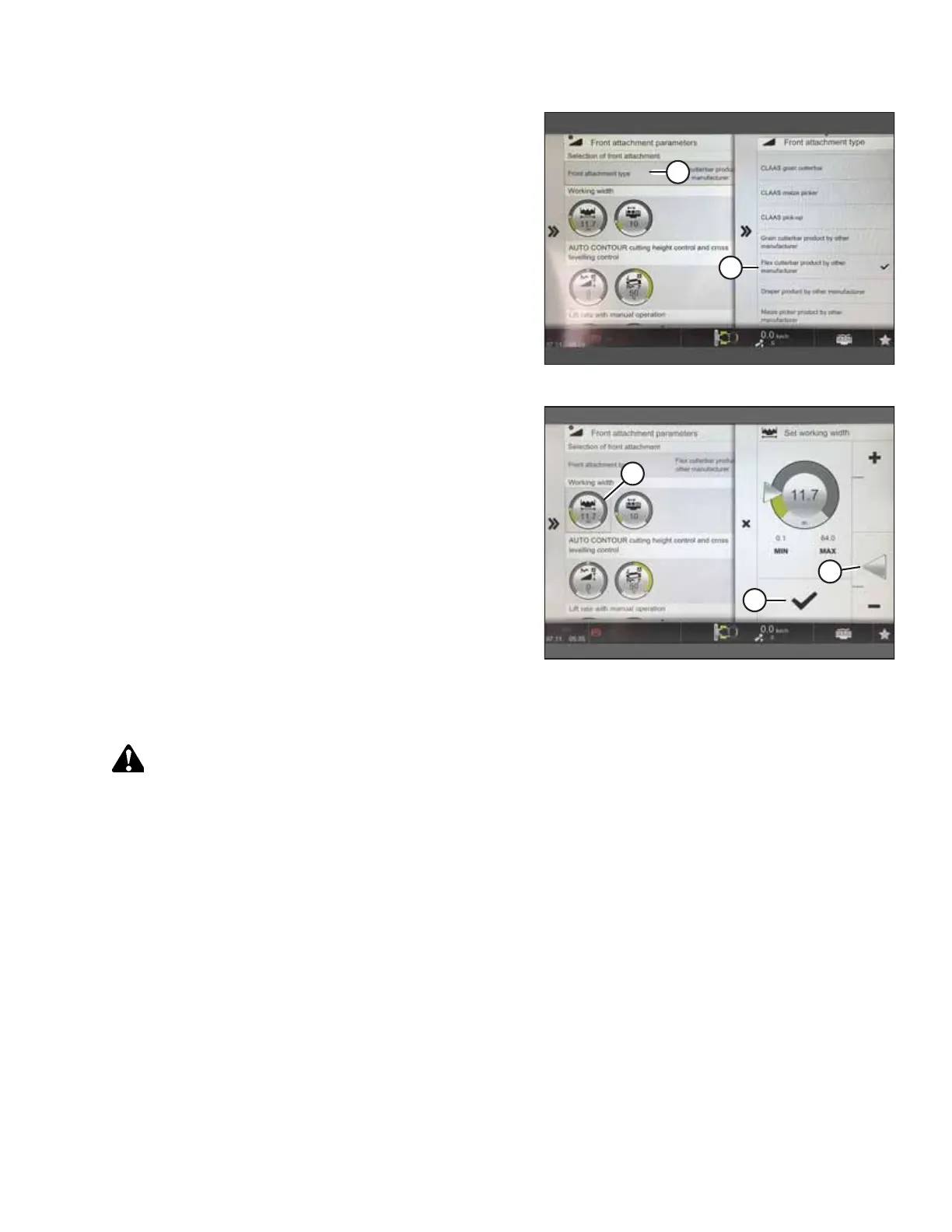
Figure 9.181: Attachment Parameters Page
3. From the Front Attachment Parameters page, select FRONT
ATTACHMENT TYPE (A).
4. From the drop down list, select FLEX CUTTERBAR PRODUCT
BY OTHER MANUFACTURER (B).
Figure 9.182: Attachment Parameters Page
5. From the Front Attachment Parameters page, select
WORKING WIDTH (A).
6. Set header width by sliding adjuster arrow (B) up or down.
7. Select check mark (C) to save settings.
Calibrating the Auto Header Height Control – CLAAS 8000/7000 Series
WARNING
Clear the area of other persons, pets etc. Keep children away from machinery. Walk around the machine to be sure no
one is under, on, or close to it.
NOTE:
Changes may have been made to the combine controls or display since this document was published. Refer to the combine
operator’s manual for updates.
SETTING UP AUTO HEADER HEIGHT CONTROL



 To Next Page