215184 172 Revision A
5.8 Installing Driveline
CAUTION
To prevent injury to the installer and damage to the driveline, hold the driveline so that it doesn’ t fall to the floor or
ground.
NOTE:
Case New Holland drivelines are stored in a lower position on the float module. If installing a Case New Holland driveline,
proceed to Step 2, page 172.
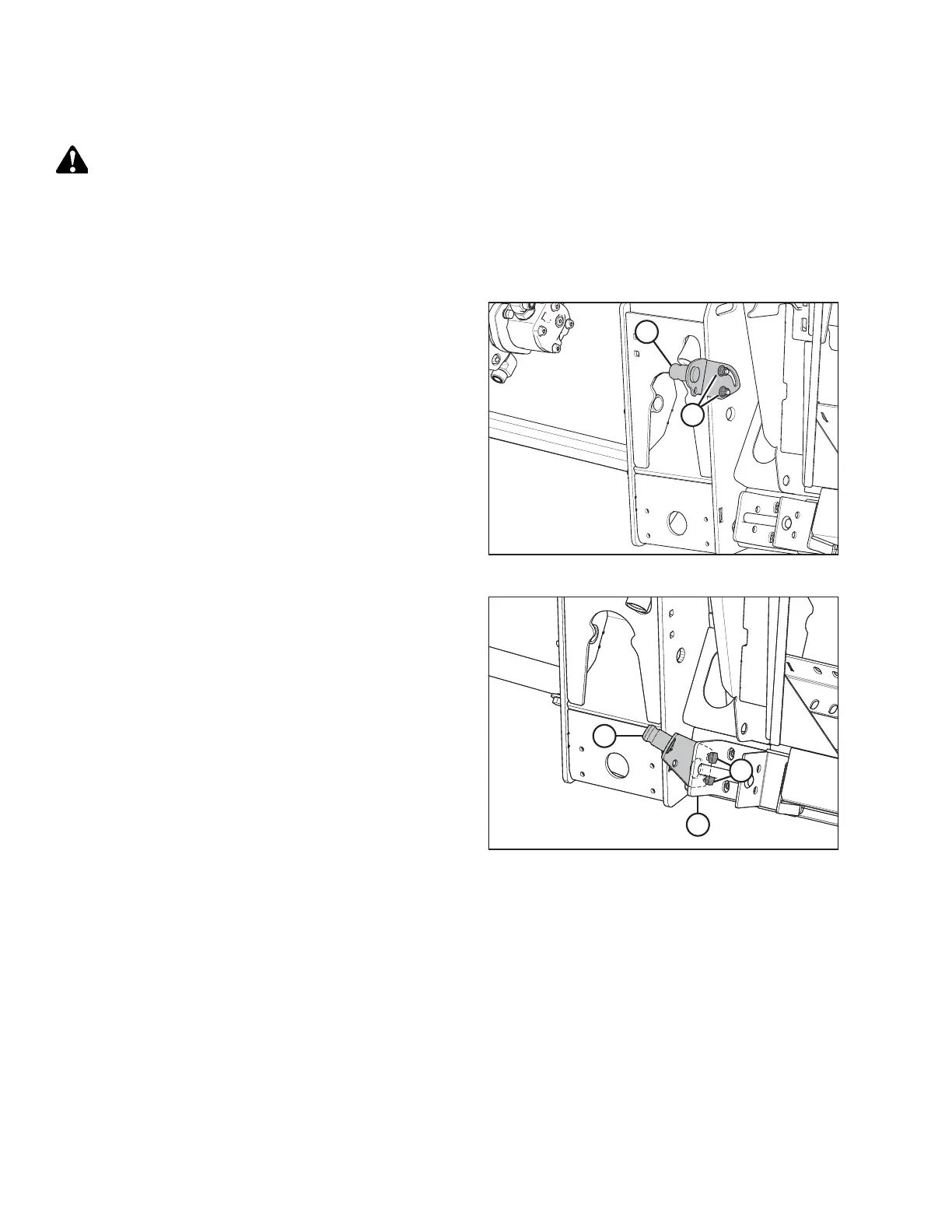
Figure 5.36: Driveline Support
1. Position driveline storage support (A) onto the left frame of
the float module. Secure in place with two M10 carriage
bolts and hex flange nuts (B).
Figure 5.37: Driveline Support – Case New Holland
2. Case New Holland only: Position driveline storage
support (A) onto left side of bracket (B) as shown. Secure in
place with two M12 hex head bolts (C) and hex flange nuts.
NOTE:
The support for 21-tooth spline drivelines is shown in the
illustration at right. The support for 6-tooth spline
drivelines is similar.
UNLOADING HEADER AT DEALER



 To Next Page