215184 97 Revision A
3.3.5 Installing Deck
CAUTION
Draper supports in deck are slippery due to graphite coating.
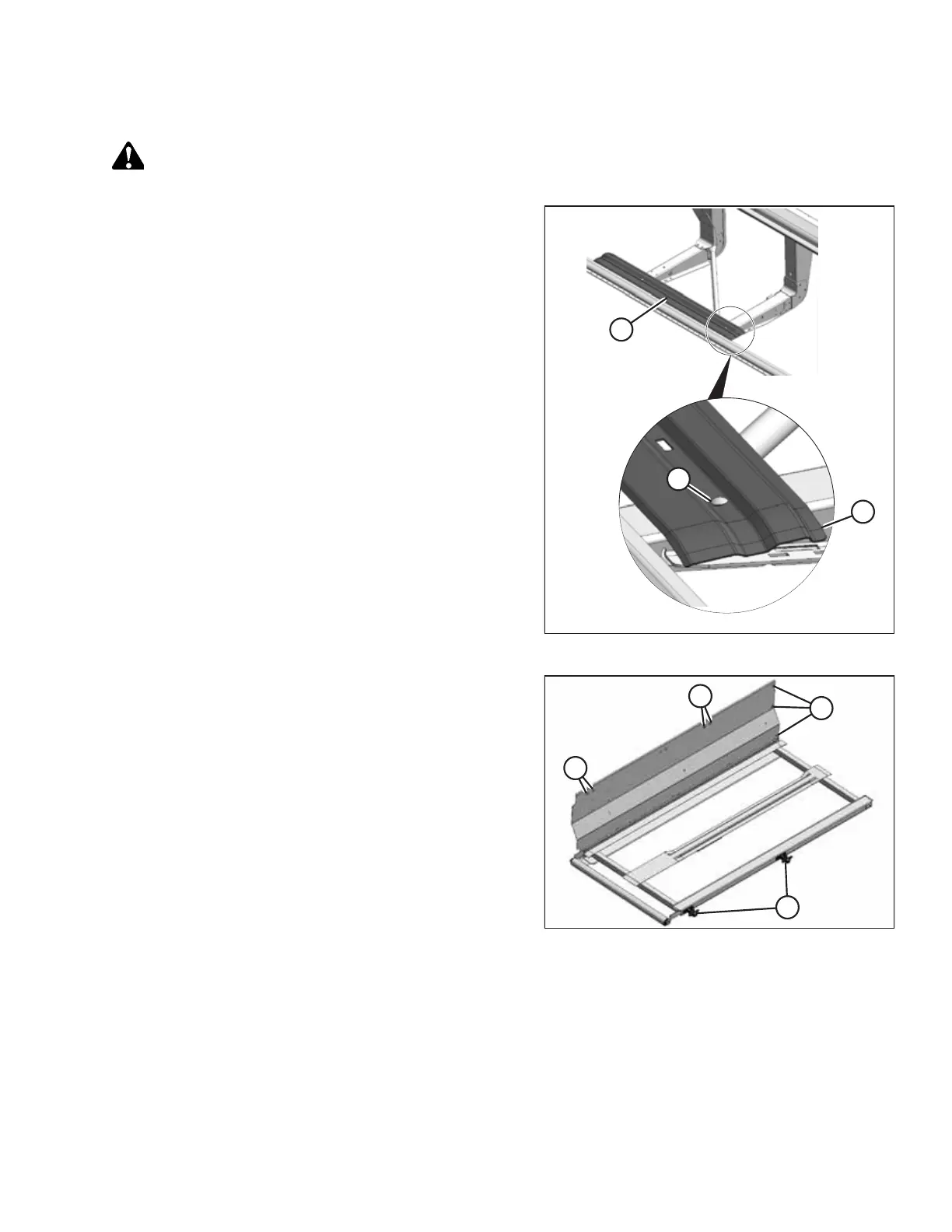
Figure 3.192: Locating Draper Track
1. Remove shipping wires securing draper track to header.
2. Remove two bolts and nuts in draper track.
3. Relocate draper track (A) towards endsheet until holes (B)
line up with holes in header legs. Ensure flat flange (C) is
toward rear of header.
4. Reinstall bolts (B) with heads on top.
Figure 3.193: Deck Extension Backsheet
5. Remove bolts and nuts (A) from side and top of deck
extension backsheet. Retain for reinstallation.
6. Remove two support castings (B) at front of extension deck.
Retain hardware for reinstallation.
ASSEMBLING THE HEADER AND FLOAT MODULE



 To Next Page