215184 379 Revision A
Adjusting Auto Reel Speed – CLAAS 600 and 700 Series
NOTE:
Changes may have been made to the combine controls or display since this document was published. Refer to the combine
operator’s manual for updates.
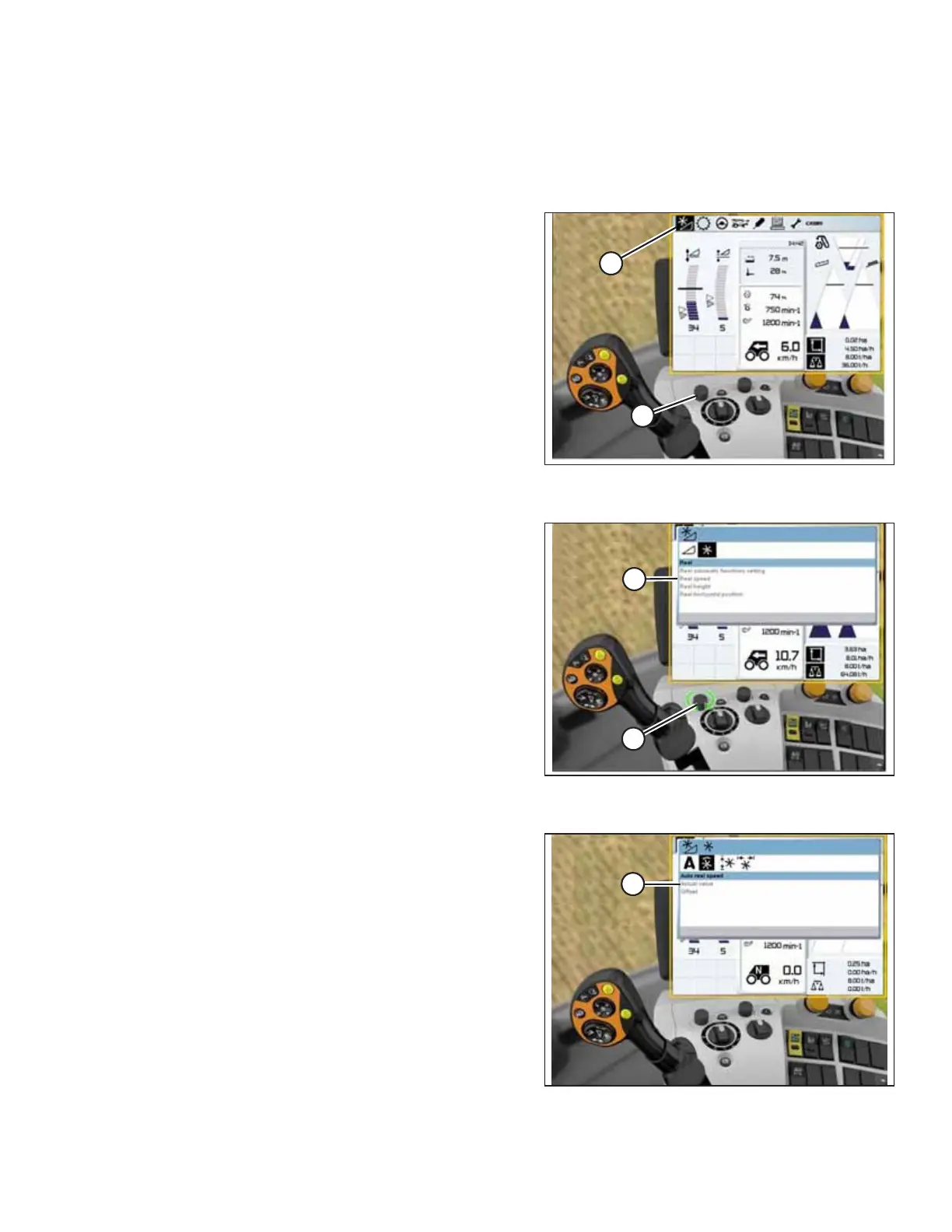
Figure 9.166: CLAAS Combine Display, Console, and
Control Handle
1. Use control knob (A) to highlight HEADER/REEL icon (B),
and press control knob (A) to select it. The HEADER/REEL
dialog box opens.
Figure 9.167: CLAAS Combine Display, Console, and
Control Handle
2. Use control knob (A) to select REEL SPEED (B), and adjust
the reel speed (if you are NOT using Auto Reel Speed). A
graph displays in the dialog box.
Figure 9.168: CLAAS Combine Display, Console, and
Control Handle
3. Select ACTUAL VALUE (A) from the AUTO REEL SPEED dialog
box (if you are using Auto Reel Speed). The ACTUAL VALUE
dialog box indicates the auto reel speed.
SETTING UP AUTO HEADER HEIGHT CONTROL



 To Next Page