215184 240 Revision A
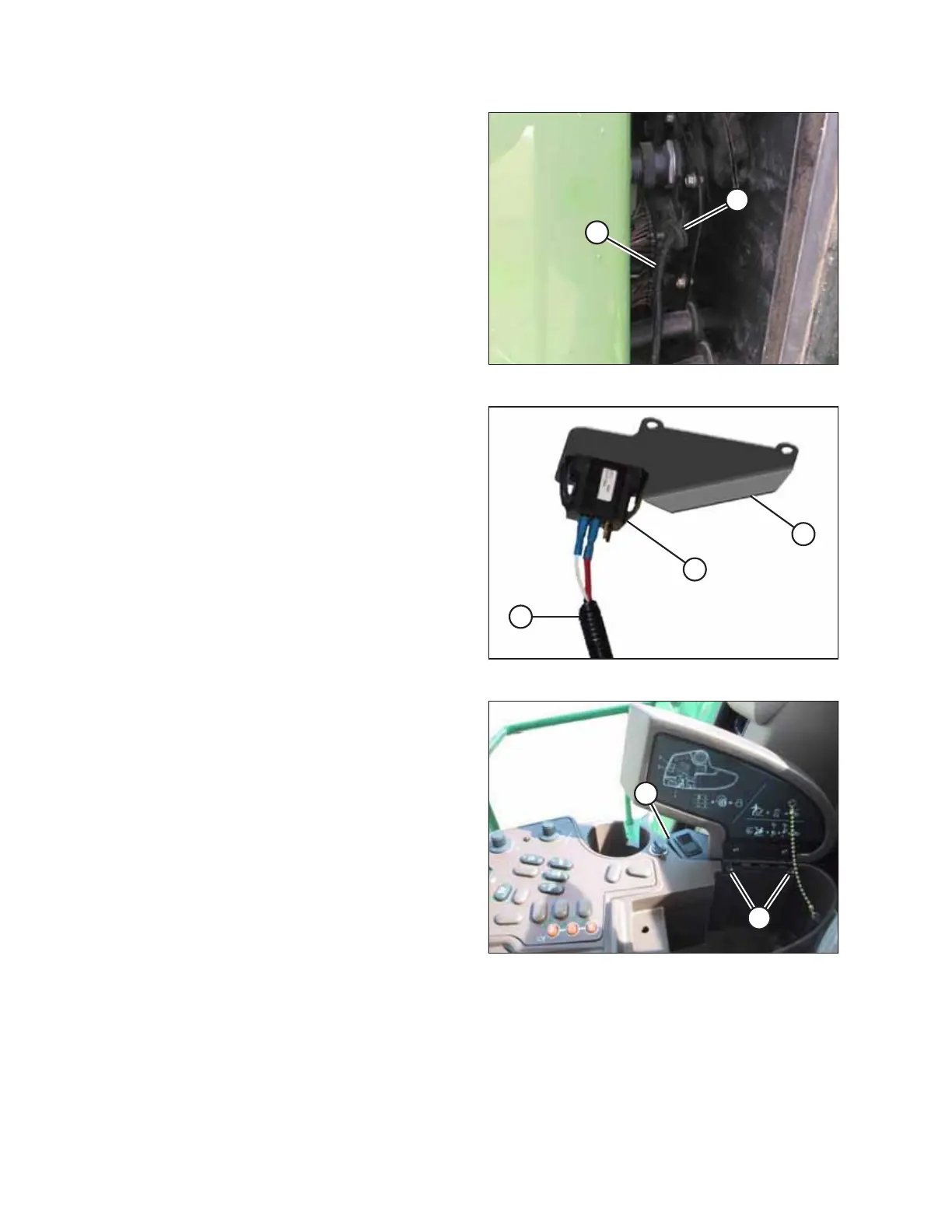
Figure 7.81: Switch Harness Routing
5. Route switch harness (A) through existing grommet (B) on
the combine’s electrical plate (located at the rear of the
right side window).
NOTE:
To simplify feeding the harness through the grommet, wrap
the switch and power plugs with electrical tape.
Figure 7.82: Switch and Harness
6. Retrieve switch (A) and support (C) provided with kit.
7. Install switch (A) into support (C) from the top. Ensure lugs
on underside of support have secured the switch.
NOTE:
Image at right shows switch (A) connected to harness (B).
Figure 7.83: Switch Plate Mounting
8. Mount switch plate (A) between the armrest cover hinge
and the armrest using existing screws (B).
ATTACHING HEADER TO COMBINE



 To Next Page