215184 319 Revision A
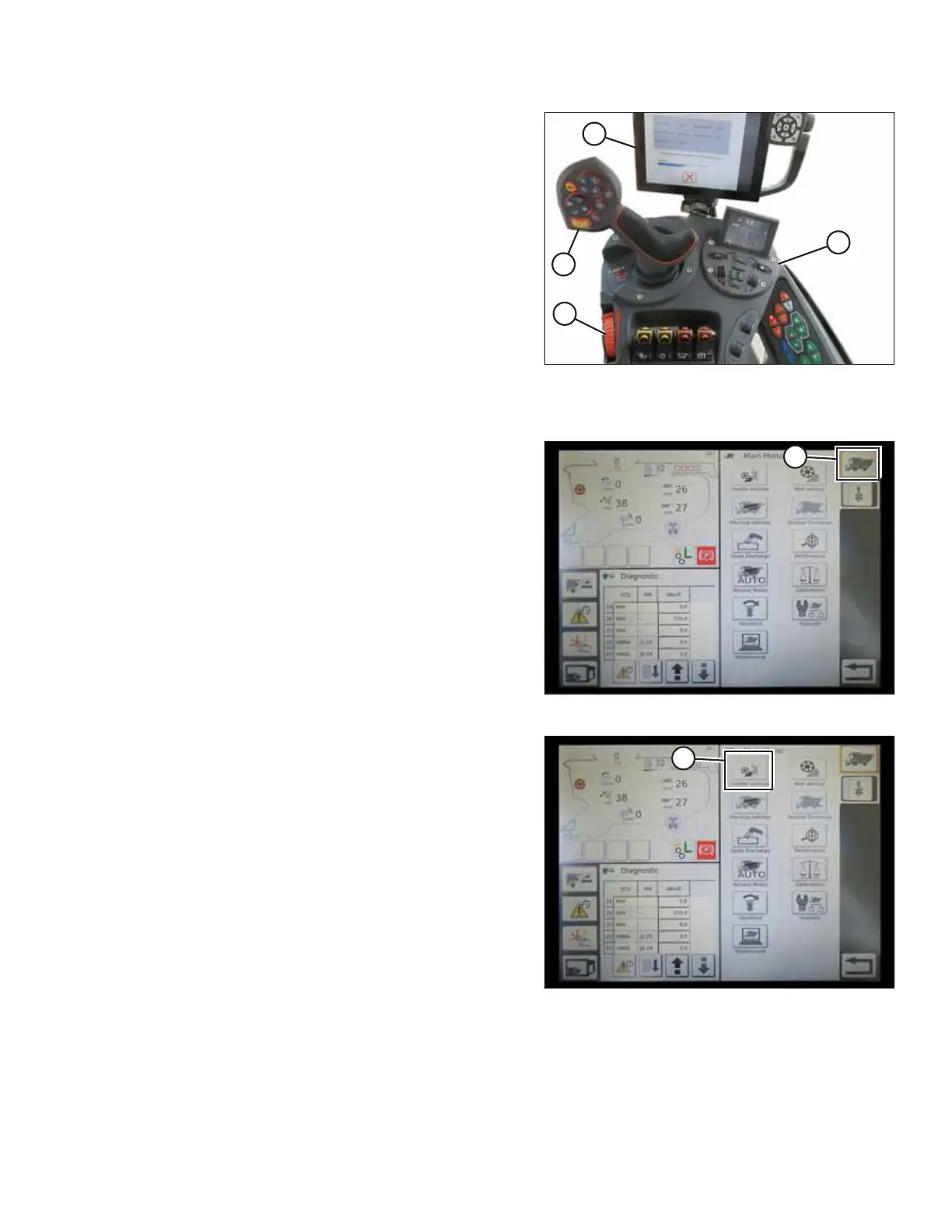
Figure 9.23: AGCO IDEAL
™™
Operator Station
A - Tyton Terminal B - Control Handle
C - Throttle D - Header Control Cluster
AGCO Tyton terminal (A) is used to set up and manage a
MacDon header on an IDEAL
™
combine. Use the touch screen
display to select the desired item on the screen.
Figure 9.24: Combine Icon on Home Page
1. On the top right of the home screen, touch COMBINE
icon (A). The COMBINE MAIN MENU opens.
Figure 9.25: Header Settings in Combine Main Menu
2. On the COMBINE MAIN MENU, touch HEADER
SETTINGS (A). The HEADER SETTINGS page opens.
SETTING UP AUTO HEADER HEIGHT CONTROL



 To Next Page