215184 334 Revision A
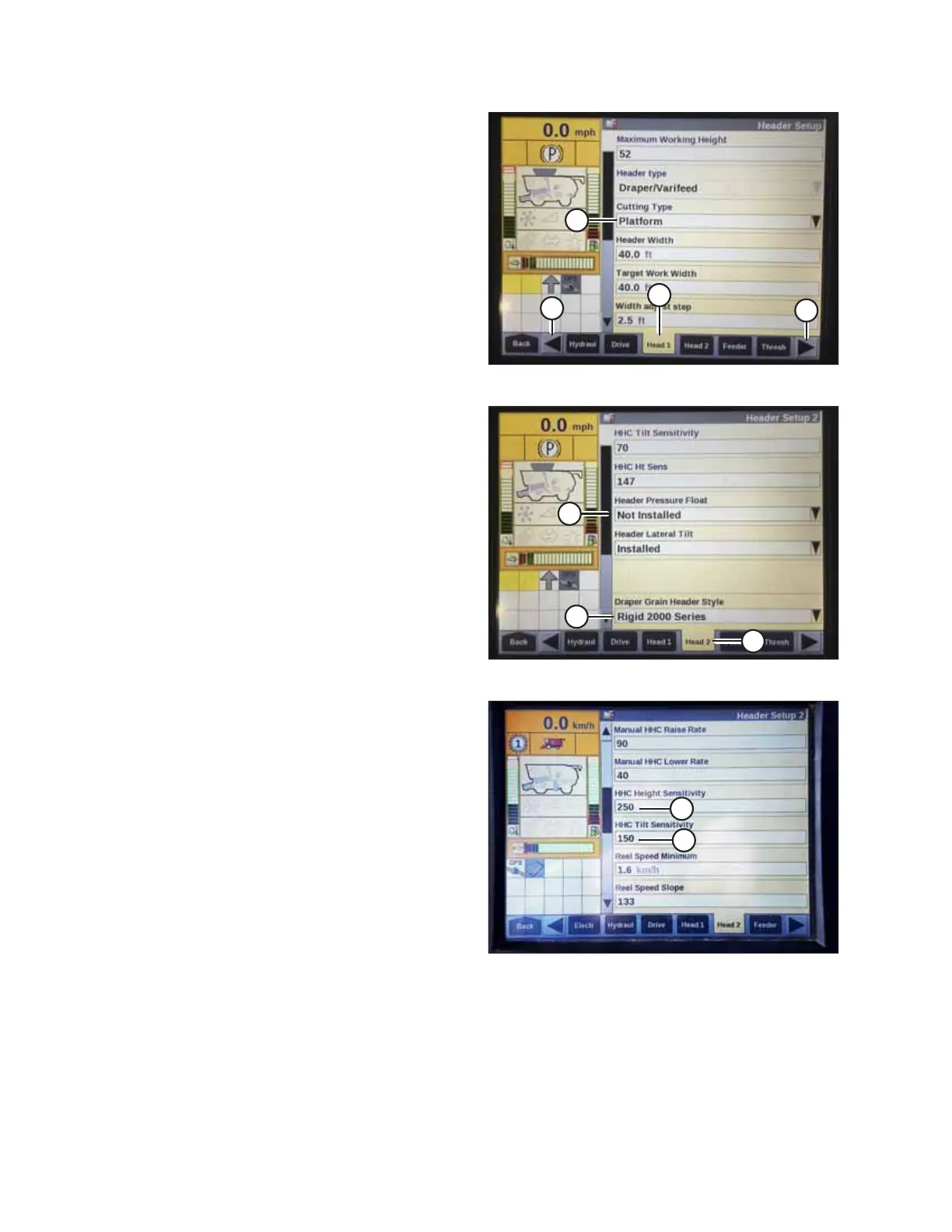
Figure 9.59: Case IH Combine Display
2. Select HEAD 1 tab (A). The HEADER SETUP page displays.
NOTE:
To locate the HEAD 1 tab, you may need to scroll to the
right using side arrows (C).
3. From CUTTING TYPE menu (B), select PLATFORM.
Figure 9.60: Case IH Combine Display
4. Select HEAD 2 tab (A). The HEADER SETUP 2 page displays.
5. From HEADER PRESSURE FLOAT menu (B), select NOT
INSTALLED.
6. If you are operating a D1 Series Draper Header, from
DRAPER GRAIN HEADER STYLE menu (C), select RIGID 2000
SERIES.
If you are operating an FD1 Series FlexDraper
®
Header,
from DRAPER GRAIN HEADER STYLE menu (C), select FLEX
2000 SERIES.
Figure 9.61: Case IH Combine Display
7. Locate HHC HEIGHT SENSITIVITY field (A), and set as
follows:
• If using a two-sensor system: Set HHC HEIGHT
SENSITIVITY to 250.
• If using a single-sensor system: Set HHC HEIGHT
SENSITIVITY to 180.
NOTE:
If hunting occurs during operation, decrease this setting by
20 points at a time until hunting no longer occurs.
8. Set HHC TILT SENSITIVITY (B) to 150. Increase or decrease
as desired.
SETTING UP AUTO HEADER HEIGHT CONTROL



 To Next Page