215184 390 Revision A
NOTE:
Changes may have been made to the combine controls or display since this document was published. Refer to the combine
operator’s manual for updates.
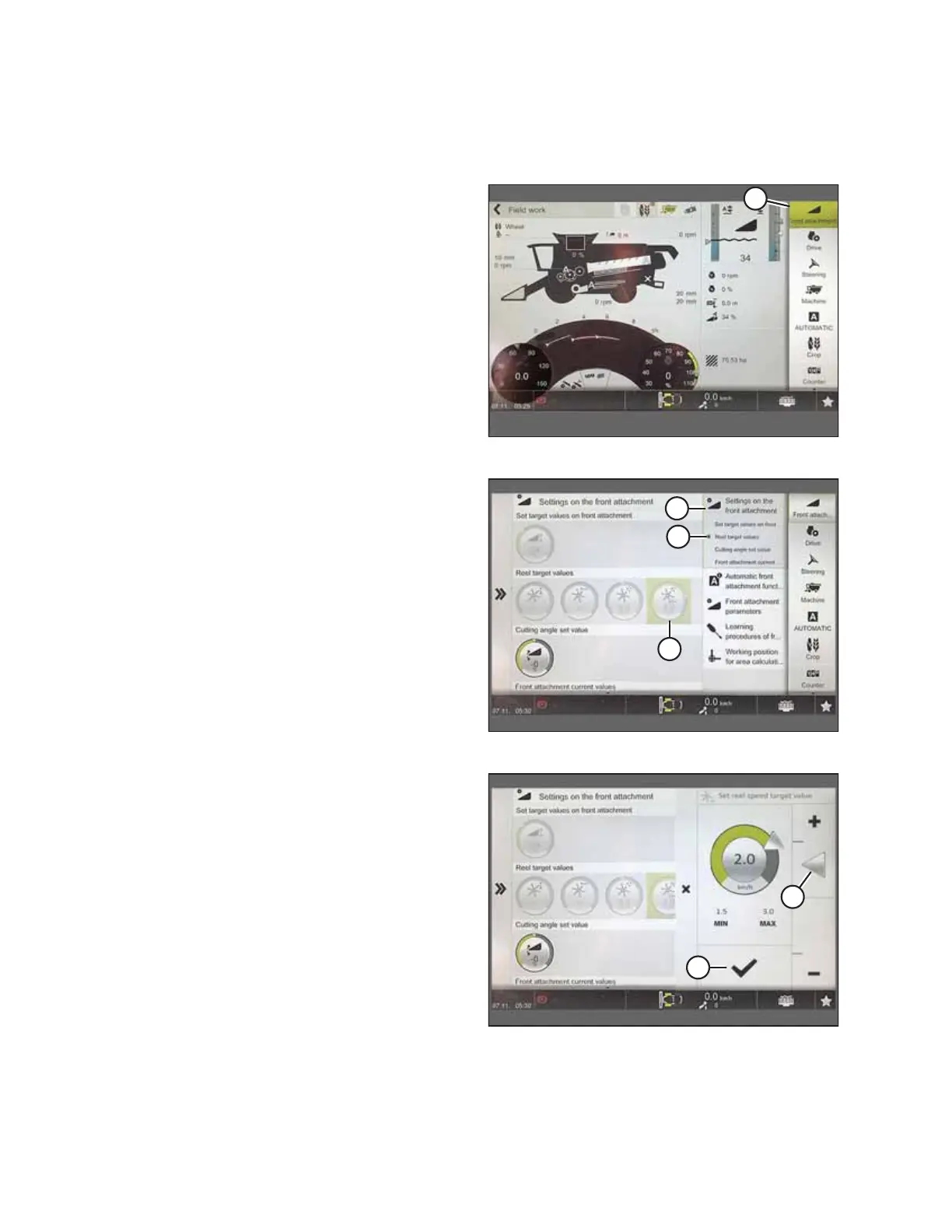
Figure 9.193: CEBIS Main Page
1. From the main page, select FRONT ATTACHMENT (A).
Figure 9.194: Settings on Front Attachment Page
2. From the list, select SETTINGS ON FRONT ATTACHMENT (A).
3. Select REEL TARGET VALUES (B).
4. Select REEL SPEED ADJUST icon (C).
Figure 9.195: Reel Speed Target Value Page
5. Adjust the reel speed target value by sliding adjuster
arrow (A) up or down.
6. Select check mark (B) to save setting.
SETTING UP AUTO HEADER HEIGHT CONTROL



 To Next Page