215184 426 Revision A
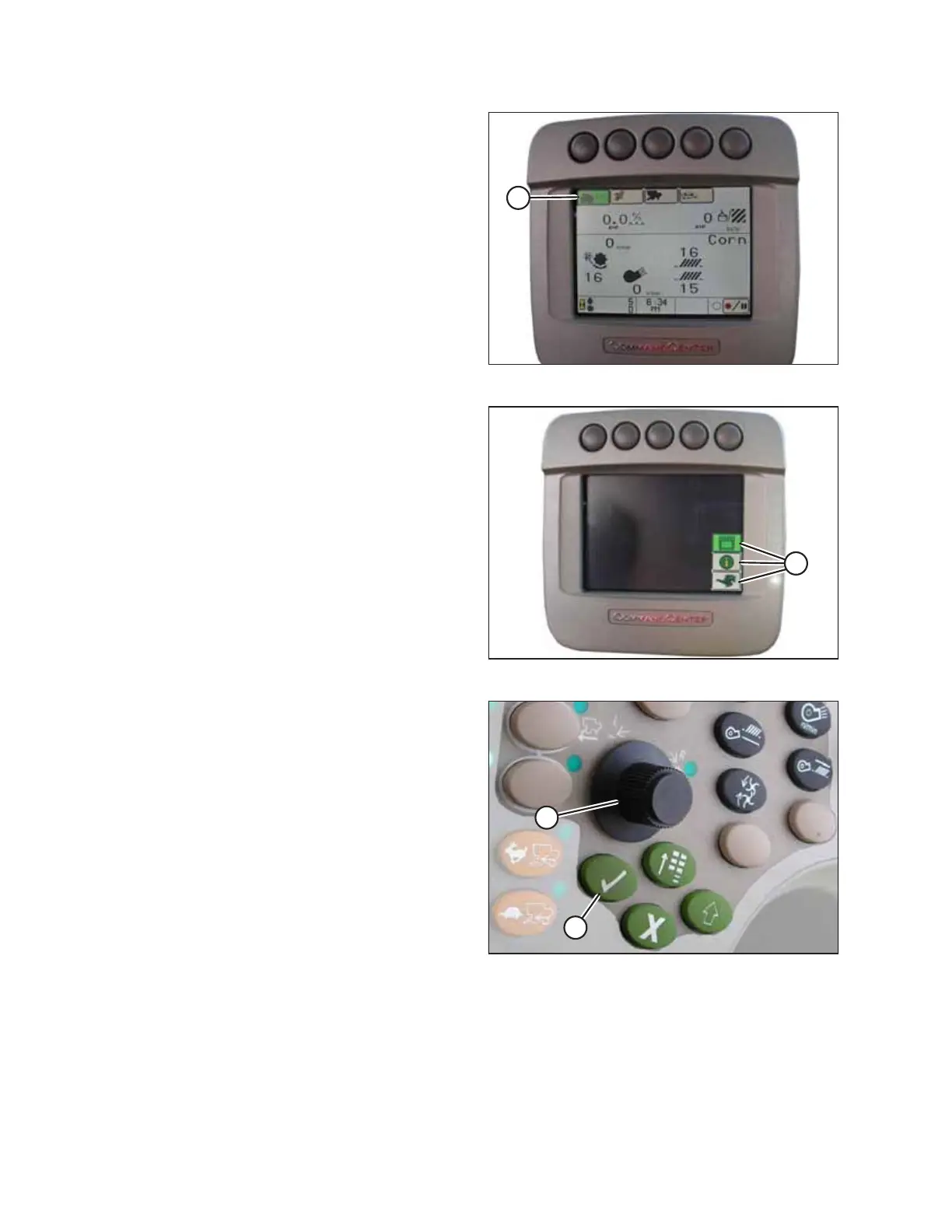
Figure 9.262: John Deere Combine Display
4. Press HOME PAGE button (A) on the main screen of the
monitor.
Figure 9.263: John Deere Combine Display
5. Ensure three icons (A) shown in the illustration at right
appear on the monitor.
Figure 9.264: John Deere Combine Control Console
6. Use scroll knob (A) to highlight the middle icon (the green i)
and press check mark button (B) to select it. This will bring
up the Message Center.
SETTING UP AUTO HEADER HEIGHT CONTROL



 To Next Page