215184 455 Revision A
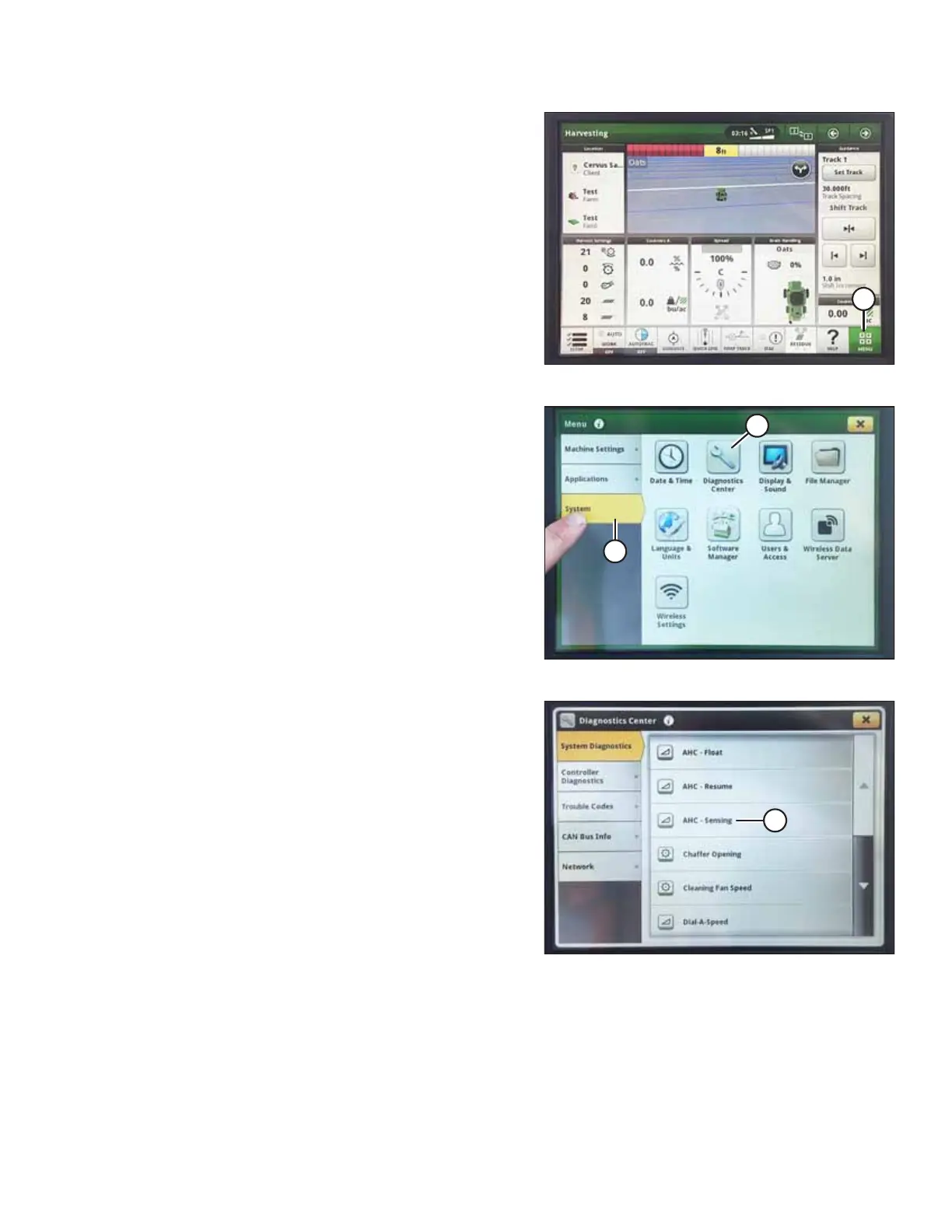
Figure 9.334: John Deere S7 Display – Harvesting Page
4. On the HARVESTING page, select MENU icon (A) in the
bottom right corner of the screen.
Figure 9.335: John Deere S7 Display – Menu
5. On the MENU page, select SYSTEM tab (A). The
MENU opens.
6. Select DIAGNOSTICS CENTER icon (B). The DIAGNOSTICS
CENTER page opens.
Figure 9.336: John Deere S7 Display –
Diagnostics Center
7. Select AHC - SENSING (A). The AHC - SENSING\
DIAGNOSTICS page displays.
SETTING UP AUTO HEADER HEIGHT CONTROL



 To Next Page