NFC Card Reader Type M27 (M502-10)
SM 2-63 D0AP/D0C4/D0C5/D0C6/M0BQ/M0D1
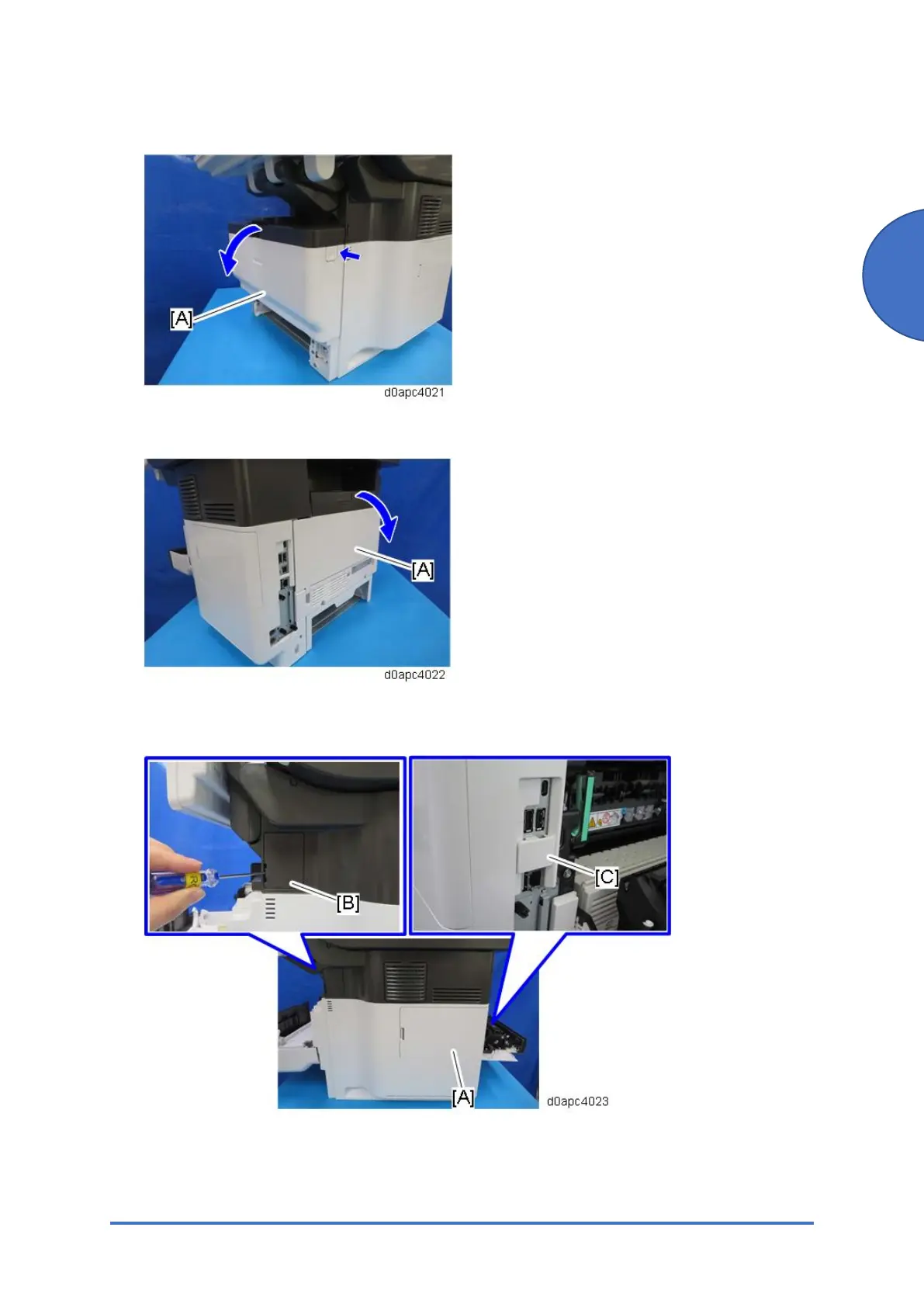
22. Open the front cover [A] by pressing the front cover button.
23. Open the rear cover [A].
24. Remove the HDD cover [A] and the connector cover [B] and [C].
Use a flathead screwdriver to remove the connector cover [B].



 To Next Page