LED Optics
SM 4-83 D0AP/D0C4/D0C5/D0C6/M0BQ/M0D1
&
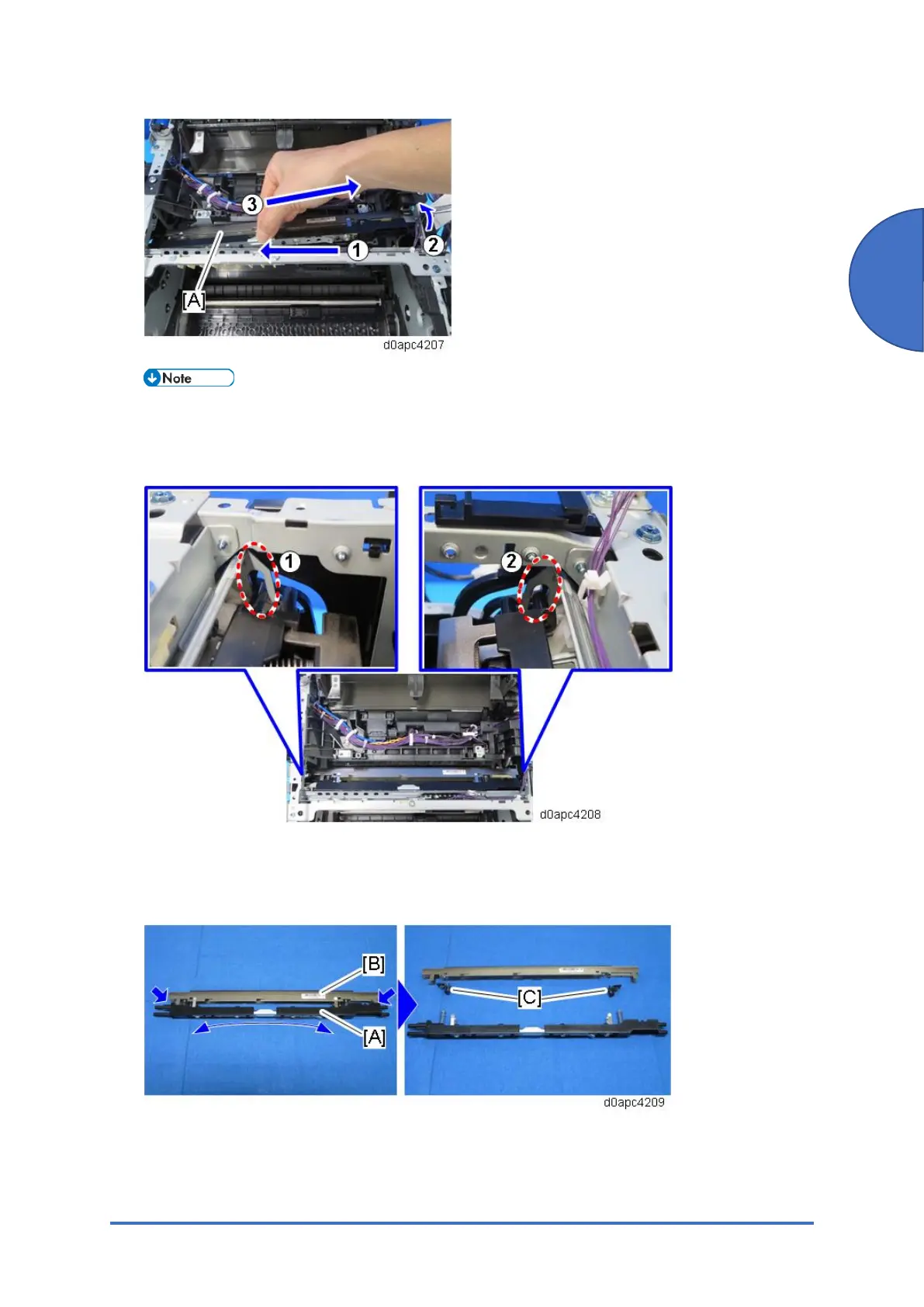
When reinstalling the LED unit work carefully to avoid touching the lens surfaces. When
re-attaching the LED unit, make sure that the ends of the LED shaft at the top fit into the
holes of the LED unitholder. Attach the left end of the LED unit first.
11. Bend the stay [A] to release the left and right tabs, and then separate the stay from the LED
head [B].
12. Remove the two spring holders [C] from the LED head.



 To Next Page