Electrical Components
SM 4-153 D0AP/D0C4/D0C5/D0C6/M0BQ/M0D1
&
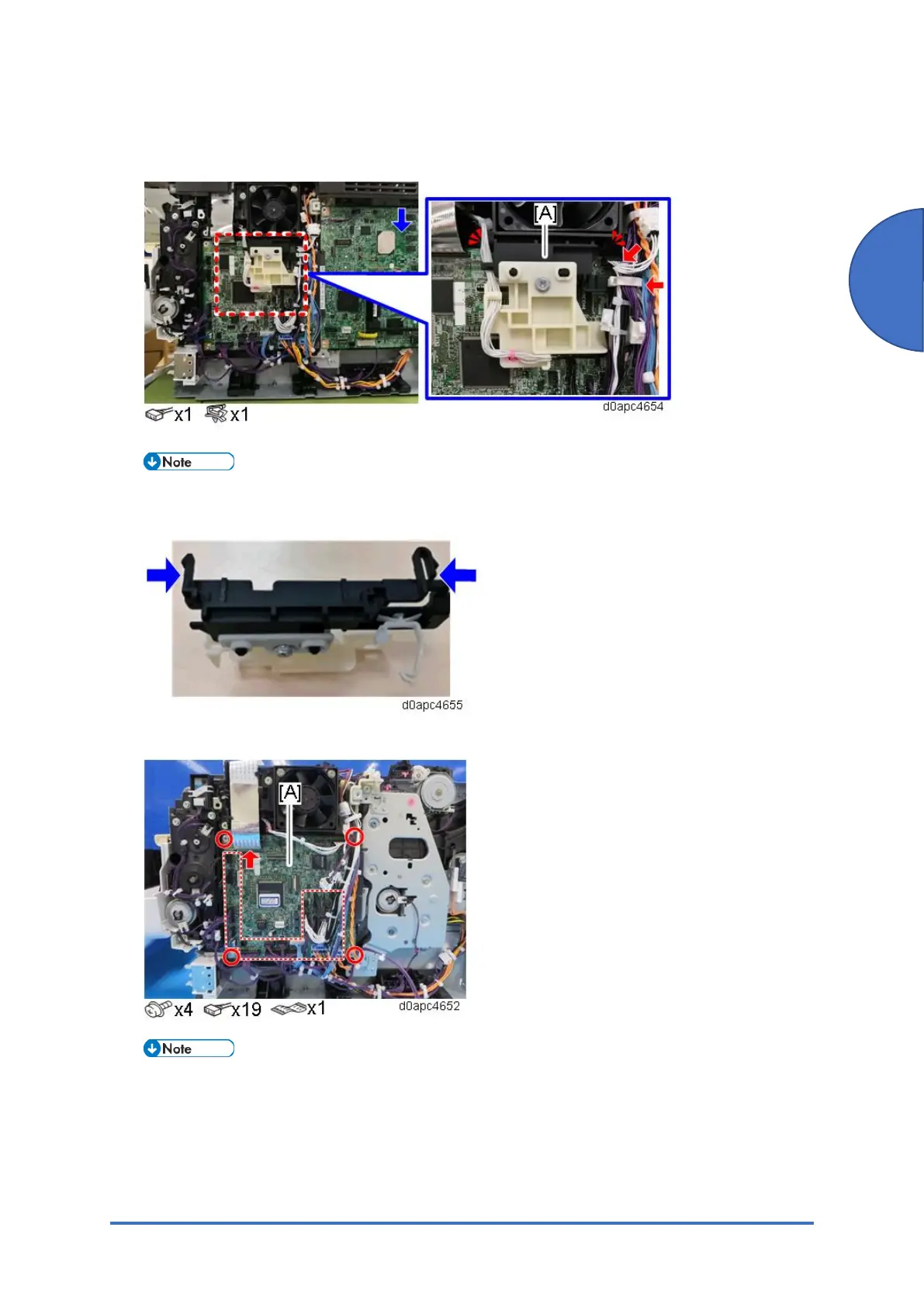
2. Remove the upper cover. (Upper Cover (Printer))
3. Release the two hooks to remove the harness guide [A].
Remove the harness guide tab from the right side. Check the position of the harness guide
tab in the photo below.
4. Remove the BCU [A].
The board [A] is fastened to the bracket with three tabs. Before removing the BCU, confirm
the locations of the tabs in the photo below.


 To Next Page
 Loading...







