Electrical Components
D0AP/D0C4/D0C5/D0C6/M0BQ/M0D1 4-154 SM
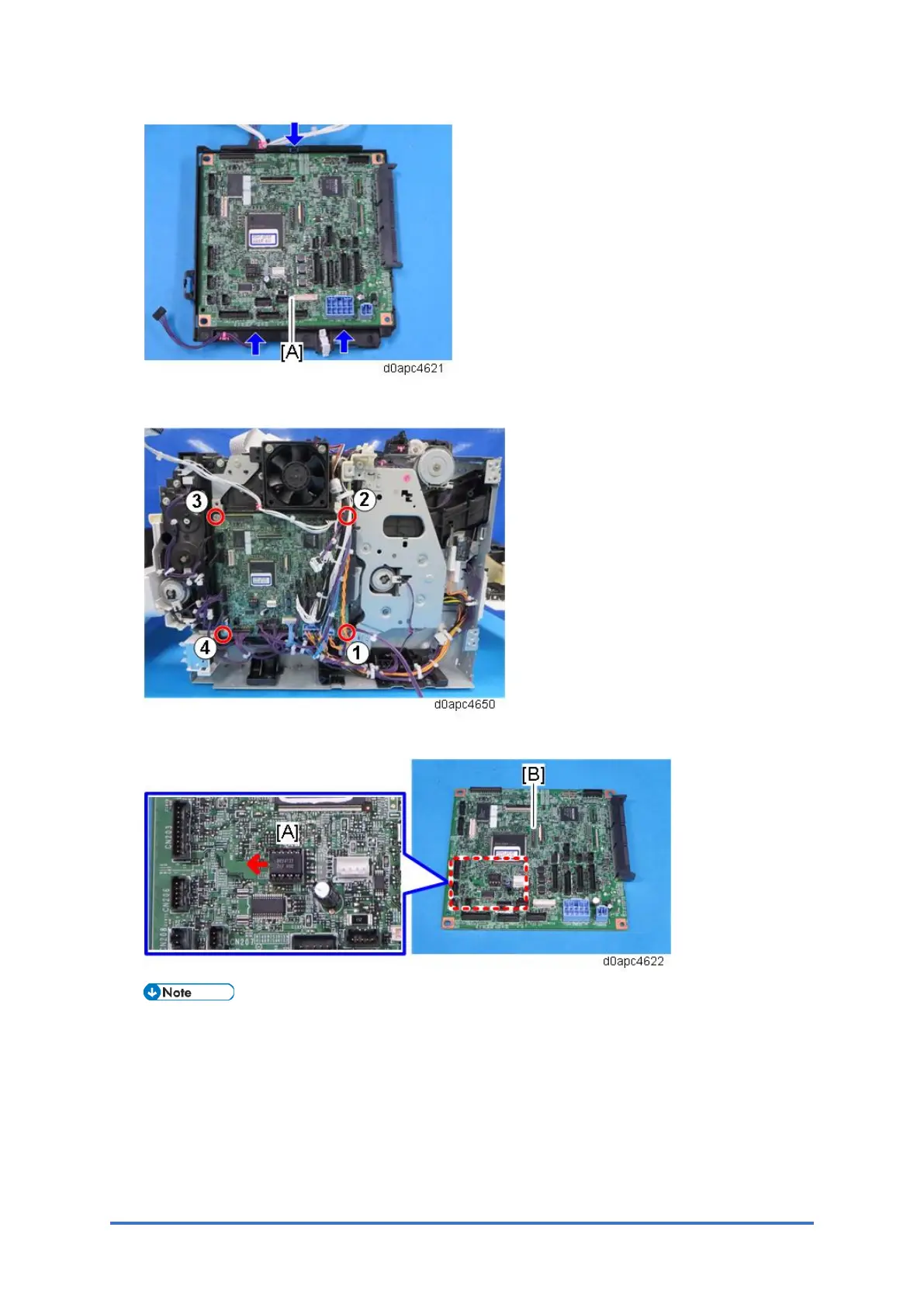
When attaching the BCU, fasten the screws in the following order.
5. Remove the NVRAM [A] from the old BCU, and then install it on the new BCU [B].
Install the NVRAM so that the indentation on the NVRAM faces the indentation mark on the
controller board. If they are not installed correctly, the controller board may be damaged.
Make sure that the NVRAM is correctly installed on the controller board by comparing the
installation with the photo above.
Set the DIP switches [B] on the new BCU to the same settings as the old board.
6. Attach the new BCU.
7. Reattach the covers.



 To Next Page