Offline Stapler Type M34 (D3EP-02)
SM 2-41 D0AP/D0C4/D0C5/D0C6/M0BQ/M0D1
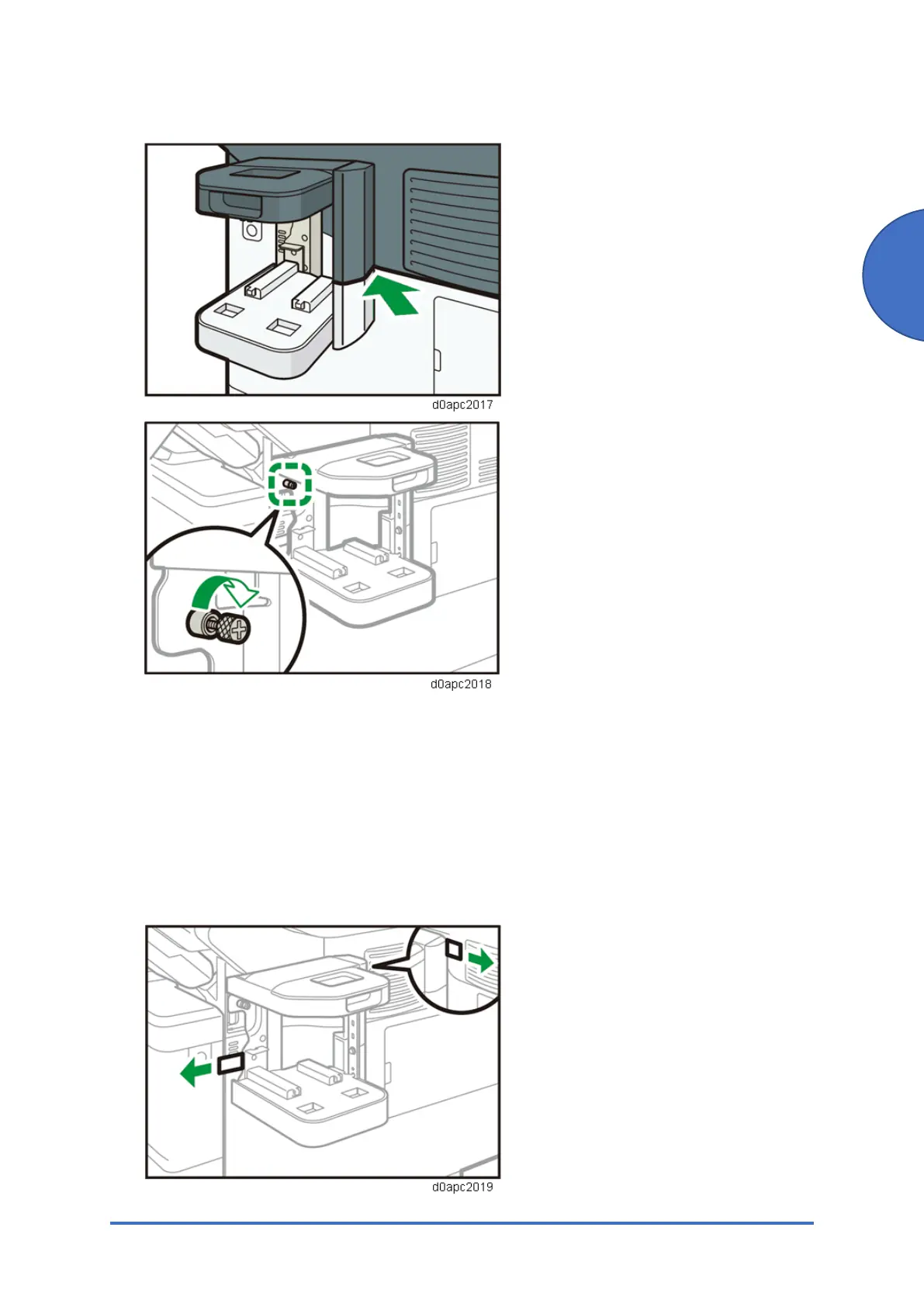
and then turn the screw until it stops.
5. Pull out the pieces of release paper that were folded outside, and then press the staple unit
cradle towards the machine.
Support the staple unit cradle with a hand so that it does not move when pulling out the
release paper. Do not press the staple unit forcibly. The release paper may tear. Pull the
release paper to the sides slowly. After removing the release paper, press forcibly on the
staple unit cradle to fasten it to the machine.
After releasing the release paper, press forcibly on the staple unit cradle to fasten it to the
machine.



 To Next Page