NFC Card Reader Type M27 (M502-10)
SM 2-53 D0AP/D0C4/D0C5/D0C6/M0BQ/M0D1
(recommended).
• If the customer prefers a tidy appearance, follow this alternate Installation Procedure
(2) to conceal the USB cable inside the machine (Installation Procedure (2): USB
Cable Inside the Machine).
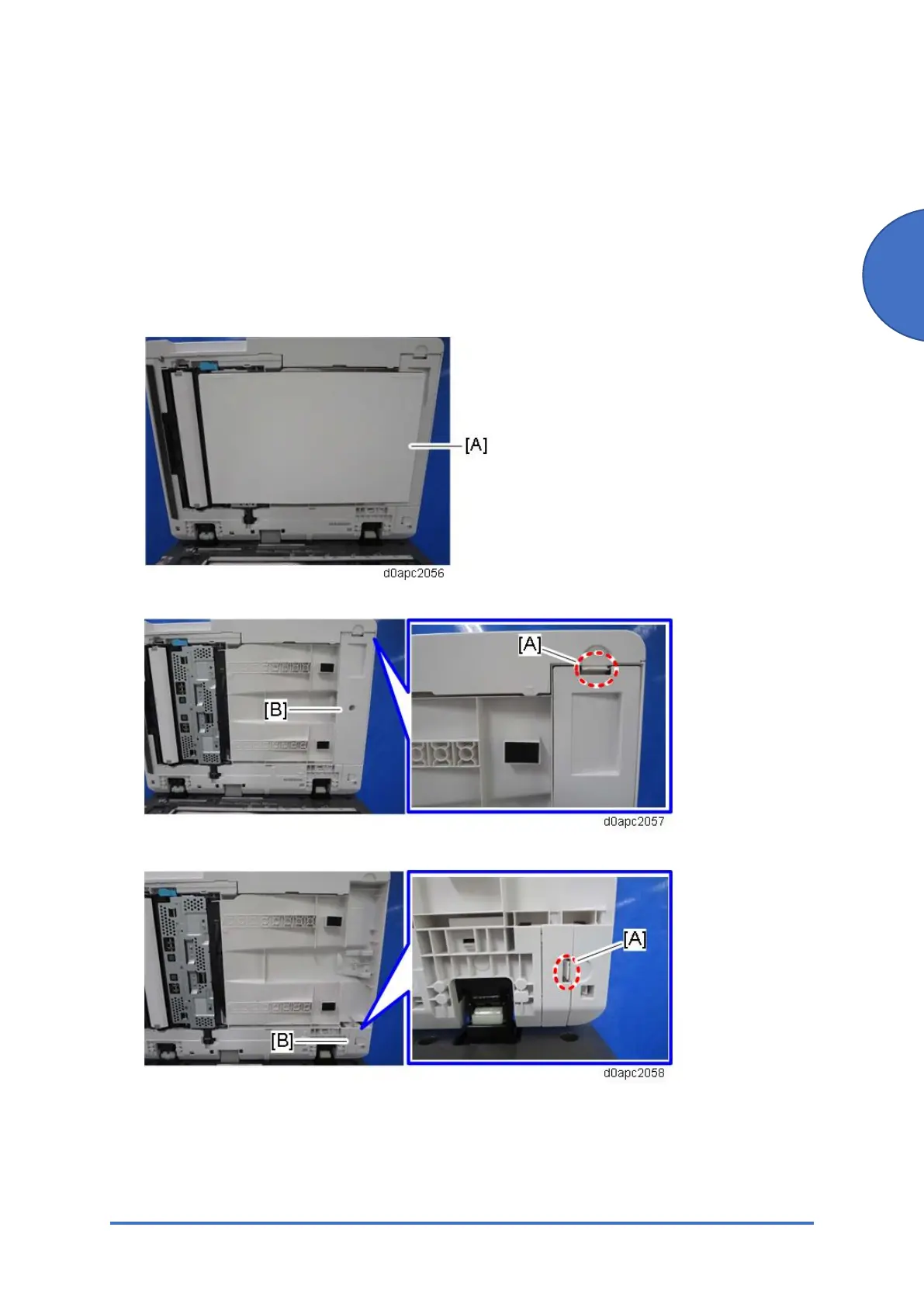
1. Open the SPDF.
2. Remove the platen sheet [A]. Do not place the removed platen sheet on the exposure
glass.
3. Release the tab [A] to remove the SPDF bottom cover [B].
4. Release the tab [A] to remove the harness cover [B].



 To Next Page