NFC Card Reader Type M27 (M502-10)
D0AP/D0C4/D0C5/D0C6/M0BQ/M0D1 2-54 SM
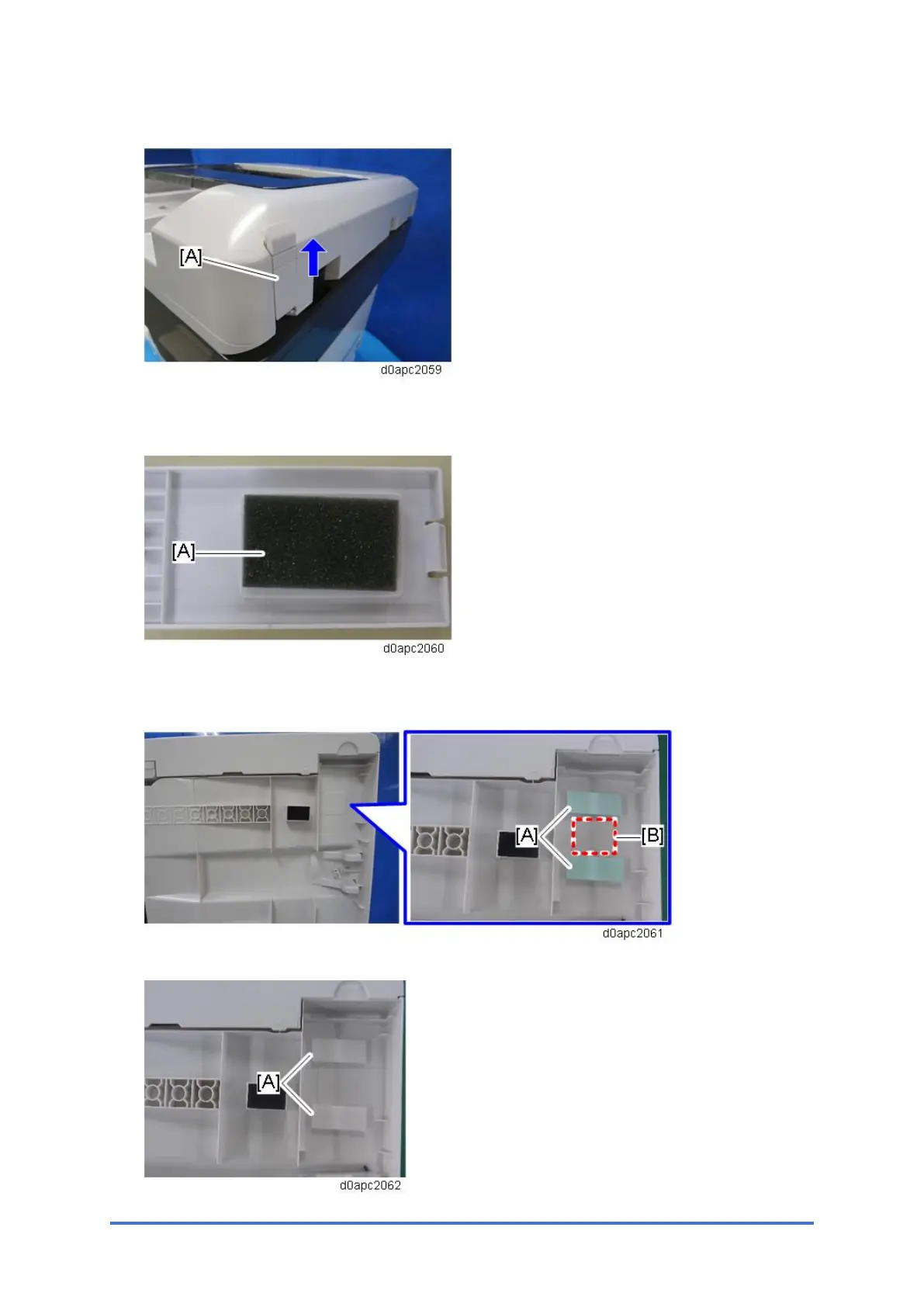
5. At the back of the SPDF, slide the small cover [A] up and remove it.
6. If the thickness of the NFC card reader is 15.4 mm or less, set cushion [A] into the hole on
the SPDF bottom cover. (The cushion is provided as an accessory with this option.)
7. Attach the double-sided tapes [A] on the bottom of the SPDF beside the projection [B] as
shown.
8. Peel the double-sided tapes [A].



 To Next Page